


Descubra folk o CRM para empresas impulsionadas por pessoas
As startups em fase inicial muitas vezes têm dificuldade em gerir as relações com os clientes de forma eficaz, o que leva à perda de oportunidades e negócios. O desafio reside na coordenação de acompanhamentos que tendem a se perder num mar de caixas de entrada, folhas de cálculo e comunicações em plataformas como o Slack. Um CRM para startups resolve essa questão, fornecendo uma visão clara de cada interação, próximo passo e responsável designado, garantindo que nada passe despercebido.
Neste artigo, exploraremos duas soluções de CRM proeminentes: HubSpot e Copper. O HubSpot oferece um conjunto abrangente que enfatiza a automação profunda, o alinhamento de marketing e relatórios robustos, tornando-o a escolha ideal para quem procura uma plataforma tudo-em-um. Por outro lado, Copper uma abordagem simplificada e focada nas vendas, especialmente adequada para equipas que preferem um pipeline leve e uma configuração rápida, sem sacrificar a essência da gestão de relacionamentos.
Esta comparação irá aprofundar as diferenças operacionais diárias entre os dois sistemas, examinando aspetos como eficiência na captura de contactos, integridade do pipeline, capacidades de automação, clareza dos relatórios e custo total à medida que a sua equipa cresce.
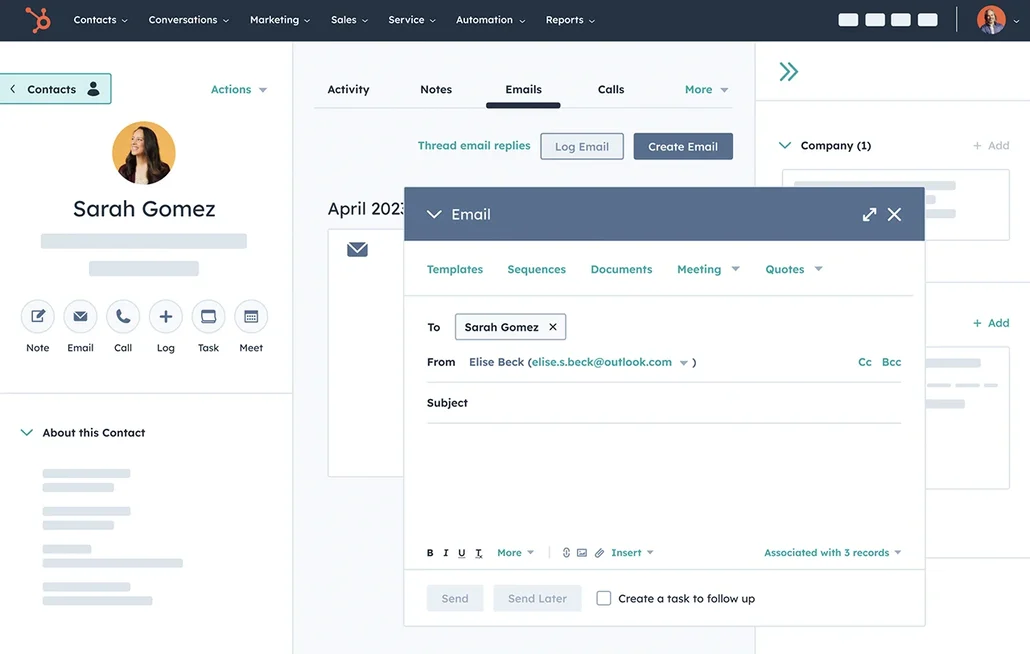
O que é o HubSpot?
O HubSpot é uma plataforma abrangente de entrada no mercado que integra CRM, automação de marketing, ferramentas de vendas e atendimento ao cliente. É ideal para startups que procuram um sistema unificado para gerir todo o funil, desde a aquisição até a retenção, com recursos robustos de segmentação e relatórios. O CRM é fácil de usar desde o início e pode ser expandido para fluxos de trabalho e atribuições mais sofisticados à medida que as suas necessidades evoluem. É amplamente utilizado nos EUA e oferece integração com a maioria das ferramentas SaaS contemporâneas. No entanto, os custos podem aumentar rapidamente à medida que você faz a transição para vários hubs e níveis superiores.
O que é Copper?
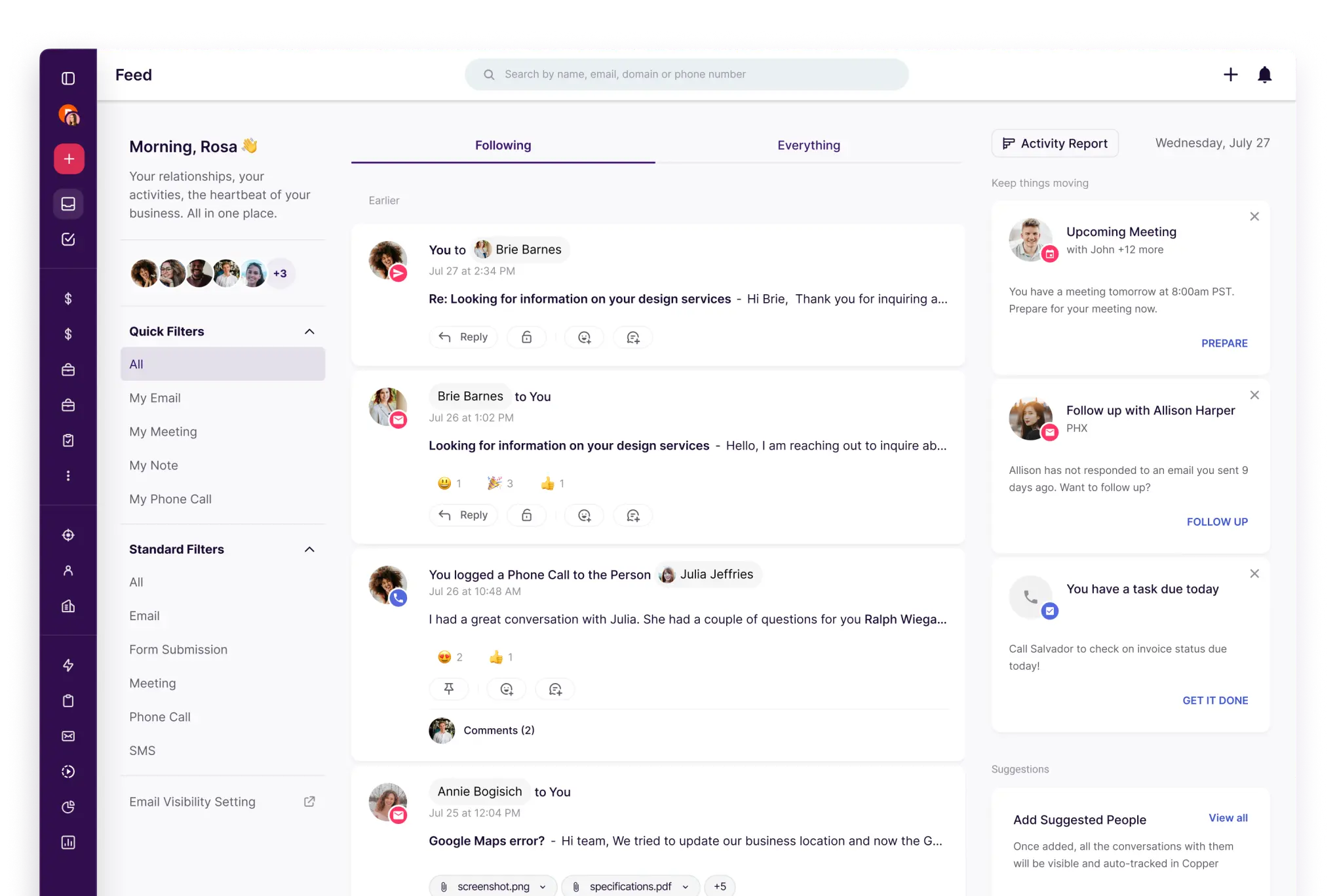
Copper um CRM simples que funciona particularmente bem para equipas que utilizam o Google Workspace. Ele atende a empresas de serviços e startups que buscam um acompanhamento leve do pipeline e gestão de contactos com o mínimo de atrito. O produto prioriza a facilidade de uso e a rápida adoção em detrimento de uma personalização extensa. Ele é uma ótima opção quando o acompanhamento do relacionamento é mais crucial do que a automação complexa. No entanto, equipas maiores podem achá-lo limitante se precisarem de fluxos de trabalho avançados, previsões ou relatórios com vários objetos.
Comparação de funcionalidades do HubSpot e Copper
Sincronização de e-mail e calendário
O HubSpot integra perfeitamente as caixas de entrada do Gmail ou do Office 365 por meio de sua integração com o Sales, permitindo que os e-mails sejam registrados diretamente da caixa de entrada enquanto rastreia aberturas e cliques. A sincronização do calendário é compatível com o Google Calendar e o Outlook Calendar, garantindo que as reuniões criadas nesses calendários apareçam na linha do tempo do registo relevante quando o contacto convidado existir no CRM. Também pode agendar reuniões diretamente a partir do HubSpot, que depois são sincronizadas com o calendário conectado. Esta funcionalidade resulta num histórico de atividades abrangente para e-mails e reuniões, mantido atualizado com o mínimo de entrada manual.
Copper especificamente concebido para se integrar facilmente com o Google Workspace, permitindo que as atividades de e-mail e calendário permaneçam ligadas às pessoas e empresas apropriadas com uma configuração mínima. É compatível com o Gmail e o Google Calendar, tornando-o a escolha ideal para startups que operam principalmente a partir das suas caixas de entrada. O histórico de atividades está facilmente acessível nos registos, minimizando a necessidade de registo manual e garantindo que o contexto permanece consistente durante as transferências. Esta solução é particularmente adequada para equipas que procuram uma experiência de CRM leve e familiar.
Limpe os dados de contacto com enriquecimento e deduplicação
A HubSpot oferece um recurso integrado de enriquecimento de dados que aprimora os detalhes da empresa e dos contactos, minimizando registros incompletos e a necessidade de pesquisa manual. Esse enriquecimento, juntamente com os recursos de intenção do comprador, opera em um modelo de créditos, utilizando os Créditos HubSpot para recursos específicos premium . O gerenciamento de duplicatas identifica sugestões de duplicatas e facilita a revisão e a fusão de registros, garantindo que os bancos de dados permaneçam organizados. Essa abordagem reduz o histórico de atividades fragmentado em várias entradas de contacto, levando a uma melhor segmentação, encaminhamento, relatórios e confiabilidade da automação.
Copper ferramentas essenciais para manter a integridade dos dados à medida que as listas se expandem, incluindo recursos de deteção de duplicatas e fusão para contactos e empresas. Essa funcionalidade ajuda a evitar cronogramas divididos quando as equipas importam leads de formulários, eventos ou folhas de cálculo. Registos limpos melhoram a segmentação, o encaminhamento e os acompanhamentos, minimizando a confusão e revelando-se particularmente benéficos para equipas pequenas, onde dados desorganizados podem dificultar a adoção.
Pipelines e visualizações flexíveis
A HubSpot promove a colaboração dentro de cada registo, integrando atividades como notas, tarefas, chamadas, e-mails e reuniões. Os utilizadores podem criar tarefas diretamente a partir de um registo como parte de um fluxo de trabalho de atividades, garantindo que as próximas etapas permaneçam visíveis e atribuídas. Menções dentro de atividades ou comentários notificam os colegas de equipa, facilitando transferências rápidas e preservando o contexto. As configurações de associação de atividades determinam quais registos vinculados compartilham o mesmo histórico de atividades, garantindo visibilidade consistente entre contactos, empresas, negócios e tickets. Essa configuração promove o alinhamento entre equipas à medida que o volume aumenta.
Copper pipelines e etapas personalizáveis para acompanhar negócios, permitindo que as equipas criem um funil de vendas simples e mantenham o ritmo com os próximos passos bem definidos. Os registos permanecem ligados às pessoas e empresas envolvidas no negócio, garantindo que a atividade do pipeline mantenha o contexto do relacionamento. Essa abordagem é ideal para startups que adotam uma estratégia de vendas consultiva ou gerenciam parcerias sem o peso de previsões complexas.
Colaboração em equipa
A HubSpot melhora a colaboração dentro de cada registo ao integrar atividades como notas, tarefas, chamadas, e-mails e reuniões. As tarefas podem ser geradas diretamente a partir de um registo como parte de um fluxo de trabalho de atividades, garantindo que as próximas etapas permaneçam claras e atribuídas. Menções dentro de atividades ou comentários notificam os colegas de equipa, facilitando transferências rápidas e preservando o contexto. As configurações de associação de atividades determinam quais registos vinculados partilham o mesmo histórico de atividades, promovendo visibilidade consistente entre contactos, empresas, negócios e tickets. Essa estrutura promove o alinhamento entre equipas à medida que a carga de trabalho aumenta.
Copper a colaboração em equipa, proporcionando visibilidade partilhada sobre registos, tarefas e cronogramas de atividades. A definição clara de responsabilidades e atribuições garante a prestação de contas, enquanto notas e históricos partilhados minimizam a dependência de threads separados. As configurações de permissão regulam quem pode visualizar ou editar informações à medida que a equipa cresce, permitindo transferências suaves sem sobrecarregar os processos.
Automação e integrações leves
A HubSpot permite a automatização em processos de marketing, vendas e serviços através de fluxos de trabalho que incluem um construtor visual para gatilhos e ações. Ela se conecta perfeitamente com ferramentas externas usando gatilhos e ações do Zapier para contactos, empresas, negócios e objetos personalizados. Para requisitos mais avançados, o HubSpot oferece APIs para programadores, permitindo a criação de integrações personalizadas e lógica de sincronização de dados. Esta abordagem facilita automações leves inicialmente, com potencial para uma orquestração mais profunda à medida que a pilha de tecnologia amadurece, ao mesmo tempo que garante uma governança centralizada por meio de configurações de CRM e controlos de automação.
Copper suporta a automação por meio de regras de fluxo de trabalho que acionam ações com base em alterações nos registos, minimizando significativamente a necessidade de atualizações manuais. Ele se integra facilmente ao Zapier, permitindo que as startups conectem Copper formulários, ferramentas de marketing e fluxos de trabalho internos sem a necessidade de desenvolvimento personalizado. Para aqueles que desejam se aprofundar, Copper uma API para criar lógica de sincronização personalizada e pipelines de dados, facilitando o início com automações simples e a expansão à medida que a pilha evolui.
folk : O melhor CRM para startups em 2026
folk um CRM de última geração projetado especificamente para startups que gerenciam relacionamentos através do Gmail, Google Calendar, LinkedIn e planilhas. Ele consolida contactos, empresas, negócios, notas, ficheiros e todas as interações em um espaço de trabalho simplificado, garantindo que o contexto do pipeline esteja vinculado a conversas reais, em vez de se perder em várias abas.
Principais características que as startups adoram no folk
- Sincronização do Gmail e do Google Agenda para uma linha do tempo automática de atividades
- Captura de contactos compatível com o LinkedIn através de uma prática extensão do Chrome
- Enriquecimento de contactos para preencher rapidamente os dados em falta
- Desduplicação para manter uma base de dados limpa à medida que o seu volume aumenta
- Pipelines e campos personalizáveis para se alinhar com qualquer estratégia de entrada no mercado
- Aplicação móvel — utilize a aplicaçãofolk para gerir os seus contactos e atividades em qualquer lugar
Para startups, folk por oferecer rapidez na geração de valor e incentivar o uso diário. A configuração é rápida, os fluxos de trabalho permanecem adaptáveis e o contexto multicanal é facilmente acessível, sem sobrecarregar o CRM com complexidade desnecessária. Isso leva a acompanhamentos mais confiáveis, dados mais limpos e maior visibilidade da receita, com menos atritos.
👉 Experimente folk gratuitamente
Conclusão
Em resumo, a HubSpot se destaca com sua plataforma tudo-em-um que oferece automação profunda e relatórios abrangentes, ideal para startups que buscam um alinhamento de marketing extenso. Copper uma experiência simplificada para usuários do Google Workspace, com foco em gerenciamento de pipeline leve e facilidade de uso. No entanto, para equipes que priorizam integração de e-mail, automação e acompanhamentos contextuais, folk é a melhor escolha. A sua sincronização perfeita com o Gmail e o Google Calendar, juntamente com fluxos de trabalho personalizáveis, garante uma gestão eficaz de relacionamentos sem complicações.
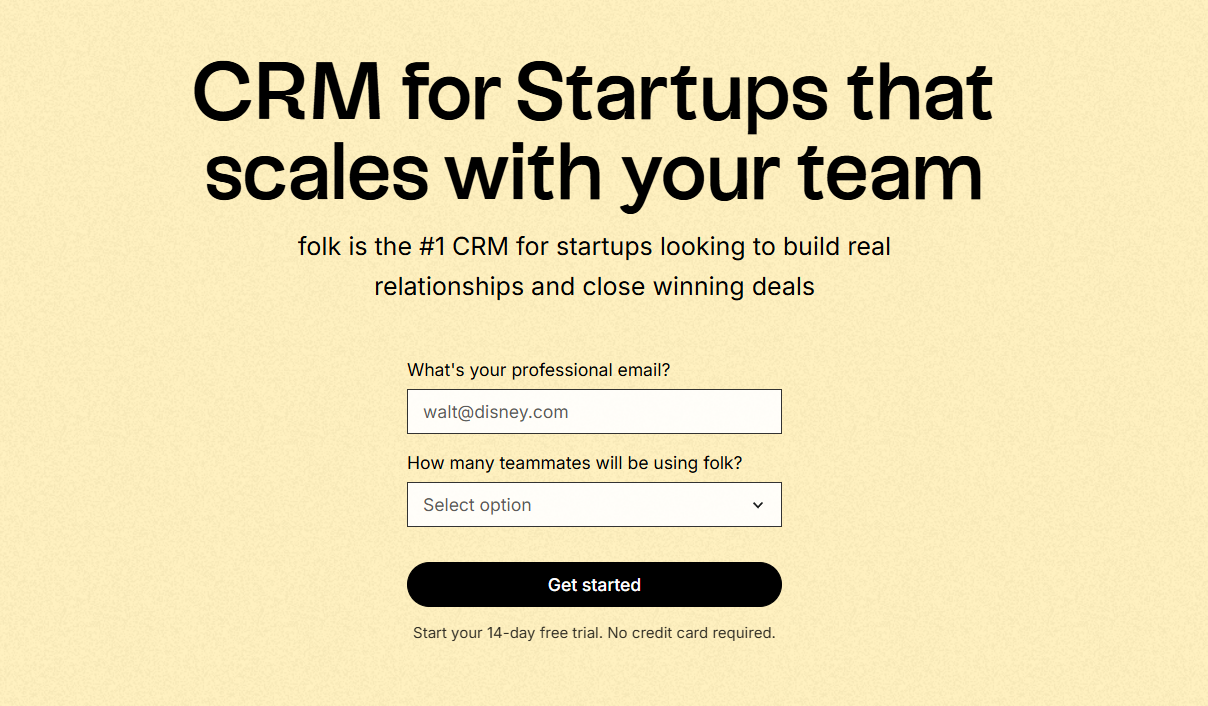
Comece o seu período de avaliação gratuita de 14 dias ou marque uma demonstração hoje mesmo.
Descubra folk
Como o assistente de vendas que a sua equipa nunca teve