


Scopri folk il CRM per le aziende basate sulle persone
La scelta tra Pipedrive Zoho dipende in ultima analisi da una domanda fondamentale: quale CRM ottimizza realmente il tempo attraverso l'automazione, invece di appesantirti con ulteriori compiti amministrativi?
Per i team che apprezzano la semplicità, folk offre una delle soluzioni di automazione più efficienti e potenti disponibili in qualsiasi CRM, consentendo agli utenti di automatizzare le e-mail in base alle condizioni definite e di utilizzare l'API per l'automazione delle azioni.
Perché l'automazione è essenziale per il CRM nel 2026
Nel panorama odierno, l'automazione è diventata fondamentale per i moderni team di vendita. I reparti vendite e marketing devono gestire un numero crescente di lead, canali diversificati e percorsi di acquisto complessi senza aumentare il personale o compromettere la personalizzazione. Un CRM che dipende ancora dall'inserimento manuale dei dati, da follow-up sporadici e da report su fogli di calcolo obsoleti sottrae gradualmente tempo, energia e attenzione alle conversazioni autentiche con i clienti.
Ecco i motivi principali per cui l'automazione è ormai indispensabile:
- Gli acquirenti si aspettano risposte rapide e pertinenti tramite e-mail, LinkedIn, WhatsApp e telefonate.
- Le pipeline si muovono rapidamente e qualsiasi follow-up trascurato può comportare una perdita di entrate.
- L'esplosione dei dati rende gli aggiornamenti manuali poco pratici e inaffidabili.
- La leadership richiede una visibilità delle prestazioni in tempo reale invece di basarsi su estrapolazioni di fine mese.
Il vero valore di un CRM risiede nella sua capacità di alleggerire il carico di lavoro del team, non solo nel numero di campi dati che può ospitare. La piattaforma più efficace è quella che traccia automaticamente le attività, mantiene registrazioni pulite dietro le quinte e suggerisce i passi successivi appropriati al momento giusto, consentendo ai rappresentanti di concentrarsi sulla promozione delle relazioni e sulla conclusione degli accordi piuttosto che sulla gestione dello strumento stesso.
Cos'è Pipedrive?
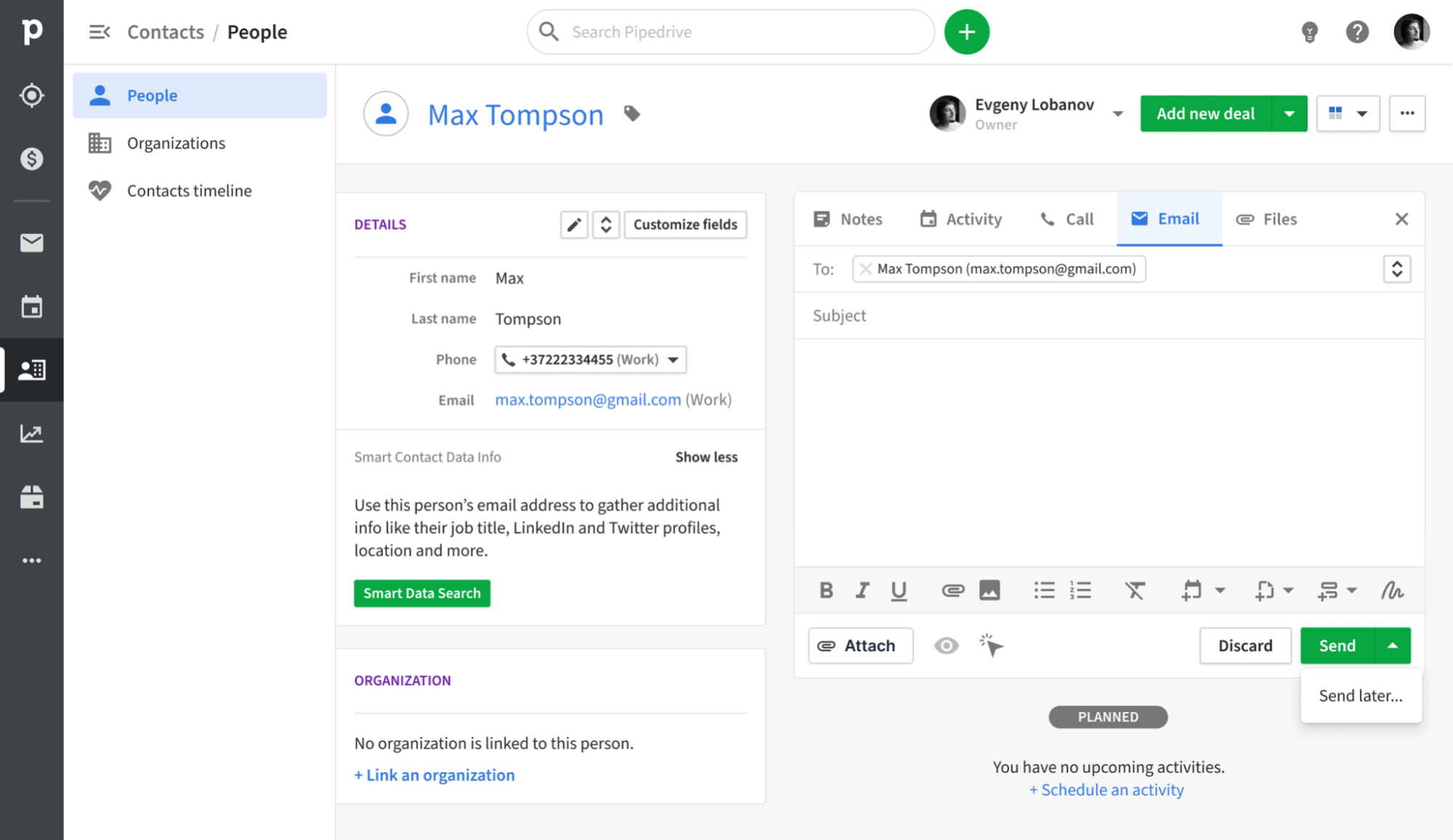
Pipedrive è un CRM orientato alle vendite progettato attorno a una pipeline visiva che consente ai rappresentanti commerciali di monitorare le trattative dal contatto iniziale alla chiusura. La sua funzione di sincronizzazione e-mail si collega perfettamente a Gmail, Outlook e altri provider IMAP, registrando automaticamente ogni messaggio al contatto e alla trattativa appropriati. Grazie alla casella di posta in arrivo integrata, alle funzionalità di tracciamento e alla gestione di base delle campagne, i team possono centralizzare le loro attività di outreach e gli aggiornamenti della pipeline senza il fastidio di dover utilizzare più strumenti.
Cos'è Zoho ?

Zoho è un CRM versatile e completo, perfetto per le aziende che cercano un'ampia personalizzazione e una suite integrata di applicazioni. Offre l'integrazione della posta elettronica con Zoho , Gmail, Outlook e altri servizi IMAP, consentendo ai team di inviare, ricevere e archiviare i messaggi direttamente all'interno del CRM. Con viste condivise della posta in arrivo, tracciamento di base e automazione, Zoho integra le attività di posta elettronica in una più ampia strategia di coinvolgimento omnicanale.
Confronto delle funzionalità di Pipedrive Zoho
Capacità di integrazione
Pipedrive si sincronizza Pipedrive con Gmail e Outlook (con supporto IMAP per altri provider di posta elettronica), garantendo che ogni messaggio in entrata e in uscita venga registrato accuratamente nel record del contatto o dell'affare appropriato. Con l'opzione Smart Email BCC, puoi registrare i messaggi direttamente dal tuo client di posta elettronica semplicemente aggiungendo l'indirizzo BCC dinamico, lasciando Pipedrive occupi del resto. Inoltre, l'integrazione nativa con i calendari Google e Microsoft assicura che tutti i tuoi incontri vengano automaticamente inseriti nelle timeline dei contatti, fornendo una visione completa di tutte le interazioni con i clienti.
Il componente aggiuntivo Email Insights Zohoconsente la sincronizzazione diretta con Gmail, Outlook o qualsiasi provider IMAP, registrando automaticamente i messaggi e gli allegati nei record corrispondenti. Hai la possibilità di selezionare quali cartelle sincronizzare, filtrando le conversazioni irrilevanti e acquisendo tutte le e-mail che generano opportunità. Inoltre, Zoho offre la sincronizzazione bidirezionale con Google, Office 365 o iCal, garantendo che gli inviti alle riunioni e gli aggiornamenti vengano riportati sia nel tuo calendario personale che nella timeline del CRM.
Frequenza di sincronizzazione e affidabilità
La sincronizzazione delle e-mail Pipedrivecon Gmail e Outlook avviene ogni pochi minuti, garantendo un equilibrio tra immediatezza e prestazioni del sistema. I messaggi in uscita e in entrata vengono acquisiti e abbinati ai contatti o alle trattative in meno di cinque minuti, assicurando che raramente si verifichino perdite o ritardi nei registri. Il fallback IMAP aderisce ai protocolli IMAP IDLE standard per le notifiche push, fornendo aggiornamenti quasi istantanei per i provider compatibili.
Nel frattempo, l'add-on Email Insights Zohostabilisce una connessione live con il tuo provider di posta tramite IMAP IDLE o OAuth, consentendo la sincronizzazione dei messaggi quasi in tempo reale. Le e-mail vengono visualizzate nella timeline del CRM pochi secondi dopo la ricezione, complete di allegati e metadati. Inoltre, la sincronizzazione bidirezionale del calendario avviene instantly Google Calendar, Office 365 e iCal, mentre la logica di riprova Zohogestisce efficacemente eventuali errori intermittenti.
Sincronizzazione bidirezionale di e-mail e calendario
Con i piani Advanced e superiori, la funzione Group Emailing Pipedriveconsente di selezionare fino a 100 contatti da qualsiasi elenco per inviare messaggi di massa con tag di unione e tracciamento delle risposte. Inoltre, l'add-on Pipedrive offre un modulo dedicato per la creazione di percorsi e-mail, la segmentazione del pubblico e l'analisi dei tassi di apertura e di clic. Tutte le risposte vengono automaticamente collegate all'affare o al contatto corrispondente. Tuttavia, è importante notare che l'add-on Campagne ha un costo aggiuntivo e le sue funzionalità di reporting sono più limitate rispetto alle piattaforme di email marketing autonome.
Zoho consente la sincronizzazione delle e-mail tramite POP/IMAP o OAuth per Outlook, Gmail e qualsiasi provider IMAP. Una volta configurato in Impostazioni > Canali > E-mail, sia i messaggi in entrata che quelli in uscita vengono automaticamente allegati al record del lead o del contatto correlato.
Stampa unione e campagne
Con i piani Advanced e superiori, la funzione Group Emailing Pipedriveconsente di selezionare fino a 100 contatti da qualsiasi elenco per inviare messaggi di massa che includono tag di unione e tracciamento delle risposte. L'add-on Pipedrive offre un modulo dedicato alla creazione di percorsi e-mail, alla segmentazione del pubblico e all'analisi dei tassi di apertura e di clic, assicurando che tutte le risposte siano automaticamente collegate all'affare o al contatto corretto. Tuttavia, è importante notare che l'add-on Campaigns ha un costo aggiuntivo e che le sue funzionalità di reporting sono più limitate rispetto a quelle delle piattaforme di e-mail marketing autonome.
D'altra parte, lo strumento Mass Email Zoho consente agli utenti di inviare fino a 1.000 e-mail al giorno, utilizzando modelli personalizzabili e tag di unione per la personalizzazione. Per campagne più grandi, Zoho si integra perfettamente, fornendo segmentazione avanzata, un'interfaccia di progettazione drag-and-drop e analisi su consegna, aperture, clic e cancellazioni. Tuttavia, poiché Zoho è un prodotto distinto, la gestione della fatturazione e delle autorizzazioni degli utenti su due sistemi può introdurre una certa complessità amministrativa.
Monitoraggio delle aperture e dei clic
Pipedrive le opzioni "Traccia apertura email" e "Traccia apertura link" che consentono di registrare le aperture e i clic per ogni messaggio inviato, completi di conteggi e timestamp disponibili nella scheda Posta. È possibile attivare o disattivare facilmente il monitoraggio per ogni email e visualizzare esattamente chi ha cliccato su quale link direttamente nella vista dell'affare. Tuttavia, è importante tenere presente che i report Pipedrivesono limitati ai tassi di apertura e di clic di base e non dispongono di una visualizzazione integrata del funnel o di approfondimenti sulla mappa di calore, a meno che non si esportino i dati in uno strumento di BI.
D'altra parte, la funzione di base Email Insights Zoho traccia automaticamente le aperture quando si inviano e-mail tramite i connettori Gmail o Outlook, con il tracciamento dei clic sui link disponibile tramite l'integrazione ZeptoMail per dati completi sui clic. Senza ZeptoMail, gli utenti CRM possono vedere solo i tassi di apertura; per accedere alle analisi complete dei clic è necessario un prodotto di posta elettronica transazionale separato, che comporta costi aggiuntivi e passaggi di configurazione.
Esperienza CRM nella posta in arrivo
Il componente aggiuntivo Gmail Pipedriveintegra perfettamente un pannello laterale nella tua casella di posta, consentendoti di accedere alle informazioni sui contatti e sulle trattative, aggiornare le fasi e aggiungere nuove attività, il tutto senza uscire da Gmail. Con l'accesso immediato a Smart Email BCC, modelli e pulsanti di tracciamento, puoi creare nuovi lead o trattative con un solo clic, trasformando efficacemente la tua casella di posta in una Pipedrive . Tuttavia, questa funzionalità nella casella di posta è limitata a Chrome o Edge, poiché non esiste un componente aggiuntivo simile per Outlook desktop.
Allo stesso modo, l'eWidget Zohoappare come una barra laterale in Zoho , Gmail o Outlook, consentendoti di aggiungere lead, visualizzare i dettagli dei contatti e registrare le e-mail senza uscire dalla tua casella di posta. È possibile visualizzare le fasi delle trattative, le attività e le note delle riunioni in linea e, con un clic, inviare modelli predefiniti o creare nuovi record. Tuttavia, la barra laterale è limitata a questi specifici client di posta: se si utilizza Thunderbird o un altro servizio, non sarà possibile usufruire di questa comoda funzione integrata nella casella di posta.
folk : il miglior CRM per le automazioni
folk è un CRM moderno e basato sull'intelligenza artificiale, progettato per i team che desiderano semplificare il processo di automazione delle trattative. Consolida tutte le relazioni (lead, clienti, partner, candidati e investitori) in viste adattabili che si adattano a qualsiasi flusso di lavoro.
folk è pensato su misura per i team che danno priorità all'automazione. Grazie alla perfetta sincronizzazione tra e-mail e calendario, i team possono automatizzare in modo efficiente i follow-up e le attività di outreach su larga scala. Le nuove automazioni e-mail condizionali consentono di inviare e-mail in base ai dati in tempo reale all'interno folk, ad esempio inviando automaticamente e-mail di onboarding o di passaggio di consegne quando un contatto diventa cliente o quando un accordo viene contrassegnato come firmato.
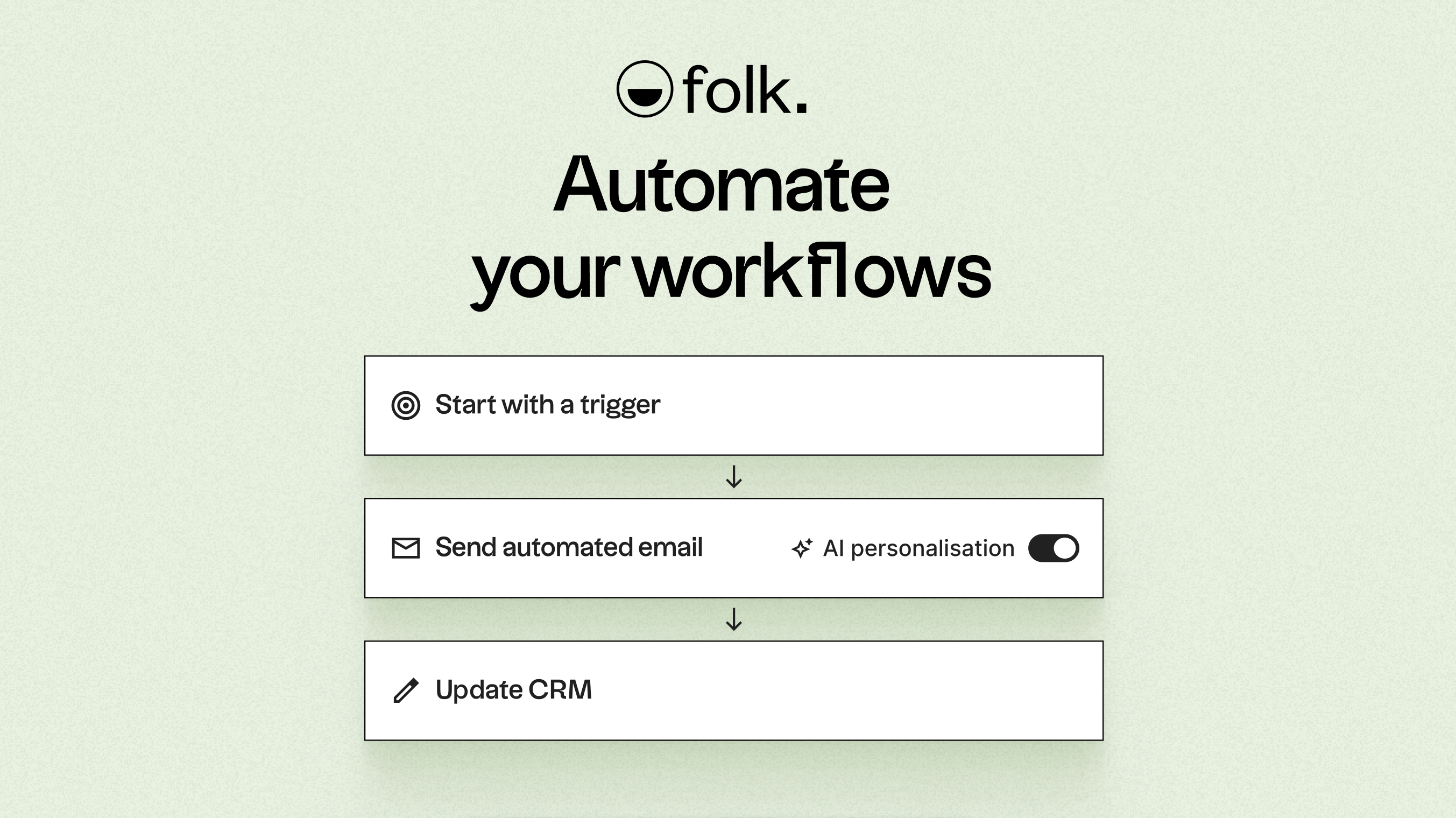
Grazie all'intelligenza artificiale, folk i dati, genera argomenti di conversazione, redige e-mail personalizzate e consiglia le azioni migliori da intraprendere. La sua API aperta e i webhook facilitano l'integrazione con strumenti come Zapier e Make, consentendo flussi di lavoro sofisticati tra e-mail, WhatsApp, Slack, fatturazione e sistemi interni.
Grazie alla possibilità di acquisire i contatti con un solo clic tramite l'estensione folkX per Chrome, alle pipeline collaborative e all'app mobile, folk ai team un CRM snello ma potente che consente di scalare l'automazione mantenendo il pieno controllo.
Conclusione
In conclusione, mentre Pipedrive nella gestione visiva della pipeline e nella sincronizzazione affidabile delle e-mail per i team incentrati sulle vendite, e Zoho offre un'ampia personalizzazione e applicazioni integrate per esigenze più ampie, folk si distingue come la soluzione ideale per i team che danno priorità all'integrazione delle e-mail, all'automazione e alla sequenzializzazione. Con le sue funzionalità basate sull'intelligenza artificiale, i flussi di lavoro senza soluzione di continuità e le solide capacità di automazione, folk consente ai team di ottimizzare la loro attività di outreach e collaborazione senza sforzo. Per coloro che sono pronti a migliorare la loro esperienza CRM, folk è la scelta migliore. Prova folk gratuitamente
Inizia oggi stesso la tua prova gratuita di 14 giorni o prenota una demo.
Domande frequenti
Qual è il CRM migliore per l'automazione?
folk è la soluzione che privilegia l'automazione, offrendo automazioni e-mail condizionali, azioni assistite dall'intelligenza artificiale e un'API aperta per webhook e integrazioni; Pipedrive Zoho l'automazione, ma spesso si affidano a componenti aggiuntivi o prodotti separati per i flussi di lavoro avanzati.
Quanto è veloce e affidabile la sincronizzazione delle e-mail in Pipedrive Zoho?
Pipedrive Gmail e Outlook ogni pochi minuti utilizzando il protocollo IMAP come soluzione di riserva per garantire aggiornamenti quasi istantanei, mentre Email Insights Zohoutilizza IMAP IDLE o OAuth per una sincronizzazione quasi in tempo reale e include una logica di riprova per garantire l'affidabilità.
Pipedrive Zoho avanzate di monitoraggio delle campagne e dei clic già integrate?
Pipedrive l'add-on "Campaigns" e fornisce report di base su messaggi aperti e clic, mentre Zoho ZeptoMail o Zoho per un'analisi completa dei clic e funzionalità avanzate delle campagne, che sono prodotti separati.
Ti presentiamo folk, il CRM basato sull'intelligenza artificiale per l'intero processo di vendita.