


Scopri folk il CRM per le aziende basate sulle persone
Nel frenetico panorama aziendale odierno, le startup in fase iniziale si trovano spesso a dover gestire processi di vendita complessi in cui gli accordi sfuggono loro dalle mani, non a causa di carenze del prodotto, ma piuttosto a causa di follow-up frammentati su varie piattaforme. Un CRM per startup può rivoluzionare questo caos garantendo che ogni interazione, ogni passo successivo e ogni responsabile rimangano visibili e organizzati.
HubSpot e Zoho rispondono a questa esigenza con approcci distinti su misura per le sfide specifiche delle startup. HubSpot offre una suite che privilegia l'automazione approfondita, l'allineamento del marketing e funzionalità di reporting complete. Al contrario, Zoho presenta un modello che privilegia le vendite, con pipeline leggere, implementazione rapida e una forte attenzione alla disciplina delle attività.
Questo articolo mette a confronto i cambiamenti essenziali apportati da queste piattaforme nell'attività quotidiana, concentrandosi su aspetti quali l'acquisizione dei contatti, la pulizia della pipeline, le capacità di automazione, la chiarezza dei report e i costi complessivi man mano che il team si espande.
Cos'è HubSpot?
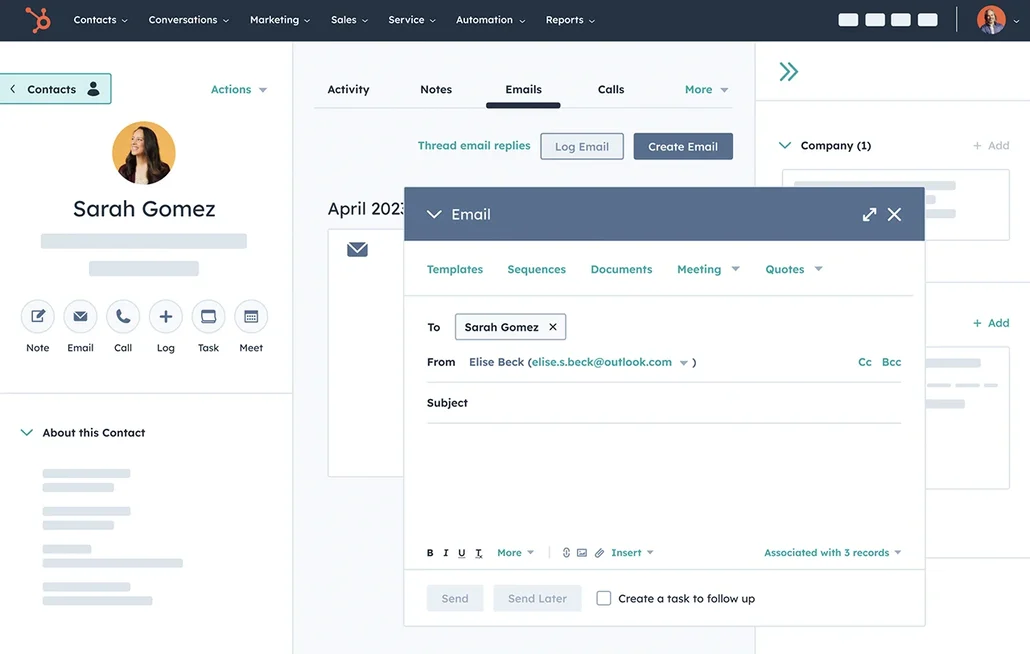
HubSpot è una piattaforma completa per il go-to-market che integra CRM, automazione del marketing, strumenti di vendita e assistenza clienti. È perfetta per le startup che cercano un unico sistema per gestire l'intero funnel, dall'acquisizione alla fidelizzazione, offrendo solide funzionalità di segmentazione e reporting. Partendo da un CRM facile da usare, gli utenti possono espandersi gradualmente verso flussi di lavoro avanzati e attribuzione man mano che le loro esigenze evolvono. Ampiamente adottato negli Stati Uniti, HubSpot si integra perfettamente con la maggior parte dei moderni strumenti SaaS, anche se i costi possono aumentare rapidamente quando si utilizzano più hub e livelli superiori.
Cos'è Zoho ?
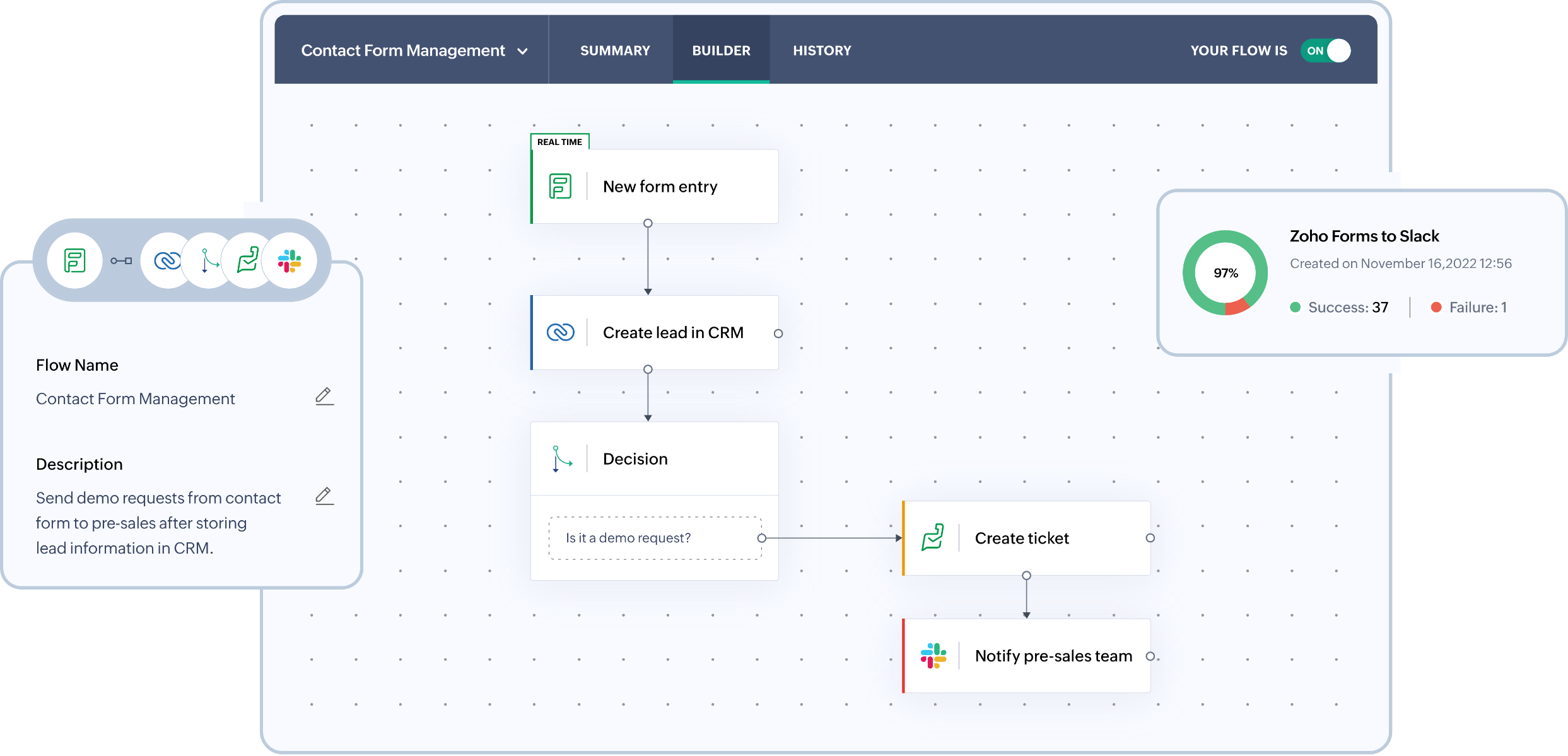
Zoho è una soluzione versatile che offre un equilibrio tra automazione, personalizzazione e convenienza per le startup in crescita. È pensata per i team che cercano un controllo del flusso di lavoro maggiore rispetto a quello offerto dai CRM di base, senza la necessità di sistemi aziendali complessi. Zoho funzionalità come pipeline, previsioni, tracciamento delle e-mail e ampie opzioni di personalizzazione tramite campi e moduli. Si integra efficacemente nella più ampia Zoho , sostituendo potenzialmente più strumenti man mano che l'azienda cresce. Tuttavia, l'interfaccia può sembrare più pesante e le funzionalità avanzate tendono ad essere disponibili solo nei livelli superiori o tramite componenti aggiuntivi.
Confronto delle funzionalità di HubSpot e Zoho
Sincronizzazione di e-mail e calendario
HubSpot si integra perfettamente con le caselle di posta Gmail o Office 365 tramite l'integrazione HubSpot Sales, consentendo di registrare le e-mail direttamente dalla casella di posta e di tracciare le aperture e i clic. La sincronizzazione del calendario è disponibile sia per Google Calendar che per Outlook Calendar, consentendo alle riunioni create nel calendario di apparire automaticamente nella cronologia dei record pertinenti quando il contatto invitato è nel CRM. Inoltre, è possibile pianificare riunioni all'interno di HubSpot, che verranno poi sincronizzate con il calendario collegato. Ciò si traduce in una cronologia delle attività unificata per e-mail e riunioni, gestita senza sforzo con una registrazione manuale minima.
Zoho facilita anche la sincronizzazione delle e-mail con Gmail tramite IMAP, POP3 o l'API di Gmail, assicurando che i messaggi siano collegati ai lead e ai contatti appropriati. I team possono leggere, inviare e monitorare l'attività di posta elettronica direttamente dal CRM, consolidando la cronologia delle conversazioni in un unico luogo. Ciò riduce al minimo la registrazione manuale e consente revisioni più efficaci della pipeline basate su contatti reali. È una soluzione ideale per le startup che cercano un'esecuzione semplificata delle e-mail senza il fastidio di dover passare continuamente da uno strumento all'altro.
Pulizia dei dati di contatto con arricchimento e deduplicazione
HubSpot offre un sistema integrato di arricchimento dei dati che popola automaticamente i dettagli dell'azienda e dei contatti, riducendo al minimo i record incompleti e la necessità di ricerche manuali. Le sue funzionalità di arricchimento e di analisi delle intenzioni degli acquirenti funzionano con un modello a crediti, utilizzando i crediti HubSpot per specifiche funzionalità premium . Il sistema di gestione dei duplicati identifica i potenziali duplicati e facilita la revisione e l'unione dei record, garantendo che i database rimangano puliti. Questo processo impedisce la frammentazione delle cronologie delle attività su più voci di contatto, migliorando la segmentazione, l'instradamento, la reportistica e l'affidabilità dell'automazione.
Zoho offre potenti strumenti di gestione dei duplicati che identificano e uniscono i record duplicati, mantenendo puliti i database anche quando le importazioni e le integrazioni aumentano. È possibile configurare controlli dei duplicati per garantire che i campi chiave rimangano unici, con i duplicati contrassegnati prima che si moltiplichino. Inoltre, i record possono essere deduplicati dalle visualizzazioni elenco o uniti direttamente dai singoli record quando si verificano sovrapposizioni. Questo approccio proattivo evita la frammentazione delle tempistiche e migliora la segmentazione e l'accuratezza dei report su larga scala.
Pipeline e viste flessibili
HubSpot migliora la collaborazione integrando attività quali note, compiti, chiamate, e-mail e riunioni direttamente all'interno di ciascun record. I compiti possono essere creati facilmente come parte di un flusso di lavoro delle attività, garantendo che i passaggi successivi rimangano visibili e verificabili. Le menzioni nelle attività o nei commenti avvisano i colleghi, facilitando rapidi passaggi di consegne e preservando il contesto. Le impostazioni di associazione delle attività determinano quali record collegati condividono la stessa cronologia delle attività, garantendo una visibilità coerente tra contatti, aziende, trattative e ticket. Questa organizzazione favorisce l'allineamento tra i team, soprattutto quando il carico di lavoro aumenta.
Zoho offre processi di vendita strutturati attraverso accordi, fasi e pipeline personalizzabili che si adattano alle varie fasi di avvio di un'impresa. I campi e i layout possono essere personalizzati, consentendo ai team di monitorare i segnali rilevanti senza dover seguire un modello rigido. Le visualizzazioni, i filtri e i moduli consentono ai team di concentrarsi sugli elementi della pipeline con la massima priorità, permettendo di passare da un semplice imbuto a processi più complessi e segmentati man mano che il team si espande.
Collaborazione di gruppo
HubSpot migliora la collaborazione all'interno di ogni record incorporando attività quali note, compiti, chiamate, e-mail e riunioni. Gli utenti possono creare attività direttamente da un record come parte di un flusso di lavoro delle attività, assicurando che i passaggi successivi siano chiaramente visibili e assegnati. Le menzioni nelle attività o nei commenti avvisano i colleghi, facilitando i rapidi passaggi di consegne e preservando il contesto. Le impostazioni di associazione delle attività determinano quali record collegati condividono la stessa cronologia delle attività, garantendo una visibilità coerente tra contatti, aziende, offerte e ticket. Questa configurazione favorisce l'allineamento tra i team all'aumentare del carico di lavoro.
Zoho favorisce la collaborazione all'interno dei record fornendo visibilità condivisa delle attività, delle note, dei compiti e delle responsabilità tra i team. L'integrazione del calendario consente di sincronizzare perfettamente le riunioni pianificate in Office 365 con Zoho , rendendo visibili le interazioni pianificate sulla timeline del CRM. Questa funzionalità aiuta i reparti vendite, successo e leadership a rimanere allineati sulle interazioni passate e sui compiti futuri. Man mano che l'organizzazione diventa più strutturata, l'accesso può essere gestito attraverso ruoli e autorizzazioni definiti.
Automazione leggera e integrazioni
HubSpot facilita l'automazione attraverso flussi di lavoro che abbracciano i processi di marketing, vendita e assistenza, con un generatore visivo per trigger e azioni. La piattaforma si collega perfettamente con strumenti esterni tramite trigger e azioni Zapier per contatti, aziende, accordi e oggetti personalizzati. Per chi desidera un maggiore controllo, HubSpot offre API per sviluppatori per creare integrazioni personalizzate e logiche di sincronizzazione dei dati. Questo approccio consente automazioni leggere fin dall'inizio, passando a un'orchestrazione più complessa man mano che lo stack matura, il tutto mantenendo una governance centralizzata attraverso le impostazioni CRM e i controlli di automazione.
Al contrario, Zoho sfrutta l'automazione attraverso regole di flusso di lavoro che possono avviare azioni come notifiche e-mail, assegnazione di attività, aggiornamenti dei campi, webhook e funzioni personalizzate. Questa funzionalità migliora l'instradamento dei lead, garantisce gli SLA di follow-up, mantiene l'igiene della pipeline e consente integrazioni basate sugli eventi, riducendo al minimo la necessità di un intervento manuale costante. Inoltre, Zoho fornisce API REST per operazioni CRUD e capacità di integrazione più estese, mentre Zapier supporta l'automazione senza codice per i team che desiderano migliorare i propri flussi di lavoro senza sforzo.
folk : il miglior CRM per le startup nel 2026
folk un moderno CRM progettato specificamente per le startup, che integra perfettamente le relazioni tra Gmail, Google Calendar, LinkedIn e fogli di calcolo. Centralizzando contatti, aziende, accordi, note, file e tutte le interazioni in un unico spazio di lavoro leggero, garantisce che il contesto della pipeline rimanga collegato alle conversazioni reali, anziché essere disperso in più schede.
Caratteristiche essenziali per le startup che utilizzano folk
- Cronologia automatica delle attività con sincronizzazione di Gmail e Google Calendar
- Acquisizione dei contatti da LinkedIn senza sforzo tramite un'estensione Chrome
- Arricchimento rapido dei contatti per completare velocemente i dati mancanti
- Deduplicazione del database per mantenere l'ordine nonostante l'aumento del volume dei dati
- Pipeline e campi personalizzabili su misura per qualsiasi strategia di commercializzazione
- appfolk per la gestione dei contatti in mobilità
Per le startup, folk nella rapidità di generazione di valore e nell'usabilità quotidiana. La sua configurazione rapida, i flussi di lavoro flessibili e il contesto multicanale facilmente accessibile impediscono al CRM di diventare una suite ingombrante. Ciò porta a follow-up più coerenti, dati più puliti e informazioni più chiare sui ricavi con una riduzione degli attriti.
Conclusione
Mentre HubSpot offre una suite completa per il go-to-market con una forte automazione e allineamento al marketing, e Zoho fornisce una soluzione versatile che bilancia personalizzazione e convenienza, folk si presenta come la scelta ideale per le startup che puntano sull'integrazione delle e-mail, l'automazione e il sequencing. La sua perfetta integrazione con Gmail, Google Calendar e LinkedIn, unita a un'interfaccia leggera, garantisce ai team una gestione efficiente delle relazioni e il mantenimento di dati puliti. Per le startup che puntano alla velocità e all'usabilità, folk è il chiaro vincitore.
Inizia oggi stesso la tua prova gratuita di 14 giorni o prenota una demo.
Scopri folk
Come l'assistente alle vendite che il tuo team non ha mai avuto