


Scopri folk il CRM per le aziende basate sulle persone
Quando si deve scegliere tra HubSpot e Monday CRM, la domanda fondamentale è: quale CRM migliora realmente l'automazione senza aggiungere inutili oneri amministrativi?
Per i team che apprezzano la semplicità, folk offre una delle soluzioni di automazione più efficienti e robuste in qualsiasi CRM. Consente agli utenti di automatizzare le e-mail in base alle condizioni definite ed eseguire azioni tramite l'API.
Perché l'automazione è essenziale per il CRM nel 2026
Nel panorama odierno, l'automazione è diventata la pietra angolare dei moderni team di vendita. I reparti vendite e marketing hanno il compito di gestire un numero crescente di lead, canali e processi di acquisto complessi, evitando al contempo di aumentare il personale e mantenendo la personalizzazione. Un CRM che dipende ancora dall'inserimento manuale dei dati, dai follow-up sporadici e dai metodi di reporting tradizionali sottrae tempo, energia e concentrazione preziosi alle interazioni autentiche con i clienti.
Ecco i motivi principali per cui l'automazione è ormai indispensabile:
- Gli acquirenti si aspettano risposte rapide e pertinenti tramite e-mail, LinkedIn, WhatsApp e telefonate.
- Le pipeline funzionano rapidamente e qualsiasi follow-up trascurato può comportare una perdita di ricavi.
- Il volume dei dati è aumentato vertiginosamente, rendendo gli aggiornamenti manuali poco pratici e inaffidabili.
- La leadership richiede informazioni in tempo reale sulle prestazioni, non approssimazioni di fine mese.
Il vero valore di un CRM risiede nella sua capacità di alleggerire il carico di lavoro del team, piuttosto che nel numero di campi che può ospitare. La piattaforma ideale tiene traccia automaticamente delle attività, mantiene registrazioni pulite in background e suggerisce i passi successivi appropriati al momento giusto, consentendo ai rappresentanti di concentrarsi sulla cura delle relazioni e sulla conclusione delle trattative invece che sulla gestione dello strumento.
Cos'è HubSpot?

HubSpot è una piattaforma CRM completa che integra marketing, vendite e assistenza clienti in un unico database di contatti. La sua integrazione con la posta elettronica consente ai rappresentanti di collegare le caselle di posta personali Gmail e Outlook, permettendo loro di inviare e-mail personalizzate, registrare le risposte e avviare sequenze direttamente dal CRM o dalla loro casella di posta. Funzionalità come il monitoraggio delle aperture e dei clic, i modelli e le timeline condivise migliorano la visibilità delle attività di posta elettronica dell'intero team di vendita.
Cos'è Monday CRM?

Monday sales CRM sfrutta la piattaforma di gestione del lavoro monday.com, fornendo ai team un approccio visivo alla gestione delle pipeline insieme ai loro progetti. L'app E-mail e attività si collega perfettamente a Gmail e Outlook, consentendo agli utenti di inviare, ricevere e registrare e-mail direttamente dalle bacheche, monitorando in tempo reale le aperture e le risposte. Con l'aiuto di modelli e automazione, è possibile standardizzare i follow-up, mantenendo ben organizzati e sincronizzati lo stato dei lead, le attività e la cronologia delle e-mail.
Confronto delle funzionalità di HubSpot e Monday CRM
Capacità di integrazione
HubSpot offre un'integrazione bidirezionale perfetta con Gmail, Outlook e qualsiasi provider compatibile con IMAP, consentendoti di inviare email individuali direttamente dai record dei contatti e registrando automaticamente ogni risposta nella timeline del tuo CRM. Il suo scheduler nativo sincronizza gli eventi delle riunioni con Google Calendar o Office 365, completi di inviti automatici agli ospiti e voci nella timeline per una visibilità completa.
L'app E-mail e attività Monday CRMconsente di collegare fino a sei account Gmail o Outlook per la sincronizzazione bidirezionale, garantendo che le e-mail inviate o ricevute appaiano come elementi sulle bacheche insieme alle chiamate e alle attività. Sebbene non disponga di una sincronizzazione nativa del calendario all'interno del CRM, è possibile creare facilmente semplici automazioni o utilizzare la vista Calendario di Monday per visualizzare gli eventi programmati.
Frequenza di sincronizzazione e affidabilità
La sincronizzazione delle e-mail di HubSpot funziona quasi in tempo reale con Gmail e Outlook, riflettendo solitamente le modifiche in pochi secondi o al massimo in un minuto. Una volta collegato il tuo account, HubSpot mantiene una connessione costante tramite OAuth, inviando e ricevendo continuamente i dati dei messaggi per garantire che la cronologia del tuo CRM rimanga aggiornata. L'affidabilità di questo sistema è potenziata dall'infrastruttura cloud globale di HubSpot, che garantisce un impressionante tempo di attività del 99,99% per i suoi servizi principali.
Al contrario, l'app Emails & Activities Monday CRMsincronizza la tua casella di posta ogni pochi minuti per impostazione predefinita, controllando Gmail e Outlook alla ricerca di nuovi messaggi da convertire in elementi della bacheca. Sebbene ciò comporti un leggero ritardo rispetto ai sistemi basati su push, gli aggiornamenti vengono visualizzati in genere entro due o tre minuti. Se hai bisogno di aggiornamenti più rapidi, puoi personalizzare gli intervalli di polling o implementare webhook per ottenere una reattività inferiore al minuto.
Sincronizzazione bidirezionale di e-mail e calendario
Sales Hub Professional ed Enterprise di HubSpot offrono potenti sequenze one-to-one, che consentono di registrare fino a 50 contatti contemporaneamente e inviare centinaia di email personalizzate per utente ogni giorno. L'intuitivo generatore di sequenze drag-and-drop semplifica la creazione di modelli, gestisce i ritardi e rileva le risposte, mentre Marketing Hub può scalare fino a migliaia di destinatari attraverso la segmentazione, i test A/B e analisi complete su aperture, clic e rimbalzi. Tuttavia, poiché le funzionalità più avanzate della campagna si trovano all'interno di Marketing Hub, gli utenti di Sales Hub senza questo add-on incontrano limitazioni sul numero totale di invii e su report più basilari.
L'app Emails & Activities di Monday offre una sincronizzazione bidirezionale nativa delle e-mail per Gmail e Outlook attraverso semplici ricette di integrazione: i nuovi messaggi e le risposte si trasformano automaticamente in impulsi sulle tue bacheche, garantendo che le tue comunicazioni siano tracciate insieme alle trattative. Gli elementi del calendario si sincronizzano perfettamente tramite la funzione Calendar Sync di Monday: le colonne della data o della timeline possono essere mappate su Google Calendar, Outlook, iCal o qualsiasi calendario esterno, con gli eventi che appaiono sia sulla tua bacheca che sul calendario in pochi minuti.
Stampa unione e campagne
Sales Hub Professional ed Enterprise di HubSpot offrono potenti sequenze one-to-one, che consentono di registrare fino a 50 contatti contemporaneamente e inviare centinaia di e-mail personalizzate al giorno per ogni utente. Il suo intuitivo generatore di sequenze drag-and-drop semplifica la creazione di modelli, gestisce i ritardi e rileva le risposte, mentre Marketing Hub può essere scalato per accogliere migliaia di destinatari con funzionalità quali segmentazione, test A/B e analisi complete su aperture, clic e rimbalzi. Tuttavia, poiché le funzionalità di campagna più avanzate sono esclusive del Marketing Hub, gli utenti di Sales Hub che non dispongono di tale componente aggiuntivo potrebbero riscontrare limitazioni sul numero totale di invii e su report più basilari.
L'app E-mail e attività Monday CRMsi sincronizza perfettamente con un massimo di sei account Gmail o Outlook, insieme a un'azione di invio di e-mail di gruppo che consente l'invio di messaggi in blocco a elementi della bacheca e elenchi di contatti. È possibile automatizzare i follow-up tramite le automazioni di monday.com o integrare Mailchimp funzionalità complete di e-mail marketing. Ricorda solo che senza Mailchimp un componente aggiuntivo simile, perderai le analisi native delle campagne, affidandoti solo ai registri di invio di base nelle tue bacheche.
Monitoraggio delle aperture e dei clic
HubSpot Sales monitora le aperture e i clic per ogni email individuale inviata dai record dei contatti o tramite l'estensione Sales, fornendo notifiche desktop in tempo reale e registrando ogni evento sulla timeline. Tieni presente che il monitoraggio dei clic richiede un abbonamento a pagamento a Sales Hub (gli utenti gratuiti hanno accesso solo al monitoraggio delle aperture) e che puoi vedere il totale dei clic per link direttamente nel feed delle attività email. Per l'attribuzione avanzata, come l'analisi dei link multivarianti tra le campagne, è necessario il Marketing Hub, poiché gli utenti del solo Sales Hub non avranno accesso all'analisi dei clic a livello aziendale senza questo add-on.
L'app E-mail e attività in Monday registra i messaggi inviati direttamente tramite l'interfaccia della bacheca, ma non tiene traccia dei link cliccati per impostazione predefinita. Per ottenere i tassi di clic, è necessario incorporare link con parametri UTM e importare i dati nella bacheca utilizzando automazioni o integrando uno strumento di marketing come Mailchimp.
Esperienza CRM nella posta in arrivo
Con l'estensione HubSpot Sales installata, puoi visualizzare e modificare senza problemi i record HubSpot (contatti, aziende e trattative) direttamente da Gmail o Outlook. Ciò ti consente di registrare i contatti nelle sequenze e di archiviare le e-mail con un solo clic. Una familiare barra laterale CRM appare accanto alla tua casella di posta in arrivo, consentendoti di creare attività, inviare risposte predefinite e accedere alle interazioni recenti senza dover passare da un'app all'altra. Inoltre, mostra i punteggi dei lead e le previsioni delle trattative in linea, assicurando che ogni azione via e-mail influenzi direttamente la tua pipeline. Tuttavia, se non disponi di un abbonamento a pagamento a Sales o Service Hub, alcuni strumenti della casella di posta in arrivo, come le sequenze e la registrazione delle chiamate, rimarranno inaccessibili dietro un paywall.
Al contrario, l'app E-mail e attività di monday.com funziona dalle tue bacheche invece che dalla tua casella di posta. Collegando Gmail o Outlook, le tue e-mail si trasformano in impulsi collegati agli elementi pertinenti, consentendoti di rispondere o aggiungere note direttamente all'interno di monday.com. Questo è l'ideale per i team visivi che gestiscono tutto sulle bacheche, ma non offre una vera esperienza di barra laterale nella casella di posta; invece, lavorerai principalmente all'interno della piattaforma monday.com piuttosto che sul tuo client di posta.
folk : il miglior CRM per le automazioni
folk è un CRM moderno e basato sull'intelligenza artificiale, progettato per i team che desiderano semplificare l'automazione delle trattative senza complicazioni. Centralizza tutte le relazioni (lead, clienti, partner, candidati e investitori) in viste flessibili che si adattano perfettamente a qualsiasi flusso di lavoro.
folk è pensato specificamente per i team che puntano sull'automazione. Grazie alla sincronizzazione integrata di email e calendario, consente ai team di automatizzare i follow-up e le attività di outreach su larga scala. Le nuove automazioni email condizionali consentono di attivare email basate sui dati in tempo reale all'interno folk; ad esempio, inviando automaticamente email di onboarding o di passaggio di consegne quando un contatto diventa un cliente o un accordo viene contrassegnato come firmato.
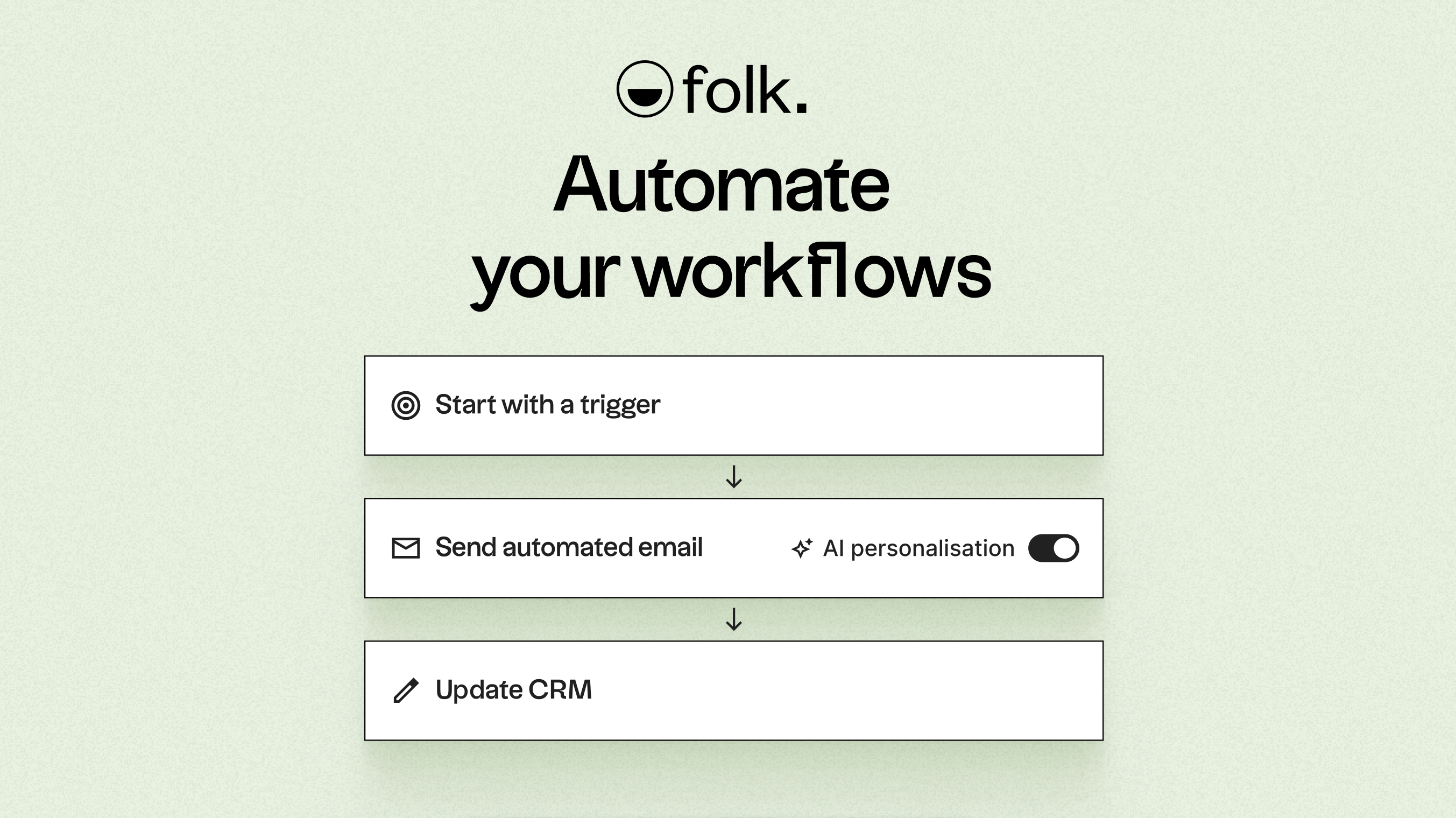
Grazie all'intelligenza artificiale, folk i dati, genera argomenti di conversazione coinvolgenti, redige e-mail personalizzate e suggerisce le azioni migliori da intraprendere. La sua API aperta e i suoi webhook si integrano facilmente con strumenti come Zapier e Make, facilitando flussi di lavoro avanzati tra e-mail, WhatsApp, Slack, fatturazione e altri sistemi interni.
Grazie alla possibilità di acquisire i contatti con un solo clic tramite l'estensione folkX per Chrome e alle pipeline collaborative, folk ai team una soluzione CRM snella ma potente che consente di potenziare l'automazione mantenendo il pieno controllo. L'appfolk permette ai team di gestire i contatti, registrare le attività e inviare comunicazioni direttamente dal proprio telefono.
Conclusione
In conclusione, mentre HubSpot eccelle grazie alle sue funzionalità di integrazione e monitoraggio approfondite, che lo rendono ideale per i team consolidati, Monday CRM un approccio visivo al flusso di lavoro che si adatta agli ambienti orientati ai progetti. folk si distingue come la scelta migliore per i team che si concentrano sull'integrazione delle e-mail, l'automazione e la sequenzializzazione. Le sue funzionalità basate sull'intelligenza artificiale e i flussi di lavoro flessibili consentono alle organizzazioni di automatizzare efficacemente la comunicazione senza le complessità dei CRM tradizionali. Per i team che desiderano migliorare l'efficienza e semplificare la comunicazione, folk è senza dubbio la migliore alternativa. Prova folk gratuitamente
Inizia oggi stesso la tua prova gratuita di 14 giorni o prenota una demo.
Scopri folk
Come l'assistente alle vendite che il tuo team non ha mai avuto