


Откройте для себя Folk — CRM для компаний, ориентированных на людей
Best free CRMs for teams of 20–50
As a small business with 20-50 team members, managing customer relationships, tracking sales, and staying organized is key to your growth and success. However, finding the right tools to manage these tasks without breaking the bank can be challenging. A lightweight Customer Relationship Management (CRM) system can help you streamline your processes by organizing contacts, automating follow-ups, and providing valuable insights—all without the hefty price tag.
In this blog post, we'll explore the best CRM options for small businesses like yours, highlighting tools that offer powerful features to help you stay organized and drive growth, all at no cost.
| Основные моменты |
|---|
|
Почему вам нужна CRM
Having the right CRM in your tech stack can be game-changing for a busy team of 20-50 people. You'll be able to say good bye to context switching, lost passwords, and notes everywhere. And hello to everything in one place.
Проблемы без CRM
Managing a small business without a CRM can lead to several challenges. Here are some common issues.
- Disorganization: Without a centralized system, important customer information can be scattered across spreadsheets, emails, and notes.
- Missed opportunities: Lack of proper tracking can result in missed follow-ups and lost sales opportunities.
- Inefficient processes: Manual data entry and fragmented systems can slow down operations and reduce productivity.
- Lack of insight: Difficulty in analyzing customer data can hinder strategic decision-making and growth.
- Inconsistent communication: Without a unified platform, maintaining consistent and timely communication with customers can be challenging.
Преимущества CRM
Fortunately the right CRM can help you address these challenges and provide some extra benefits.
- Centralized information: All customer data is stored in one place, making it easily accessible and manageable.
- Enhanced efficiency: Automation of repetitive tasks frees up time for more strategic activities.
- Improved customer relationships: Better tracking and understanding of customer interactions lead to personalized and effective communication.
- Better decision-making: Access to comprehensive data analytics helps in making informed business decisions.
- Increased sales: Streamlined processes and better lead management contribute to higher conversion rates.
- Consistent communication: A CRM ensures that all customer communications are timely, relevant, and consistent.
Как оценить и выбрать CRM
With a lot of CRMs on the market to choose from, it can be hard to figure out which one matches your requirements best. To help you out with your decision making process, we suggest keeping these four things front of mind.
1. Определите свои требования
Before diving into the sea of CRM options, it's essential to identify the key features your small business needs. Consider whether you need basic contact management, sales tracking, email integration, or advanced analytics. For small businesses with 20-50 people, features like easy-to-use interfaces, mobile accessibility, and integration with existing tools can be game-changers. Make a list of must-have features and nice-to-have features to guide your search.
Key features of a CRM for small business
- Автоматизированные процессы: оптимизирует задачи за счет автоматизации повторяющихся рабочих процессов.
- Contact enrichment: Automatically finds Leads, Customers, Investors email addresses and contact information, enhancing efficiency.
- Structured pipeline: Tracks Leads, Customers, Investors through defined stages, ensuring process clarity and effectiveness.
- Слияние почты и последовательности электронных писем: повышает эффективность коммуникации с помощью шаблонов для последующих действий и автоматизированных последовательностей.
- LinkedIn connection: Seamlessly imports Leads, Customers, Investors from LinkedIn and tracks conversations within the CRM.
- Аналитика: предоставляет необходимый анализ данных и прогнозную информацию для более эффективного планирования.
2. Соображения бюджета
While many CRMs offer free versions, it's crucial to balance cost with return on investment. Free CRMs often come with limitations, such as a cap on the number of users or features. Evaluate whether the free version meets your needs or if a low-cost upgrade would be more beneficial in the long run. Remember, a CRM that saves time and improves customer relationships can quickly pay for itself.
3. Процесс отбора
Choosing the right CRM vendor involves thorough research. Start by reading reviews on G2 and testimonials from other small businesses. Look for vendors that specialize in solutions for small teams or startups. Check for responsive customer support, as this can be invaluable when you're getting started. Shortlist a few vendors that align with your requirements and budget.
4. Получите демо-версию
Once you have a shortlist, take advantage of free trials to test each CRM. Pay attention to the user experience, ease of setup, and how well it integrates with your existing tools. Compare the performance and features of each option against your list of requirements. Involve your team in the evaluation process to ensure the chosen CRM will be user-friendly and beneficial for everyone. After thorough testing, make an informed decision that will support your small business's growth and efficiency. Get started with a demo of folk here.
👉🏼 Try folk now to import LinkedIn contacts and automate follow-ups for teams of 20–50
3 совета по внедрению CRM
At this stage, it's all about getting familiar with your brand new CRM in the shortest amount of time possible. To help you make the most of your first few weeks with it, we suggest ticking off these three things as soon as possible.
1. Импортируйте свои данные в новую CRM-систему.
Transitioning to a new CRM can be seamless if you start by importing your existing data. Most CRMs allow data import via CSV files. This way, you won't have to worry about adding contact information manually which can be time consuming.
2. Создайте свой первый конвейер
Setting up your first pipeline is essential for managing your sales process efficiently. Tailor the pipeline stages to reflect your small business's workflow, such as 'Lead Generation,' 'Initial Contact,' 'Proposal Sent,' 'Negotiation,' and 'Closed Deal.' This customization ensures that your CRM aligns with your business operations, making it easier to track progress and identify areas for improvement.
3. Привлеките свою команду
To maximize the benefits of your new CRM, it's important to onboard your team effectively. Provide training sessions to help them understand how to use the CRM's features and integrate it into their daily routines. Encourage them to explore the CRM and ask questions to ensure they are comfortable and confident in using the system. A well-trained team can significantly enhance your business's efficiency and customer relationship management.
The 5 best CRMs for small business
1. народный
folk is a modern CRM platform for managing contacts, workflows, and relationships, offering customizable pipelines, AI-driven tools, and integrations to enhance deal management and prospecting. For teams of 20-50 people, folk CRM stands out as the best solution, providing an intuitive interface that requires minimal training while offering the scalability and advanced features that growing businesses need.

Основные характеристики
- Обогащение контактов: автоматически обогащает контактные данные, находя адреса электронной почты и URL-адреса LinkedIn, что позволяет эффективно связываться с клиентами без ручного ввода данных или дополнительных затрат на услуги электронной почты.
- LinkedIn integration: Seamlessly import contacts from LinkedIn and Sales Navigator to bring your contacts within folk, and use templates for quicker, streamlined communication.
- Email integration: Full email sync compatible with both Gmail and Outlook, with access to templates, and tracking features, enabling users to manage all communications directly from the CRM.
- Функции на базе искусственного интеллекта: инструменты искусственного интеллекта помогают управлять контактами и отношениями, автоматизировать рутинные задачи и предлагать действия для повышения производительности.
- Integrations: Beyond Zapier and Make, folk provides an open API and native integrations (e.g., Kaspr, Allo, Salesforge, PandaDoc) to connect workflows—while Zapier/Make extend connectivity to 6,000+ apps.
Плюсы
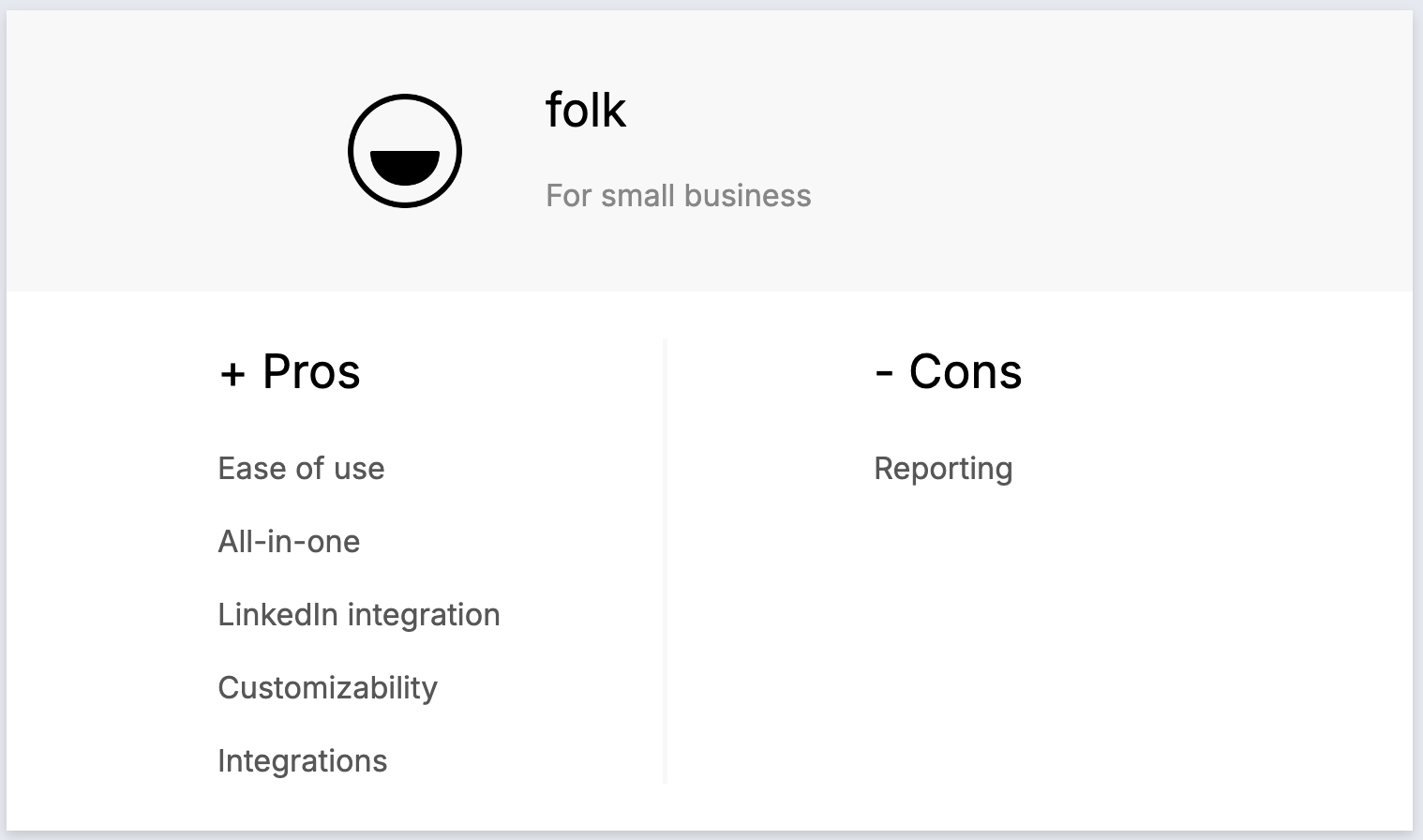
- Простота использования: folk хвалят за интуитивно понятный интерфейс, который делает его доступным даже для пользователей без технических знаний, благодаря быстрой адаптации и минимальной кривой обучения.
- Все в одном: folk оптимизирует ваш рабочий процесс, позволяя импортировать контакты из LinkedIn, автоматически находить их адреса электронной почты, связываться с ними с помощью настраиваемых последовательностей писем и отслеживать взаимодействия в конвейере, устраняя необходимость в использовании нескольких инструментов и экономя время и деньги.
- Интеграция с LinkedIn: легко импортируйте контакты из LinkedIn, отслеживайте переписку в Folk и используйте шаблоны для более быстрой и удобной коммуникации.
- Настраиваемость: настраиваемые поля, конвейеры и рабочие процессы.
- Integrations: folk integrates seamlessly with over 6,000 apps, including Gmail, Zapier, and Make, allowing users to centralize their workflow and reduce manual data entry.
Минусы
- Reporting: folk offers advanced analytics, including pipeline and deal stage reporting, forecasting with weighted probabilities, performance breakdowns by owner/channel/industry/region/custom fields, and revenue insights.
Цены и тарифные планы
You can try folk for free with a 14-day free trial. After that, there are a few affordable monthly or annual subscription plans which are as follows.
- Стандартный: 20 долларов США за пользователя в месяц.
- Премиум: 40 долларов США за пользователя в месяц.
- Индивидуальная настройка: от 60 долларов США за пользователя в месяц.
2. HubSpot
HubSpot CRM — это удобная в использовании и масштабируемая платформа, предлагающая интегрированные инструменты для эффективного управления продажами, маркетингом, обслуживанием клиентов и операционной деятельностью.

Основные характеристики
- Marketing hub: Includes email marketing, ad tracking, landing pages, and lead generation tools, ideal for capturing and nurturing Leads.
- Sales hub: Provides deal tracking, pipeline management, sales automation, and reporting, essential for converting Leads into Customers.
- Service Hub: Offers customer service tools like ticketing, live chat, and knowledge bases to ensure ongoing Customer satisfaction.
- Lead scoring: Prioritize Leads with predictive scoring to improve sales efficiency and focus on high-potential opportunities.
- Automation capabilities: Automate repetitive tasks, such as follow-up emails and lead nurturing, to save time and streamline operations.
Плюсы
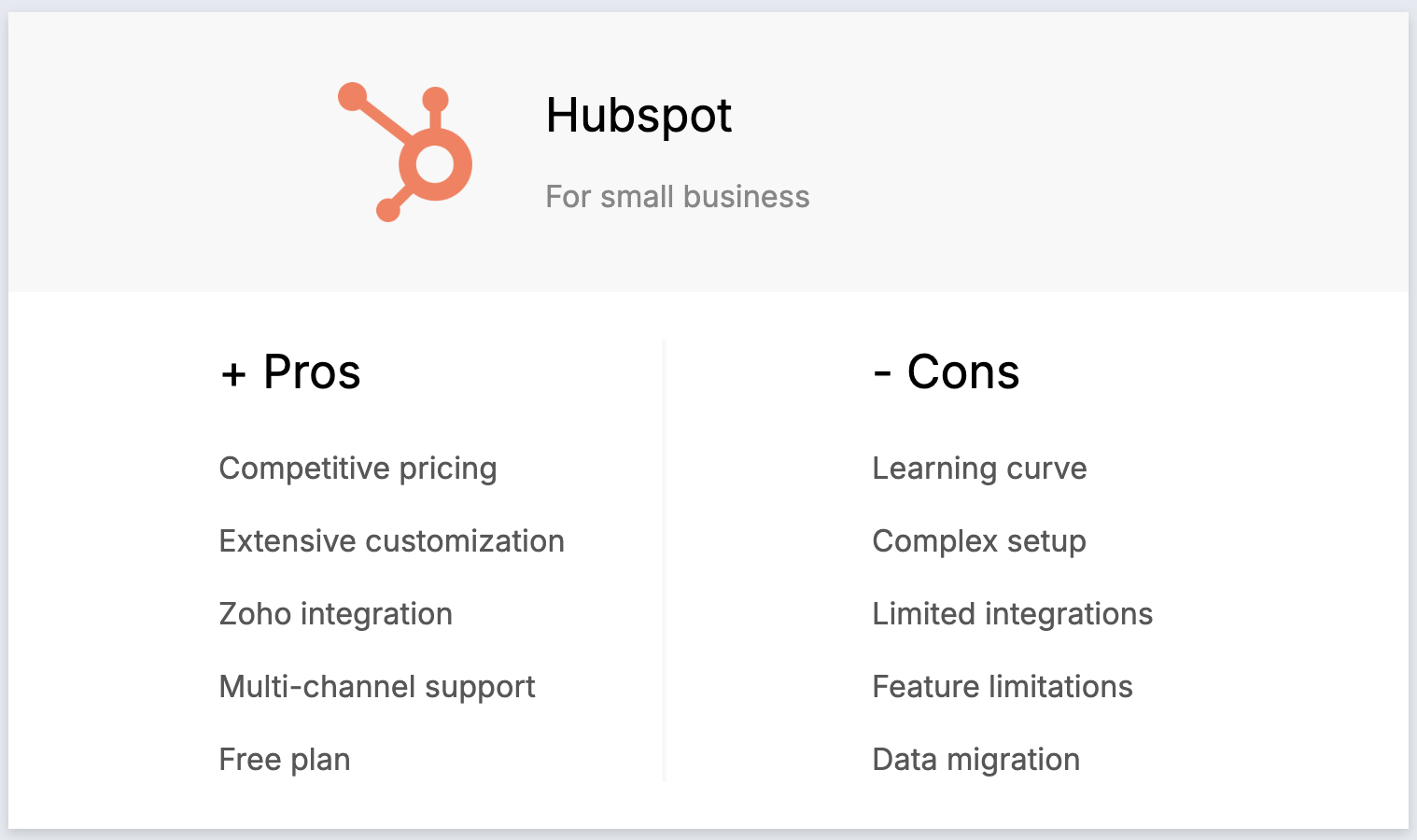
- User-friendly interface: HubSpot is known for its intuitive and easy-to-use interface, making it accessible for users of all skill levels.
- Comprehensive free plan: Offers a robust free version that includes essential CRM features, making it ideal for small businesses and startups.
- Seamless integration with Marketing Tools: HubSpot integrates smoothly with its marketing, sales, and service hubs, creating a unified platform for inbound marketing and customer management.
- Возможности автоматизации: предоставляет мощные инструменты автоматизации для таких задач, как электронный маркетинг, привлечение потенциальных клиентов и рабочие процессы продаж, помогая компаниям экономить время и повышать эффективность.
- Обширные учебные ресурсы: HubSpot Academy предлагает множество бесплатных курсов, сертификатов и ресурсов, которые помогут пользователям максимально эффективно использовать платформу.
Минусы
- High cost at higher tiers: HubSpot's pricing can become expensive as you move to higher tiers, which may be prohibitive for small businesses as they scale.
- Ограниченные возможности настройки в бесплатном тарифе: бесплатный тариф и более низкие тарифные планы имеют ограниченные возможности настройки, что может ограничивать гибкость для растущих компаний.
- Сложность расширенных функций: некоторые расширенные функции, такие как настраиваемые отчеты и рабочие процессы, требуют длительного освоения и могут потребовать дополнительного обучения.
- Ограничения электронного маркетинга: функциональность электронного маркетинга в бесплатном тарифе ограничена количеством писем, которые можно отправить, что может быть недостатком для компаний с большими списками рассылки.
- Дополнительные расходы на надстройки: многие полезные функции, такие как расширенные возможности CRM и интеграции, предоставляются в виде платных надстроек, что увеличивает общую стоимость.
Цены и тарифные планы
HubSpot has a free forever plan, but if you're after more features there are a few plans available. The following is based on their CRM suite.
- Стартовый пакет: 15 долларов США за пользователя в месяц.
- Профессиональная версия: 450 долларов США за пользователя в месяц.
- Enterprise: $1,500 per user, per month.
3. Zoho
Zoho — это CRM-система с сильным акцентом на продажи. Она обладает функциями организации рабочего процесса, управления процессом продаж и автоматизации рабочих процессов. Есть также функции для маркетинговых команд, включая управление мероприятиями и сегментацию клиентов.

Основные характеристики
- Sales automation: Automates sales tasks like lead management, deal tracking, and follow-up actions, helping small businesses streamline their sales processes.
- Lead and contact management: Manages customer information, tracks interactions, and segments contacts for targeted campaigns, making it easier to handle leads, customers, and investors.
- Customizable dashboards and reports: Allows users to create and customize dashboards and reports for in-depth analytics, providing valuable insights into business performance.
- Multi-channel communication: Integrates with email, phone, social media, and live chat to manage customer interactions, ensuring no lead or customer query is missed.
- Workflow automation: Automates routine tasks and processes to improve efficiency and reduce manual effort, allowing small business owners to focus on growth.
Плюсы
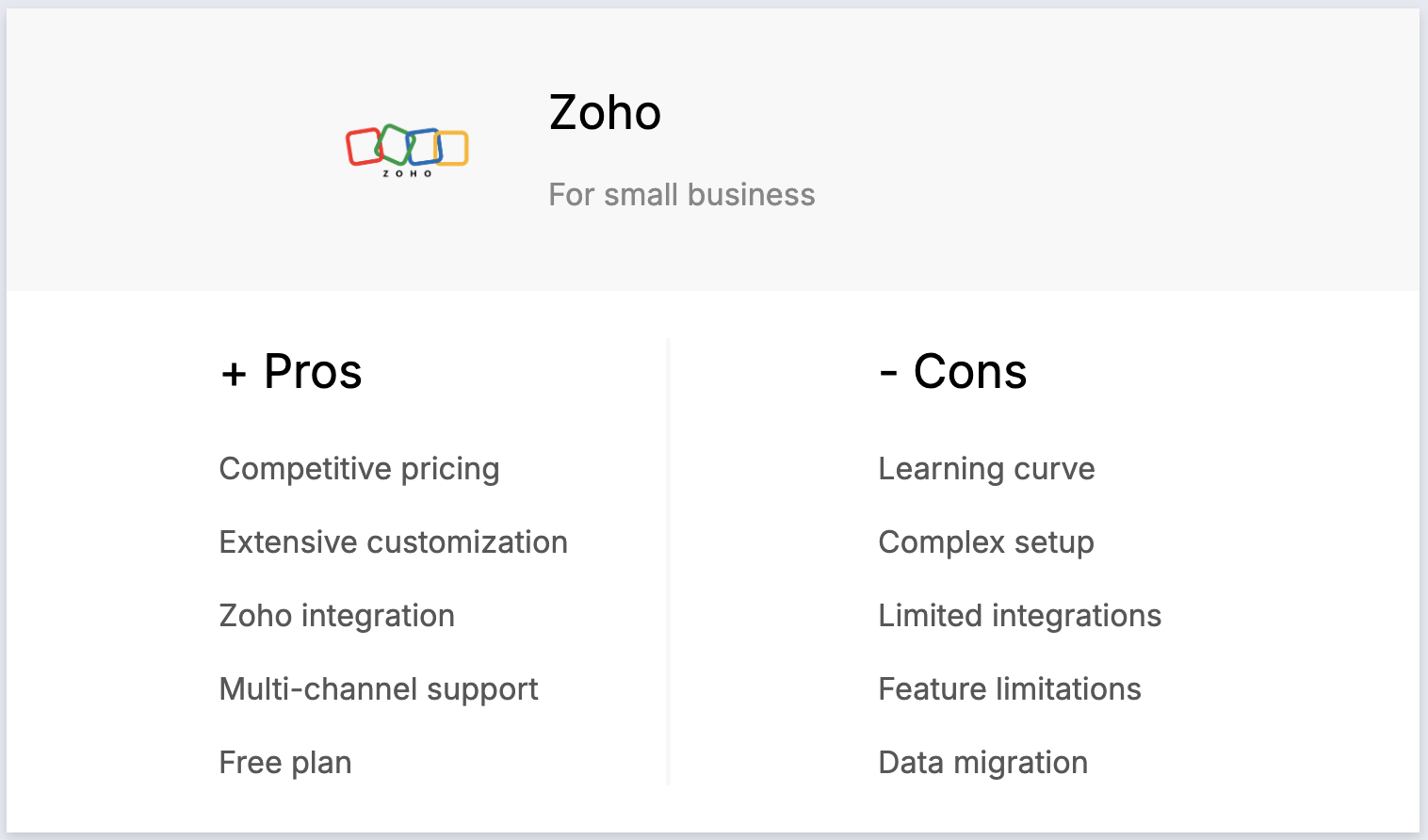
- Affordability: Zoho CRM offers competitive pricing with various tiers, making it accessible to small businesses and startups.
- Настройка: широкие возможности настройки позволяют компаниям адаптировать CRM к своим конкретным потребностям, включая настраиваемые поля, модули и рабочие процессы.
- Integration with Zoho suite: Seamless integration with other Zoho products creates a comprehensive ecosystem for managing different business functions.
- Многоканальная коммуникация: Zoho CRM поддерживает электронную почту, телефон, социальные сети и онлайн-чат, позволяя компаниям управлять всеми взаимодействиями с клиентами с одной платформы.
- Free tier: Zoho CRM offers a free plan with basic features, making it accessible to startups and small businesses with limited budgets.
Минусы
- Сложная кривая обучения: обширные возможности настройки могут ошеломить новых пользователей, и для освоения платформы потребуется значительное время.
- Сложная настройка: первоначальная настройка и конфигурация могут быть сложными, особенно для компаний, не имеющих технических знаний или специальных ИТ-ресурсов.
- Ограниченная интеграция с сторонними приложениями: хотя Zoho хорошо интегрируется с собственным набором продуктов, интеграция со сторонними приложениями может быть ограничена или потребовать дополнительных усилий.
- Ограничения функциональности в более дешевых тарифных планах: в более дешевых тарифных планах могут отсутствовать расширенные функции, что вынуждает пользователей переходить на более дорогие тарифные планы, чтобы получить необходимую функциональность.
- Data migration challenges: Migrating data from other CRMs to Zoho can be difficult and time-consuming, often requiring manual adjustments.
Цены и тарифные планы
Zoho's free plan limited to three users. After that, more features and seats are available on an annual subscription plan as follows.
- Стандартный: 20 долларов США за пользователя в месяц.
- Профессиональная версия: 35 долларов США за пользователя в месяц.
- Предприятие: 50 долларов США за пользователя в месяц.
4. Less Annoying CRM
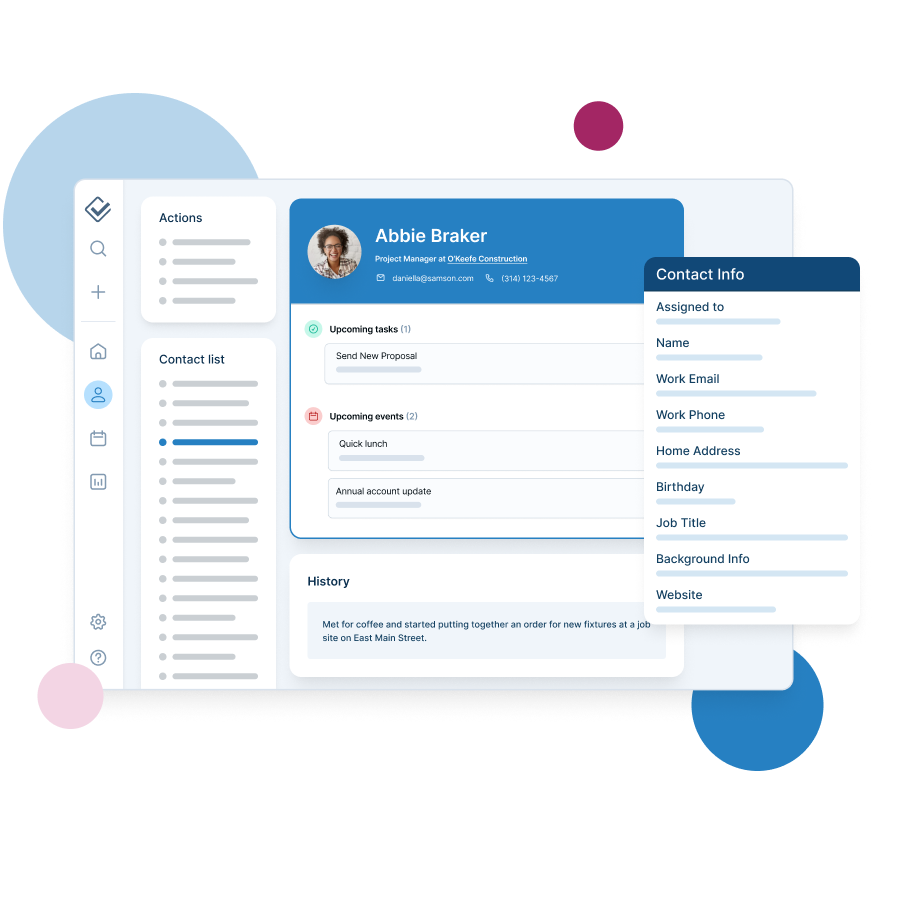
Less Annoying CRM is a customer relationship management (CRM) software designed to be simple. It focuses on simplicity and ease of use, providing a straightforward platform for managing contacts, tracking leads, and staying organized.
Основные характеристики
- Unlimited contacts and companies: Manage an extensive list of leads, customers, and investors without any limitations.
- Unlimited pipelines: Track multiple sales processes simultaneously, tailored to your small business needs.
- Email logging: Keep all email communications with leads, customers, and investors organized and easily accessible.
- Task management: Stay on top of your to-dos with integrated task management, ensuring nothing falls through the cracks.
- Mobile access: Access your CRM data on the go, ensuring you can manage your business from anywhere.
Плюсы
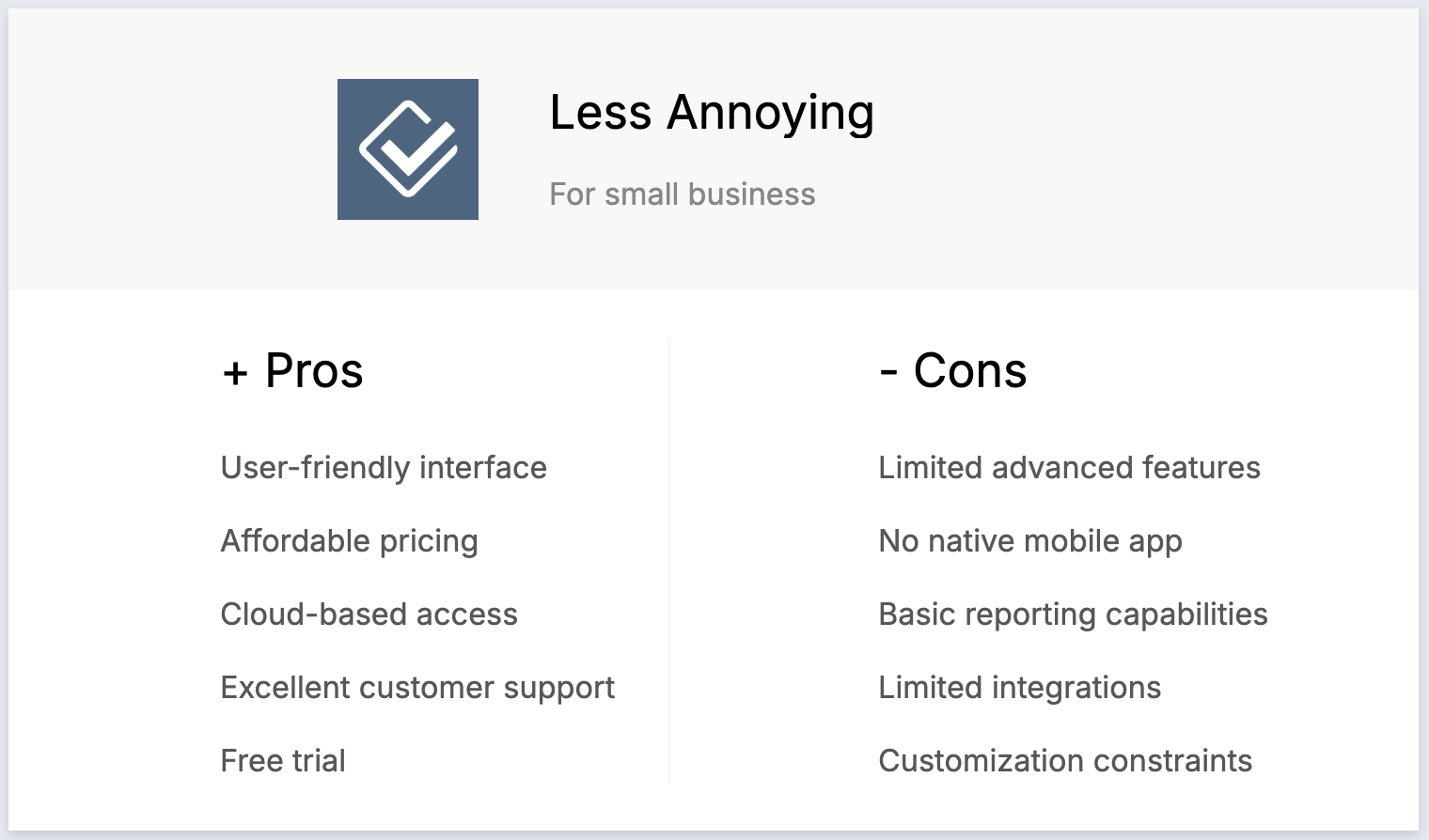
- User-friendly interface: Easy to navigate, perfect for small business owners with limited CRM experience.
- Affordable pricing: At $15 per user per month, it's budget-friendly for small businesses.
- Cloud-based access: Access your CRM from any device with an internet connection, ideal for remote work.
- Excellent customer support: Responsive and helpful support team to assist with any issues.
- Free trial: A 30-day free trial allows you to test all features before committing financially.
Минусы
- Limited advanced features: Lacks advanced tools like marketing automation and in-depth analytics, which may be necessary for larger businesses.
- No native mobile app: Accessible via mobile browsers but lacks a dedicated app for streamlined mobile use.
- Basic reporting capabilities: Reporting features are simple and may not suffice for detailed analytics needs.
- Limited integrations: Fewer third-party app integrations compared to competitors, which could limit functionality for some businesses.
- Customization constraints: Limited options for customization, which might not meet the needs of businesses requiring highly tailored workflows.
Цены и тарифные планы
Less Annoying CRM only has one type of price plan available.
- $15 per user, per month.
5. Pipedrive
Pipedrive — это веб-CRM для малых предприятий, предлагающая управление лидами, автоматизацию, интеграцию с электронной почтой и настраиваемые конвейеры для оптимизации продаж.

Основные характеристики
- Lead and deal management: Centralized tools to manage customer data, interactions, and sales pipelines, helping small businesses act quickly on opportunities.
- Sales automation: Workflow automation to handle repetitive tasks such as lead routing, follow-ups, and email sequences, allowing teams to focus on closing deals.
- Интеграция с электронной почтой: полная синхронизация электронной почты, шаблоны и функции отслеживания, позволяющие пользователям управлять всей коммуникацией непосредственно из CRM.
- Расширенные возможности отчетности и аналитики: аналитика данных в режиме реального времени и настраиваемые инструменты отчетности для отслеживания показателей продаж, прогнозирования выручки и получения полезной информации.
- Настройка и безопасность: возможности настройки конвейеров, полей и прав пользователей, а также надежные меры безопасности для защиты данных.
Плюсы
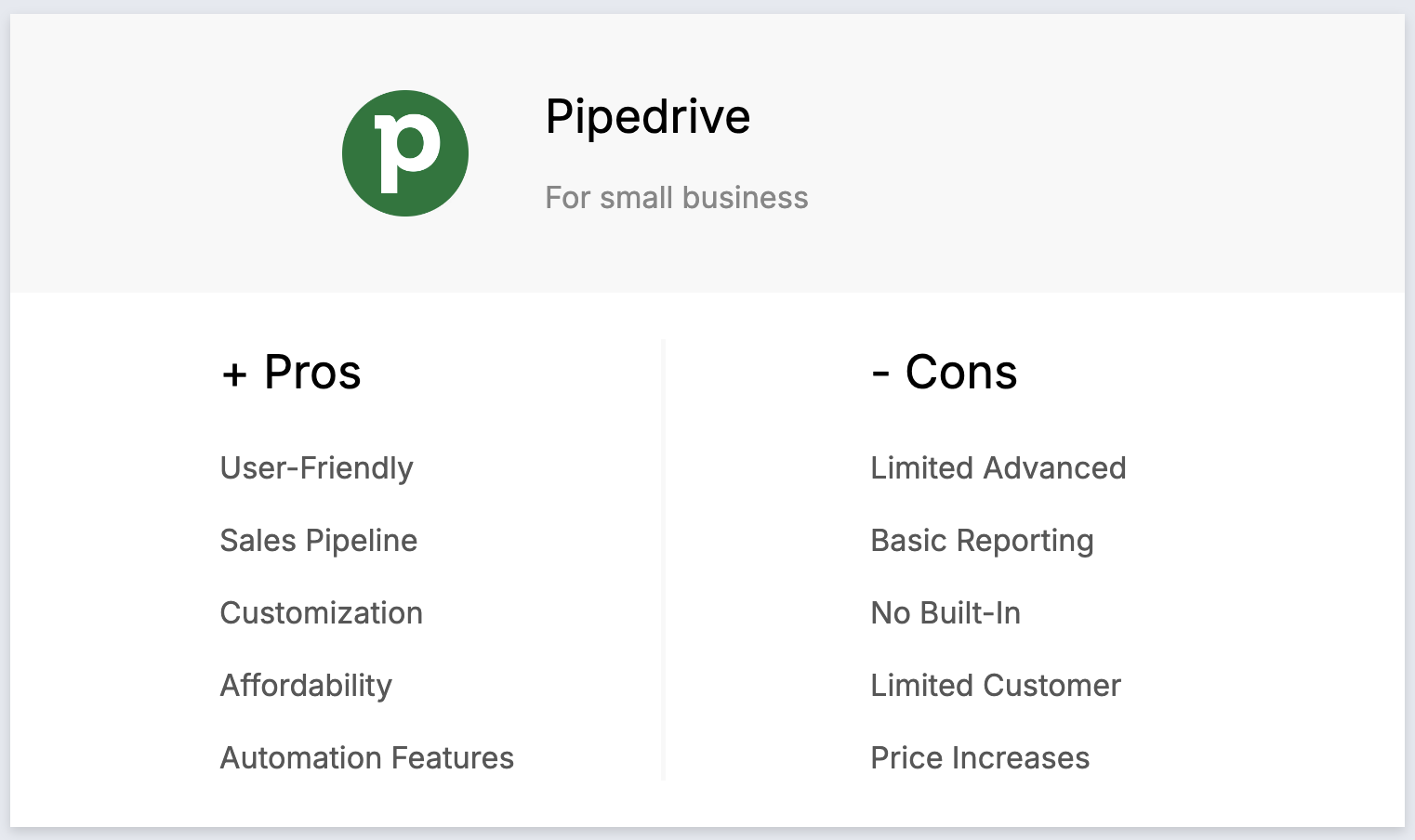
- User-friendly interface: The intuitive and visually appealing interface makes it easy for small business owners to navigate and manage their contacts.
- Sales pipeline focus: Designed for managing sales pipelines, offering a visual approach that helps track deals and activities effectively.
- Customization: High degree of customization, enabling users to tailor the platform to their specific processes with custom fields and workflows.
- Affordability: Competitive pricing makes it accessible to small businesses without sacrificing essential CRM features.
- Automation features: Includes automation tools that help streamline repetitive tasks, saving time and boosting productivity.
Минусы
- Limited advanced features: Lacks some advanced CRM features like extensive marketing automation and AI capabilities.
- Basic reporting in lower tiers: Reporting and analytics features in the basic plans are somewhat limited, requiring upgrades for more in-depth insights.
- Price increases with add-ons: Costs can increase quickly when additional features or integrations are added, making it less cost-effective for growing businesses.
Цены и тарифные планы
Годовая подписка на Pipedrive предоставляется на следующих условиях.
- Базовый план: от 24 долларов США за пользователя в месяц.
- Расширенный план: от 44 долларов США за пользователя в месяц.
- Тарифный план: от 79 долларов США за пользователя в месяц.
- Enterprise plan: Starts from $129 per user, per month.
Заключение
Choosing the right CRM for your small business can significantly enhance your efficiency, improve customer relationships, and drive growth. Each CRM discussed in this article offers unique features and benefits tailored to different business needs and budgets. Whether you prioritize ease of use, advanced features, or affordability, there is a free CRM solution out there to help you manage your business more effectively. For teams of 20-50 people seeking a modern, all-in-one CRM experience that combines powerful features with exceptional ease of use, we recommend giving folk CRM a try. Try folk for free here now.
👉🏼 Try folk now to manage contact-based reminders with your team and never miss a follow-up
Нужна помощь? Воспользуйтесь нашим бесплатным инструментом, чтобы найти идеальный CRM-решение.
Часто задаваемые вопросы
What is the best free CRM for small businesses?
HubSpot Free and Zoho Free (3 users) are common picks. Others offer free trials then low-cost plans. For teams of 20–50, check limits on seats, automation, and reporting—many outgrow free tiers as collaboration needs expand.
How much does a CRM cost for a small business?
Expect $15–$129 per user per month for paid tiers, depending on features. Free plans exist but cap users or functionality. Total cost varies with seats, add-ons, and billing term.
How should a 20–50 person team choose a CRM?
Define must-haves, map your pipeline, verify email and LinkedIn integrations, check ease of use, security, and support. Shortlist 2–3 tools and run team trials to test setup, data import, and reporting before deciding.
Are free CRMs enough for growing teams?
They work for basics. As teams scale, needs like multi-user permissions, automation, analytics, and integrations usually require paid plans. Trial options like folk to validate fit before upgrading.
Откройте для себя народную CRM-систему
Как помощник по продажам, которого у вашей команды никогда не было
