


Откройте для себя Folk — CRM для компаний, ориентированных на людей
Для кого предназначено это руководство
As a professional services team of 20-50 people, managing client relationships, tracking projects, and ensuring timely follow-ups are essential for delivering high-quality service and driving growth.
A dedicated Customer Relationship Management (CRM) system can help you streamline these tasks by organizing client data, automating follow-ups, and tracking project milestones—all from one platform. The right CRM will enable you to enhance client communication, improve team collaboration, and ensure no detail is missed.
In this blog post, we'll explore the best CRM options for professional services teams like yours, focusing on tools that will help you manage relationships effectively and grow your business.
| Основные моменты |
|---|
|
Почему вам нужна CRM
Having the right CRM in your tech stack can make a difference to your day to day operations, and the way you manage your client relationships as a professional services team. A good CRM can make a huge difference in the way you streamline operations and drive growth.
Проблемы без CRM
Without the right CRM, your team will experience challenges that can hinder business performance and take them away from important priorities.
- Disorganization: Without a centralized system, keeping track of client information and project details becomes chaotic.
- Missed opportunities: Inconsistent follow-ups and lack of automated reminders can result in lost business prospects.
- Inefficient processes: Manual handling of tasks and data entry can consume valuable time and resources.
- Lack of insight: Without analytics, it's difficult to gain actionable insights into client behavior and project performance.
- Inconsistent communication: Disparate communication channels lead to fragmented client interactions and reduced satisfaction.
Преимущества CRM
Fortunately, the right one can address these challenges and provide extra benefits.
- Centralized information: A CRM consolidates all client and project data in one place, ensuring easy access and better organization.
- Enhanced efficiency: Automation of routine tasks frees up time for more strategic activities, boosting overall productivity.
- Improved customer relationships: With detailed client histories, personalized service becomes easier, fostering stronger relationships.
- Better decision-making: Real-time analytics provide valuable insights, enabling more informed business decisions.
- Increased sales: Efficient tracking of leads and opportunities helps in closing more deals and driving revenue growth.
- Consistent communication: A unified communication platform ensures seamless and professional client interactions.
How to boost your professional services efficiency with a CRM
Wondering how a CRM can help you with your operational efficiency? Below we've mapped out some common use cases popular among professional services teams of 20-50 people.
1. Составление схемы вашего процесса
Mapping your process is the first step to leveraging a CRM effectively. Define and track the stages of your process to ensure every client interaction is streamlined. From initial contact to project completion, having a clear workflow helps you monitor progress and identify bottlenecks. Use your CRM to create custom stages that reflect your specific service delivery process, enabling better project management and enhanced client satisfaction.
2. Квалификация лидов
Effective lead qualification is crucial for professional service firms. Use your CRM to assess and qualify leads, customers, and candidates by setting up criteria such as budget, project timeline, and service needs. Implement scoring systems to prioritize high-potential leads and automate the initial qualification process. This ensures your team focuses on the most promising opportunities, improving conversion rates and optimizing resource allocation.
3. Информационно-пропагандистская работа и последующие меры
Automated outreach and follow-up campaigns are essential for maintaining consistent communication with leads and clients. Use your CRM to set up email and LinkedIn campaigns tailored to different stages of the client journey. Automate follow-up reminders to ensure no lead falls through the cracks. Personalized outreach not only saves time but also enhances client engagement, leading to higher conversion and retention rates.
4. Поддерживайте отношения с существующими клиентами
Nurturing existing leads, customers, and candidates is key to long-term success in professional services. Use your CRM to implement strategies for upselling and cross-selling by identifying client needs and offering relevant additional services. Automated nurturing campaigns can keep your clients informed about new offerings, industry updates, and personalized recommendations, fostering stronger relationships and driving repeat business.
Как оценить и выбрать CRM
With a lot of CRMs to choose from, it can be hard to figure out which platform fits your teams needs and business goals. To help you with your decision making process, we've put together the following tips.
1. Определите свои требования
When selecting the best CRM for professional services, start by identifying the key features that will benefit your business. Consider functionalities like client management, project tracking, billing and invoicing, and integration with existing tools. Feeling lost? Start with the following key features.
Key features of a CRM for professional services
- Автоматизированные процессы: оптимизирует задачи за счет автоматизации повторяющихся рабочих процессов.
- Обогащение контактов: автоматический поиск адресов электронной почты и контактной информации, повышение эффективности.
- Structured pipeline: Tracks your leads, customers, and candidates through defined stages, ensuring process clarity and effectiveness.
- Последовательности электронных писем: повышают эффективность коммуникации с помощью шаблонов для последующих действий и автоматизированных последовательностей.
- LinkedIn connection: Seamlessly imports your leads, customers, candidates from LinkedIn and tracks conversations within the CRM.
- Аналитика: предоставляет необходимый анализ данных и прогнозную информацию для более эффективного планирования.
2. Соображения бюджета
Balancing cost and return on investment is crucial when choosing a CRM for professional services. While premium CRMs offer extensive features, they may not always be necessary for small businesses or startups. Affordable CRM solutions can provide essential functionalities without breaking the bank. Evaluate the cost against the potential benefits, such as improved client retention, streamlined operations, and enhanced productivity. Remember, the best CRM for professional services should offer a good balance between affordability and utility.
3. Процесс отбора
Choosing the right CRM vendor involves thorough research. Start by reading reviews and testimonials from other professional service firms. Look for vendors with a strong reputation and reliable customer support. Consider requesting demos or free trials to get a feel for the software. Additionally, check if the vendor offers customization options to tailor the CRM to your specific needs. A well-chosen vendor can significantly impact the effectiveness of your CRM implementation.
4. Получите демо-версию
To make an informed decision, try and compare different CRM platforms tailored for professional services. Utilize free trials to explore the user interface, ease of use, and core features. Pay attention to how well the CRM integrates with your existing tools and workflows. Gather feedback from your team to ensure the chosen CRM meets their needs. For professional services teams of 20-50 people, folk CRM stands out as the ideal solution, offering the perfect balance of functionality and usability without overwhelming complexity. Get started with a demo of folk to see how it can be personalized according to your requirements.
👉🏼 Попробуйте folk прямо сейчас, чтобы управлять напоминаниями на основе контактов вместе со своей командой.
3 совета по внедрению CRM
At this stage, it's time to get excited about your brand new CRM. To help you make the most of your first few weeks with it, we suggest making sure you keep the following tips front of mind and tick them off as early as possible.
1. Импортируйте свои данные в новую CRM-систему.
Transitioning to a new CRM involves migrating your existing data. Export your current data as a CSV file from your existing CRM. This ensures a smooth transfer of your valuable information. And, you won't have to worry about manually adding contact information.
2. Создайте свой первый конвейер
Once your data is imported, it's time to set up your first pipeline. For professional services, create a pipeline that reflects your business processes. For instance, you might have stages like "Lead Qualification," "Proposal Sent," "Negotiation," and "Project Kickoff." Customizing these stages to fit your workflow will help you track progress and manage client relationships more effectively.
3. Привлеките свою команду
Successful CRM implementation requires team buy-in. Conduct training sessions to familiarize your team with the new system. Highlight the benefits, such as improved client management and streamlined operations, to encourage adoption. Provide ongoing support and resources to ensure everyone is comfortable using the new CRM, which will ultimately enhance your professional services firm's efficiency and client satisfaction.
The 5 best CRMs for professional services
1. народный
folk is a modern CRM platform for managing contacts, workflows, and relationships, offering customizable pipelines, AI-driven tools, and integrations to enhance deal management and prospecting. For professional services teams of 20-50 people, folk CRM is the standout choice, providing the perfect combination of powerful features and user-friendly design that scales perfectly with mid-sized teams without the complexity of enterprise solutions.

Основные характеристики
- Обогащение контактов: автоматически обогащает контактные данные, находя адреса электронной почты и URL-адреса LinkedIn, что позволяет эффективно связываться с клиентами без ручного ввода данных или дополнительных затрат на услуги электронной почты.
- LinkedIn integration: Seamlessly import contacts from LinkedIn, Sales Navigator and other social media platforms to track contacts within folk, and use templates for quicker, streamlined communication.
- Mail merge and email sequences: Full email sync compatible with Gmail and Outlook with templates, and tracking features, enabling users to manage all communications directly from the CRM.
- Функции на базе искусственного интеллекта: инструменты искусственного интеллекта помогают управлять контактами и отношениями, автоматизировать рутинные задачи и предлагать действия для повышения производительности.
- Integrations: folk integrates seamlessly with over 6,000 apps, including Gmail, Zapier, and Make, allowing users to centralize their workflow and reduce manual data entry.
Плюсы
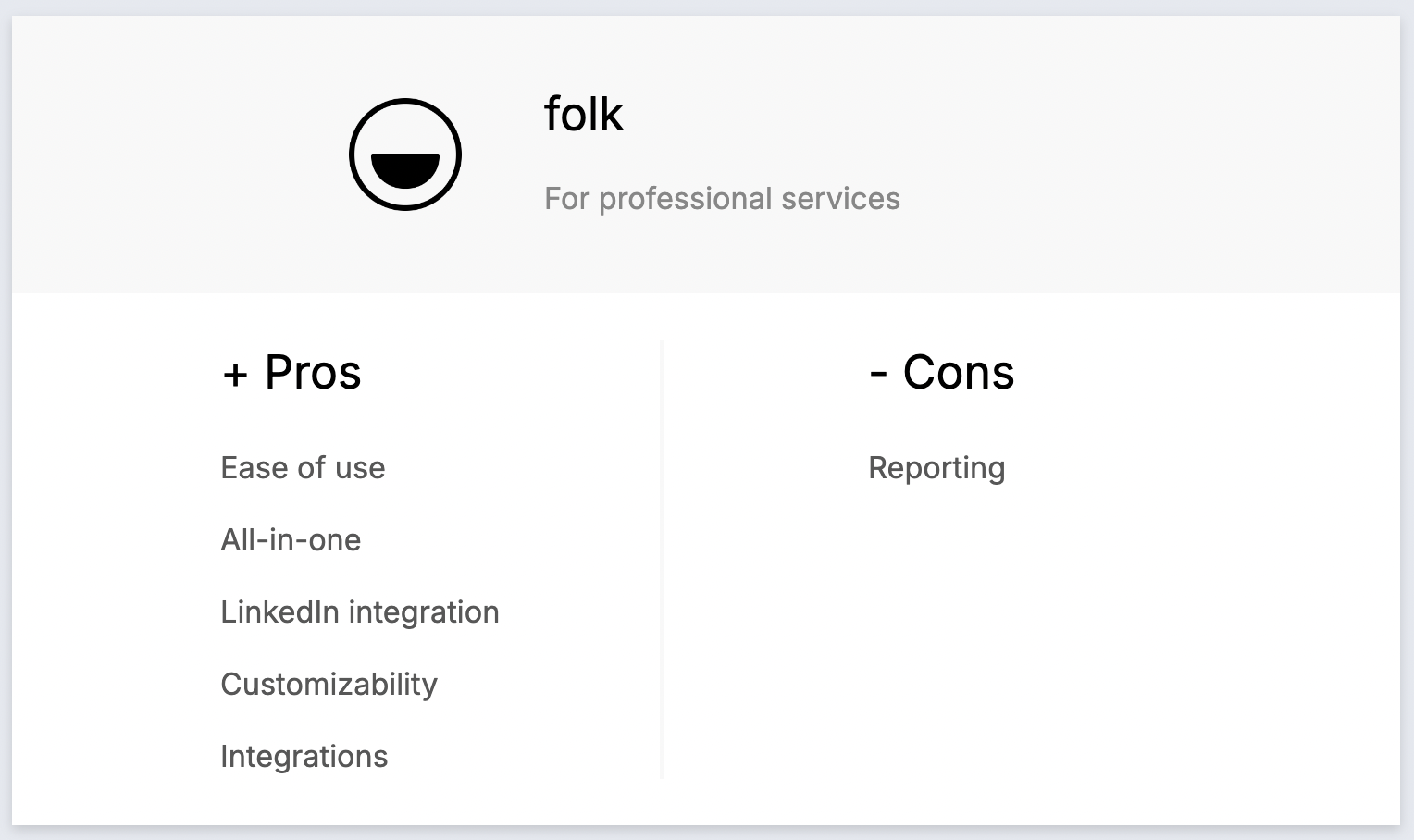
- Простота использования: folk хвалят за интуитивно понятный интерфейс, который делает его доступным даже для пользователей без технических знаний, благодаря быстрой адаптации и минимальной кривой обучения.
- Все в одном: folk оптимизирует ваш рабочий процесс, позволяя импортировать контакты из LinkedIn, автоматически находить их адреса электронной почты, связываться с ними с помощью настраиваемых последовательностей писем и отслеживать взаимодействия в конвейере, устраняя необходимость в использовании нескольких инструментов и экономя время и деньги.
- Интеграция с LinkedIn: легко импортируйте контакты из LinkedIn, отслеживайте переписку в Folk и используйте шаблоны для более быстрой и удобной коммуникации.
- Full customizability: Make folk work for you with its custom fields, pipelines, dashboards, automation and workflows that supports multiple business functions including sales, marketing, recruitment and more.
- Integrations: folk integrates seamlessly with over 6,000 apps, including Gmail, Zapier, and Make, allowing users to centralize their workflow and reduce manual data entry.
Минусы
- Reporting and analytics: folk includes advanced dashboards for pipeline and deal stage analytics, forecasting with weighted probabilities, and performance breakdowns by owner, channel, industry, region, or any custom field.
Цены и тарифные планы
folk's ability to serve solopreneurs, small to mid-size teams and large enterprises allows it to scale with you as your company grows.
- Стандартный: 20 долларов США за пользователя в месяц.
- Premium: $40 per user, per month.
- Custom: From $80 per user, per month.

2. HubSpot
HubSpot CRM — это удобная в использовании и масштабируемая платформа, предлагающая интегрированные инструменты для эффективного управления продажами, маркетингом, обслуживанием клиентов и операционной деятельностью.

Основные характеристики
- Marketing hub: Includes email marketing, ad tracking, landing pages, and lead generation tools, crucial for attracting and nurturing leads.
- Sales hub: Provides deal tracking, pipeline management, sales automation, and reporting, essential for converting leads into customers.
- Service Hub: Offers customer service tools like ticketing, live chat, and knowledge bases, ensuring top-notch support for your clients.
- Operations hub: Syncs and automates business processes across different systems, streamlining operations for efficiency.
- Оценка потенциальных клиентов: расставьте приоритеты среди потенциальных клиентов с помощью прогнозной оценки, чтобы повысить эффективность продаж и сосредоточиться на клиентах с высоким потенциалом.
Плюсы
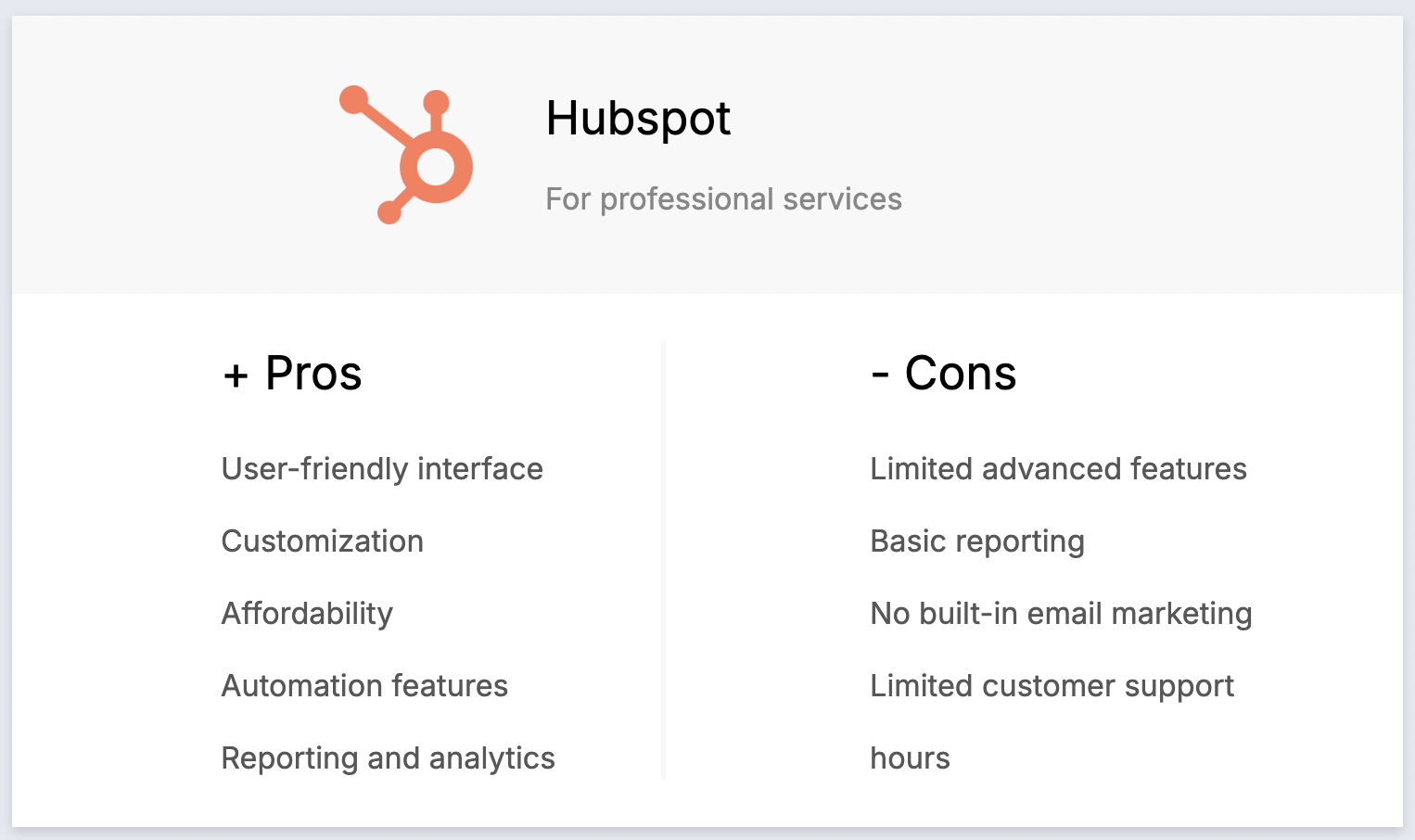
- User-friendly interface: HubSpot is known for its intuitive and easy-to-use interface, making it accessible for users of all skill levels in professional services.
- Comprehensive free plan: Offers a robust free version that includes essential CRM features, ideal for small professional service firms and startups.
- Seamless integration with Marketing Tools: HubSpot integrates smoothly with its marketing, sales, and service hubs, creating a unified platform for inbound marketing and client management.
- Automation capabilities: Provides powerful automation tools for tasks like email marketing, lead nurturing, and sales workflows, helping professional services save time and improve efficiency.
- Customizable dashboard and reports: Allows users to create customized dashboards and reports to track metrics and gain insights into business performance, essential for decision-making.
Минусы
- High cost at higher tiers: HubSpot's pricing can become expensive as you move to higher tiers, which may be prohibitive for small professional service firms as they scale.
- Ограниченные возможности настройки в бесплатном тарифе: бесплатный тариф и более низкие тарифные планы имеют ограниченные возможности настройки, что может ограничивать гибкость для растущих компаний.
- Сложность расширенных функций: некоторые расширенные функции, такие как настраиваемые отчеты и рабочие процессы, требуют длительного освоения и могут потребовать дополнительного обучения.
- Ограничения электронного маркетинга: функциональность электронного маркетинга в бесплатном тарифе ограничена количеством писем, которые можно отправить, что может быть недостатком для компаний с большими списками рассылки.
- Дополнительные расходы на надстройки: многие полезные функции, такие как расширенные возможности CRM и интеграции, предоставляются в виде платных надстроек, что увеличивает общую стоимость.
Цены и тарифные планы
Цены и тарифные планы на пакет CRM при годовой подписке следующие.
- Стартовый пакет: 15 долларов США за пользователя в месяц.
- Профессиональная версия: 450 долларов США за пользователя в месяц.
- Enterprise: 1500 долларов США за пользователя в месяц.
3. Pipedrive
Pipedrive — это веб-CRM для малых предприятий, предлагающая управление лидами, автоматизацию, интеграцию с электронной почтой и настраиваемые конвейеры для оптимизации продаж.

Основные характеристики
- Lead and deal management: Centralized tools to manage leads, customers, and candidate data, streamlining interactions and sales pipelines for professional services teams.
- Sales automation: Workflow automation to handle repetitive tasks like lead routing, follow-ups, and email sequences, freeing up time to focus on client relationships and closing deals.
- Email integration: Full email sync, templates, and tracking features, enabling users to manage all client communications directly from the CRM.
- Advanced reporting and analytics: Real-time data analytics and custom reporting tools to track performance, forecast revenue, and gain actionable insights for professional services firms.
- Настройка и безопасность: возможности настройки конвейеров, полей и прав пользователей, а также надежные меры безопасности для защиты конфиденциальных данных клиентов.
Плюсы
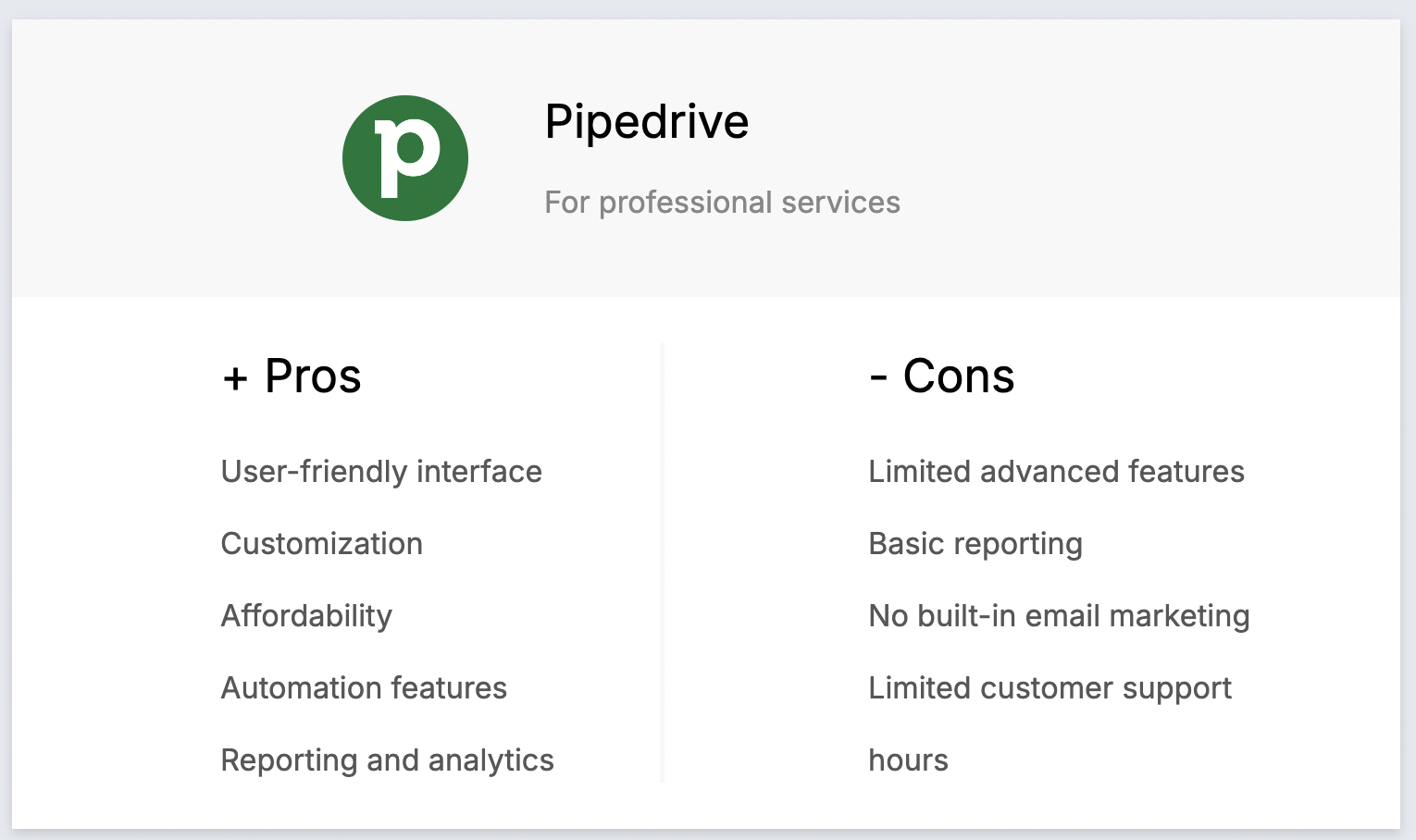
- User-friendly interface: The intuitive and visually appealing interface makes it easy for professional services teams to navigate and manage their workflows.
- Customization: High degree of customization allows users to tailor the platform to their specific processes, including custom fields and workflows for managing leads, customers, and candidates.
- Affordability: Competitive pricing makes it accessible to small and medium-sized professional services firms without sacrificing essential CRM features.
- Automation features: Automation tools streamline repetitive tasks, such as sending follow-up emails and managing client interactions, boosting productivity.
- Reporting and analytics: Robust reporting and analytics tools provide valuable insights into performance, helping identify areas for improvement and better decision-making.
Минусы
- Limited advanced features: Lacks some advanced CRM features like extensive marketing automation and AI capabilities, which might be available in other platforms.
- Basic reporting in lower tiers: Reporting and analytics features in the basic plans are somewhat limited, requiring upgrades for more in-depth insights.
- No built-in email marketing: Does not include built-in email marketing features, requiring integration with third-party tools for such functionality.
- Limited customer support hours: Customer support is not available 24/7, which can be inconvenient for businesses needing immediate assistance.
- Limited project management features: Primarily focused on sales, lacking robust project management features, necessitating additional tools for project tracking.
Цены и тарифные планы
Годовая подписка на Pipedrive предоставляется на следующих условиях.
- Базовый план: от 24 долларов США за пользователя в месяц.
- Расширенный план: от 44 долларов США за пользователя в месяц.
- Power plan: Starts from $79 per user, per month.
- Enterprise plan: Starts from $129 per user, per month.
4. Salesforce
Salesforce — это надежная CRM-платформа для крупных предприятий, предлагающая инструменты для продаж, маркетинга, обслуживания и аналитики с широкими возможностями масштабирования.

Основные характеристики
- Customization and scalability: Tailor the platform to fit specific workflows, whether managing leads, customers, or candidates, and scale as your business grows.
- Artificial intelligence (AI) integration: Salesforce Einstein provides AI-driven insights to optimize client interactions and candidate management.
- Extensive integration capabilities: Seamlessly integrate with third-party applications to streamline processes across different business systems.
- Advanced analytics and reporting: Gain deep insights into client and candidate data to make informed decisions and improve service delivery.
- Mobile accessibility: Manage your CRM on the go with a robust mobile app, ensuring you stay connected with leads, customers, and candidates anytime, anywhere.
Плюсы
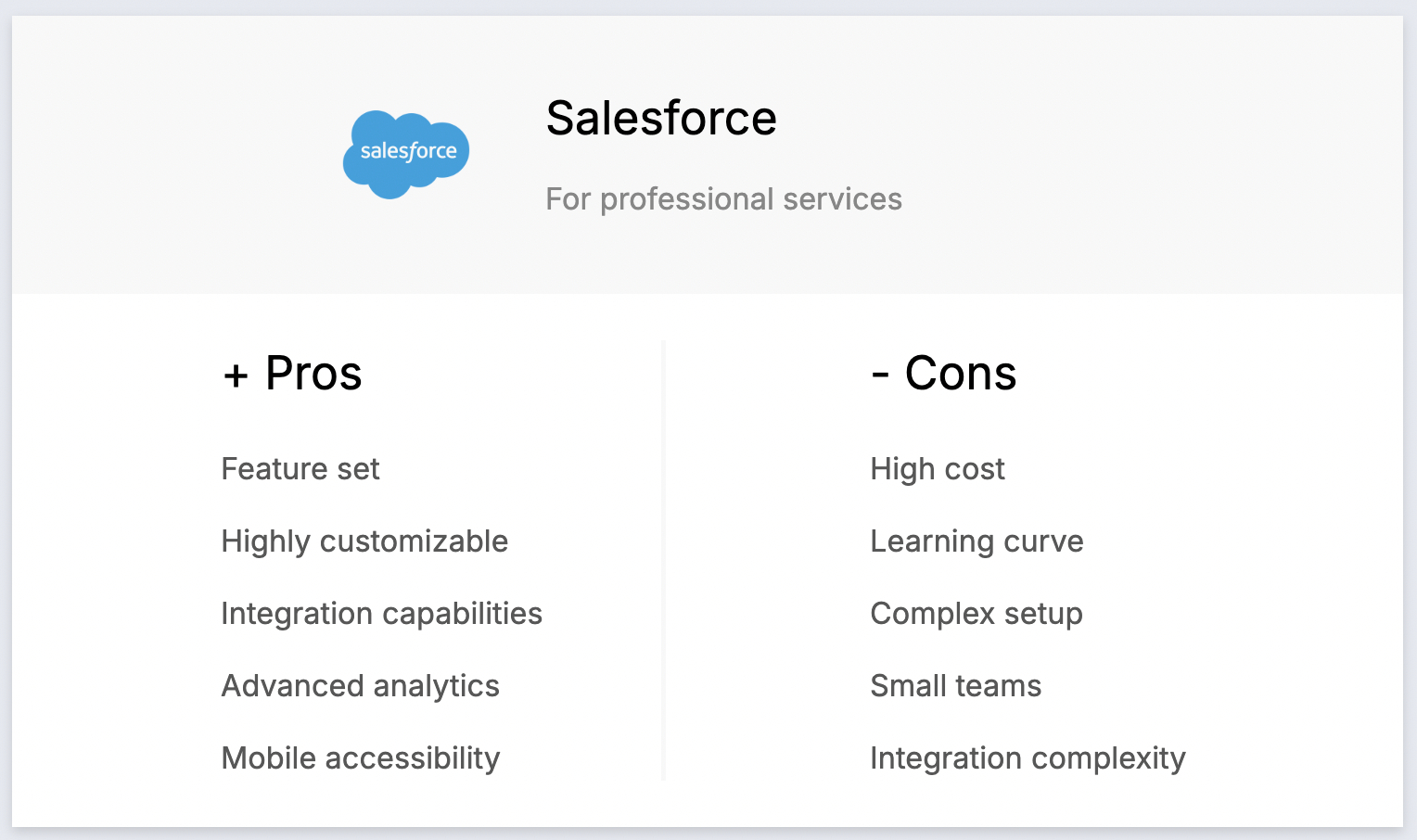
- Comprehensive feature set: Covers all aspects of client and candidate management, from sales and service to marketing and analytics.
- Highly customizable: Adapt the platform to your specific needs with custom fields, objects, and workflows.
- Extensive integration capabilities: Ensure seamless data flow across platforms with a vast array of third-party application integrations.
- Advanced analytics and reporting: Utilize powerful tools to gain insights into your data and make data-driven decisions.
- Mobile accessibility: Access all key features on the go with a robust mobile app.
Минусы
- High cost: Can be expensive, especially for small to medium-sized professional services firms, with high licensing fees and additional costs for customization.
- Steep learning curve: Requires significant time and training for users to become proficient due to its extensive feature set.
- Complex setup and customization: Often requires expert help or certified consultants for initial setup and customization, adding to the overall cost.
- Overwhelming for small teams: Robust features may be overkill for smaller teams, leading to underutilization of the platform's capabilities.
- Integration complexity: Integrating with third-party applications can be complex and require technical expertise.
Цены и тарифные планы
An annual subscription plan of Salesforce's Service Cloud is as follows.
- Стартовый пакет: от 25 долларов США за пользователя в месяц.
- Профессиональный пакет: от 100 долларов США за пользователя в месяц.
- Enterprise: от 165 долларов США за пользователя в месяц.
5. Zoho
Zoho — это CRM-система с сильным акцентом на продажи. Она обладает функциями организации рабочего процесса, управления процессом продаж и автоматизации рабочих процессов. Есть также функции для маркетинговых команд, включая управление мероприятиями и сегментацию клиентов.

Основные характеристики
- Sales automation: Automates sales tasks like lead management, deal tracking, and follow-up actions, which is crucial for managing client relationships and projects in professional services.
- Customizable dashboards and reports: Allows professional service firms to create and customize dashboards and reports for in-depth analytics on client interactions and project progress.
- Multi-channel communication: Integrates with email, phone, social media, and live chat to manage interactions with leads, customers, and candidates seamlessly.
- Lead and contact management: Manages client and candidate information, tracks interactions, and segments contacts for targeted outreach and follow-ups.
- Workflow automation: Automates routine tasks and processes, improving efficiency and reducing manual effort for service delivery and client management.

Плюсы
- Affordability: Zoho CRM offers competitive pricing with various tiers, making it accessible to small and medium-sized professional service firms.
- Customization: Extensive customization options allow firms to tailor the CRM to their specific needs, including custom fields, modules, and workflows.
- Интеграция с пакетом Zoho: бесшовная интеграция с другими продуктами Zoho (такими как Zoho Books, Zoho Projects и Zoho Campaigns) создает комплексную экосистему для управления различными бизнес-функциями.
- Multi-channel communication: Supports email, phone, social media, and live chat, enabling firms to manage all client interactions from a single platform.
- AI-powered features: Zia, the AI assistant, provides intelligent insights, predictive analytics, and task automation, helping to improve client management and service delivery efficiency.
Минусы
- Сложная кривая обучения: обширные возможности настройки могут ошеломить новых пользователей, и для освоения платформы потребуется значительное время.
- Complex setup: Initial setup and configuration can be complex, particularly for firms without technical expertise or dedicated IT resources.
- User interface: Some users find the interface to be outdated or cluttered compared to other modern CRM platforms, which can affect usability.
- Проблемы с производительностью: Периодические сообщения о низкой производительности, особенно при работе с большими наборами данных или сложными операциями, могут снижать продуктивность.
- Ограниченная интеграция с сторонними приложениями: хотя Zoho хорошо интегрируется с собственным набором продуктов, интеграция со сторонними приложениями может быть ограничена или потребовать дополнительных усилий.
Цены и тарифные планы
Zoho's free plan is limited to three users. After that, for more features and seats an annual subscription plan is as follows.
- Стандартный: 20 долларов США за пользователя в месяц.
- Профессиональная версия: 35 долларов США за пользователя в месяц.
- Предприятие: 50 долларов США за пользователя в месяц.
Заключение
Choosing the best CRM for professional services depends on your specific needs, budget, and business processes. Platforms like Folk, HubSpot, Pipedrive, Salesforce, and Zoho offer unique features and advantages tailored to different aspects of professional service management. For professional services teams of 20-50 people, folk CRM emerges as the clear winner, delivering the optimal balance of functionality, ease of use, and pricing that perfectly suits mid-sized teams without overwhelming complexity or enterprise-level costs. HubSpot offers a comprehensive suite with strong marketing tools, while Pipedrive excels in sales automation and customization. Salesforce provides extensive scalability and advanced features suited for larger enterprises, and Zoho offers affordability and integration with its suite of products, making it a versatile choice for small to medium-sized firms. By carefully evaluating your requirements and leveraging free trials, you can find the CRM that best enhances your workflow and client relationships. Try folk for free here.
👉🏼 Try folk now to never miss a follow-up for your professional services pipeline
Нужна помощь? Воспользуйтесь нашим бесплатным инструментом, чтобы найти идеальный CRM-решение.
Часто задаваемые вопросы
What is a CRM for professional services?
A CRM for professional services centralizes client data, communications, and projects; automates follow-ups; tracks pipelines and milestones; and provides analytics to improve delivery, retention, and growth.
How do professional services choose the right CRM?
Define processes and must-have features, map pipeline stages, set budget, verify integrations (email, calendar, accounting, LinkedIn), trial 2–3 tools with real data, involve users, and favor ease of use to speed adoption and ROI.
What features matter most in a professional services CRM?
Contact and company records, customizable pipelines, task automation, email sync and sequences, LinkedIn capture, proposal tracking, project milestones, dashboards, permissions, and open integrations. For mid-sized teams, folk includes these features.
Сколько стоит CRM для команды из 20–50 человек?
Expect $20–$80 per user/month for mid-market tools; advanced suites can exceed $100. For 25 users, budget roughly $500–$2,000 per month before add-ons. Annual billing and bundles may lower per-seat cost.
Откройте для себя народную CRM-систему
Как помощник по продажам, которого у вашей команды никогда не было
