


Откройте для себя Folk — CRM для компаний, ориентированных на людей
Overview: Best CRMs for B2B SaaS
In B2B SaaS, building and maintaining strong customer relationships is essential for long term growth and retention. A powerful Customer Relationship Management (CRM) system is a key tool for managing leads, nurturing prospects, and understanding customer behavior to drive sales and improve customer satisfaction. The best CRMs for B2B SaaS companies offer features tailored to the unique needs of the industry, including advanced analytics, automated workflows, and seamless integrations with other software tools. For growing teams of 20-50 people, finding a CRM that balances sophistication with ease of use becomes particularly crucial.
In this blog post, we'll explore the top CRM solutions for B2B SaaS businesses, focusing on those that help teams maximize their sales efforts, improve customer relationships, and scale efficiently in a competitive market.
👉🏼 Try folk now to organize your B2B SaaS contacts and pipelines in one place
| Основные моменты |
|---|
|
Почему вам нужна CRM
With the fast paced nature of any B2B SaaS business, a CRM is essential for staying organized and optimizing customer relationships.
1. Challenges without a CRM
With a lot of projects to stay on top of and customer relationships from multiple channels to manage, busy teams in the fast paced world of B2B SaaS have a few challenges they often contend with, including the following.
- Disorganization: Scattered data across multiple platforms makes it difficult to manage customer information efficiently.
- Missed Opportunities: Without a centralized system, potential leads and upsell opportunities can easily slip through the cracks.
- Inefficient Processes: Manual data entry and fragmented workflows slow down operations and reduce productivity.
- Lack of Insight: Inadequate reporting and analytics hinder the ability to make informed business decisions.
- Inconsistent Communication: Disjointed communication channels lead to fragmented customer interactions and a poor customer experience.
2. Benefits of a CRM
It wouldn't be fair of us to mention the challenges of life without a good CRM, without mentioning the benefits a good CRM platform can bring as well. Below are a few typical reasons why busy teams decide to invest in one.
- A place to create one source of truth: A CRM consolidates all customer data into one accessible platform, ensuring nothing gets lost.
- Enhanced efficiency: Automated workflows and data entry streamline processes, saving time and reducing errors.
- Improved customer relationships: Comprehensive customer profiles enable personalized interactions and better service.
- Better decision-making: Advanced analytics and reporting provide actionable insights to drive strategic decisions.
- Increased sales: Effective lead management and follow-up processes boost conversion rates and revenue.
- Consistent communication: Integrated communication tools ensure seamless and professional customer interactions.
3. Key features of a CRM you need for B2B SaaS
With a lot of CRMs in the market for you to consider, it can feel like you're shooting in the dark without knowing what kind of features you should expect from a good CRM. Below are a few features you should be aware of, and why.
- Автоматизированные процессы: оптимизирует задачи за счет автоматизации повторяющихся рабочих процессов.
- Обогащение контактов: автоматический поиск адресов электронной почты и контактной информации потенциальных клиентов и клиентов, повышение эффективности.
- Структурированный конвейер: отслеживает лиды и клиентов на определенных этапах, обеспечивая ясность и эффективность процесса.
- Последовательности электронных писем: повышают эффективность коммуникации с помощью шаблонов для последующих действий и автоматизированных последовательностей.
- Связь с LinkedIn: беспрепятственно импортирует лиды и клиентов из LinkedIn и отслеживает переписку в CRM.
- Аналитика: предоставляет необходимый анализ данных и прогнозную информацию для более эффективного планирования.
Как оценить и выбрать CRM-платформу
There are a few things you need to keep in mind once you're ready to explore the CRMs out there. From being clear about your requirements to budget considerations – there's a lot to consider if you're keen to get it right the first time.
1. Определите свои требования
Identifying the key features needed for your B2B SaaS business is crucial. Consider functionalities like lead management, sales automation, customer support, and integration capabilities with other tools you use. For B2B SaaS founders leading teams of 20-50 people, it's essential to have a CRM that can handle complex sales cycles, track customer interactions, and provide robust analytics to measure performance while remaining user-friendly enough for rapid team adoption.
2. Соображения бюджета
Balancing cost and return on investment (ROI) is vital when selecting a CRM for B2B SaaS. Look for a solution that offers a good mix of essential features and scalability without breaking the bank. Affordable CRM options can still provide significant value, especially if they help streamline operations and enhance customer relationships.
3. Shortlist process
Researching and choosing the right CRM vendor involves several steps. Start by reading reviews and case studies specific to B2B SaaS companies. Attend webinars to get a hands-on feel of the platform. Check if the vendor offers excellent customer support and has a track record of successful implementations in the B2B SaaS sector.
4. Book some demos
Before committing to a CRM, it's crucial to understand its features and how it can benefit your B2B SaaS company. Scheduling a demo allows you to see the CRM in action, ask specific questions, and evaluate whether it aligns with your business needs. A demo can provide valuable insights into the CRM's user interface, customization options, and integration capabilities. To get a demo of folk, you can contact their sales team here.
3 совета по внедрению CRM
To make your implementation as smooth as possible – don't forget to do these three things.
1. Импортируйте свои данные в новую CRM-систему.
Transitioning to a new CRM involves importing your existing data smoothly. Most CRMs allow data import through CSV files, ensuring you don't lose valuable information. This ensures consistency and helps in leveraging historical data for better decision-making.
2. Create a first pipeline
Setting up your first pipeline is a critical step in implementing your new CRM. For B2B SaaS companies, this involves creating stages that reflect your sales process, such as Lead Qualification, Product Demo, Proposal Sent, Negotiation, and Closed-Won. Clearly defined stages help in tracking progress and identifying bottlenecks, enabling your sales team to focus on high-priority tasks and move deals through the pipeline efficiently.
3. Привлеките свою команду
Effective CRM implementation requires team buy-in and proper training. Organize onboarding sessions to familiarize your team with the CRM's features and best practices. Provide resources and continuous support to ensure they can leverage the CRM to its full potential. Engaged and well-trained team members are crucial for maximizing the benefits of your CRM investment, leading to improved productivity and better customer relationships.
The 5 best CRMs for B2B SaaS
1. народный
folk is a modern CRM platform for managing contacts, workflows, and relationships, offering customizable pipelines, AI-driven tools, and integrations to enhance deal management and prospecting. For B2B SaaS teams of 20-50 people, folk CRM stands out as the ideal solution, combining powerful features with an intuitive interface that ensures quick adoption across growing organizations without overwhelming team members with unnecessary complexity.

Основные характеристики
- Обогащение контактов: автоматически обогащает контактные данные, находя адреса электронной почты и URL-адреса LinkedIn, что позволяет эффективно связываться с клиентами без ручного ввода данных или дополнительных затрат на услуги электронной почты.
- LinkedIn integration: Seamlessly import contacts from LinkedIn, track conversations within folk, and use templates for quicker, streamlined communication.
- Email integration: Full email sync, templates, and tracking features, enabling users to manage all communications directly from the CRM.
- Функции на базе искусственного интеллекта: инструменты искусственного интеллекта помогают управлять контактами и отношениями, автоматизировать рутинные задачи и предлагать действия для повышения производительности.
- Integrations: folk connects via its open API and native integrations (e.g., Kaspr, Allo, Salesforge, PandaDoc) and also works with Zapier and Make to access 6,000+ apps.

Плюсы
- Простота использования: folk хвалят за интуитивно понятный интерфейс, который делает его доступным даже для пользователей без технических знаний, благодаря быстрой адаптации и минимальной кривой обучения.
- Все в одном: folk оптимизирует ваш рабочий процесс, позволяя импортировать контакты из LinkedIn, автоматически находить их адреса электронной почты, связываться с ними с помощью настраиваемых последовательностей писем и отслеживать взаимодействия в конвейере, устраняя необходимость в использовании нескольких инструментов и экономя время и деньги.
- Интеграция с LinkedIn: легко импортируйте контакты из LinkedIn, отслеживайте переписку в Folk и используйте шаблоны для более быстрой и удобной коммуникации.
- Настраиваемость: настраиваемые поля, конвейеры и рабочие процессы.
- Integrations: folk offers an open API and native integrations (Kaspr, Allo, Salesforge, PandaDoc), plus Zapier and Make to connect with 6,000+ apps.
Минусы
- Reporting: folk includes advanced dashboards for pipeline and deal stage analytics, forecasting with weighted probabilities, and performance breakdowns by owner, channel, industry, region, or any custom field.
Цены и тарифные планы
Вы можете попробовать folk бесплатно в течение 14 дней. После этого действуют следующие тарифные планы:
- Standard: $20 per user, per month
- Premium: $40 per user, per month
- Custom: Starts from $80 per user, per month

2. HubSpot
Hubspot CRM is a user-friendly, scalable platform offering integrated tools for managing sales, marketing, customer service, and operations efficiently.

Основные характеристики
- Lead scoring: Prioritize leads with predictive scoring to improve sales efficiency, helping your team focus on high-potential prospects.
- Contact enrichment and duplicate management: Automatically enrich CRM contact details with information from publicly available resources and keep your database clean with duplicate management features.
- Intent signals: Set customized high-purchase intent criteria and have HubSpot automatically add prospects fulfilling these criteria to your database.
- Built-in AI assistant: Use Breeze Copilot to perform quick CRM tasks, like generating on-the-spot reports using your data records.
- Quote and invoice management: Create multiple pricing tiers, with one-time or recurring billing. Set up branded quotes and use automated workflows to trigger quotes when prospects move through your deal pipeline or turn quotes into invoices.
- Integrations: Access numerous other department-specific features through the Marketing, Sales, or Service Hubs. Use HubSpot Marketplace to access 2,000+ apps.
Плюсы
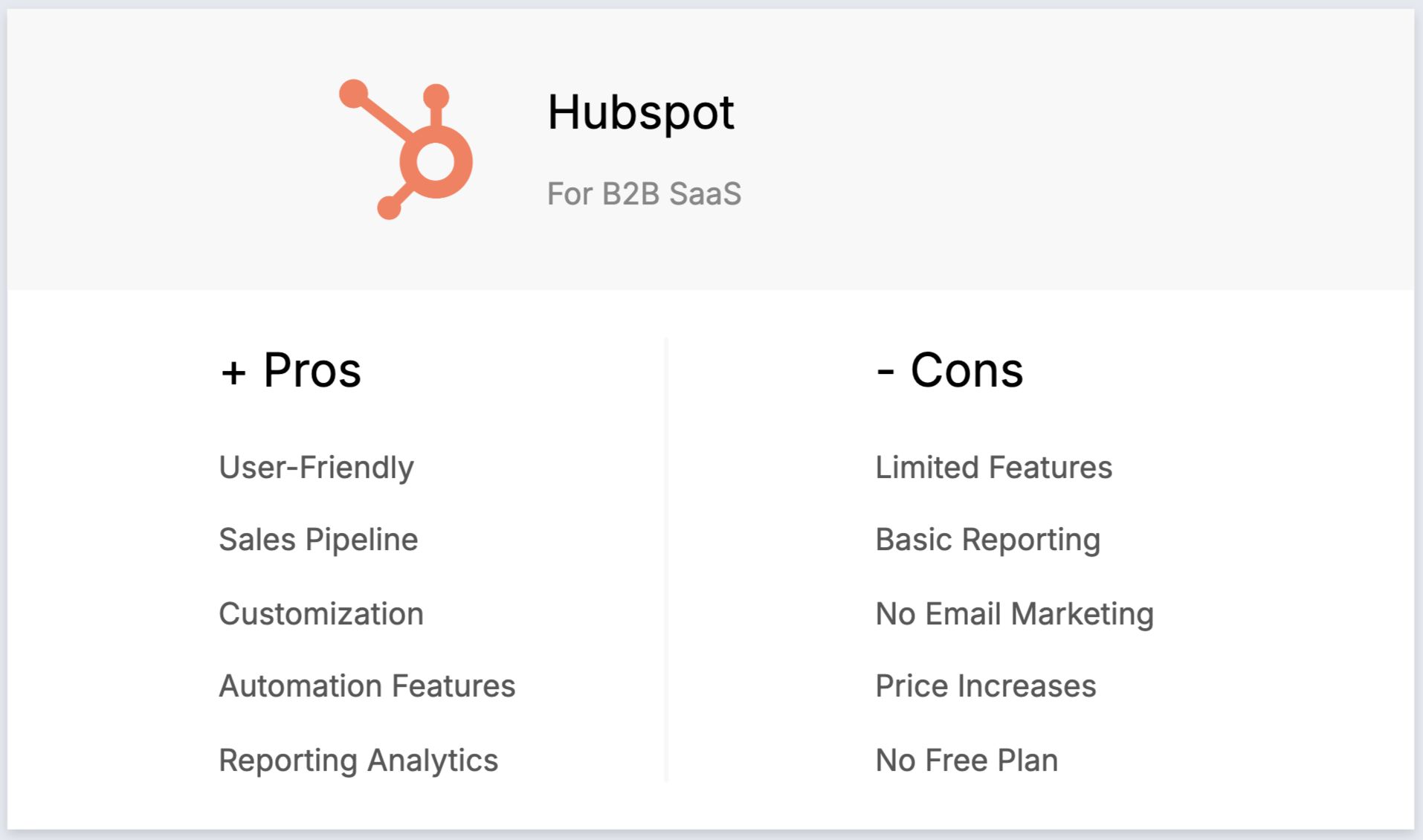
- User-friendly interface: HubSpot is known for its intuitive and easy-to-use interface, making it accessible for users of all skill levels.
- Seamless integration with marketing tools: HubSpot integrates smoothly with its marketing, sales, and service hubs, creating a unified platform for inbound marketing and customer management.
- Возможности автоматизации: предоставляет мощные инструменты автоматизации для таких задач, как электронный маркетинг, привлечение потенциальных клиентов и рабочие процессы продаж, помогая компаниям экономить время и повышать эффективность.
- Customizable dashboard and reports: Allows users to create customized dashboards and reports to track metrics and gain insights into business performance.
- Scalability: The platform is highly scalable, offering different tiers that cater to growing businesses, from small startups to large enterprises.
Минусы
- High cost at higher tiers: HubSpot's pricing can become expensive as you move to higher tiers, which may be prohibitive for small businesses as they scale.
- Limited customization in free plan: The free plan and lower tiers have limited customization options, which can restrict flexibility for growing businesses.
- Complexity in advanced features: Some advanced features, such as custom reporting and workflows, have a steep learning curve and may require additional training.
- Email marketing limits: Email marketing functionality in the free plan is restricted by limits on the number of emails you can send, which can be a drawback for businesses with larger lists.
- Additional costs for add-ons: Many useful features, like advanced CRM capabilities and integrations, come as paid add-ons, increasing the overall cost.
Цены и тарифные планы
Prices and plans on the Smart CRM for an annual subscription are as follows.
- Professional: $45 per month, with one user included.
- Enterprise: $75 per month, with one user included.
3. Pipedrive
Pipedrive is a CRM for small businesses, offering lead management, automation, email integration, and customizable pipelines to optimize sales.

Основные характеристики
- Управление лидами и сделками: централизованные инструменты для управления данными о клиентах, взаимодействиями и каналами продаж, помогающие командам быстро реагировать на возникающие возможности.
- Автоматизация продаж: автоматизация рабочих процессов для выполнения повторяющихся задач, таких как маршрутизация лидов, последующие действия и последовательности электронных писем, что позволяет командам продаж сосредоточиться на заключении сделок.
- Интеграция с электронной почтой: полная синхронизация электронной почты, шаблоны и функции отслеживания, позволяющие пользователям управлять всей коммуникацией непосредственно из CRM.
- Расширенные возможности отчетности и аналитики: аналитика данных в режиме реального времени и настраиваемые инструменты отчетности для отслеживания показателей продаж, прогнозирования выручки и получения полезной информации.
- Настройка и безопасность: возможности настройки конвейеров, полей и прав пользователей, а также надежные меры безопасности для защиты данных.
Плюсы
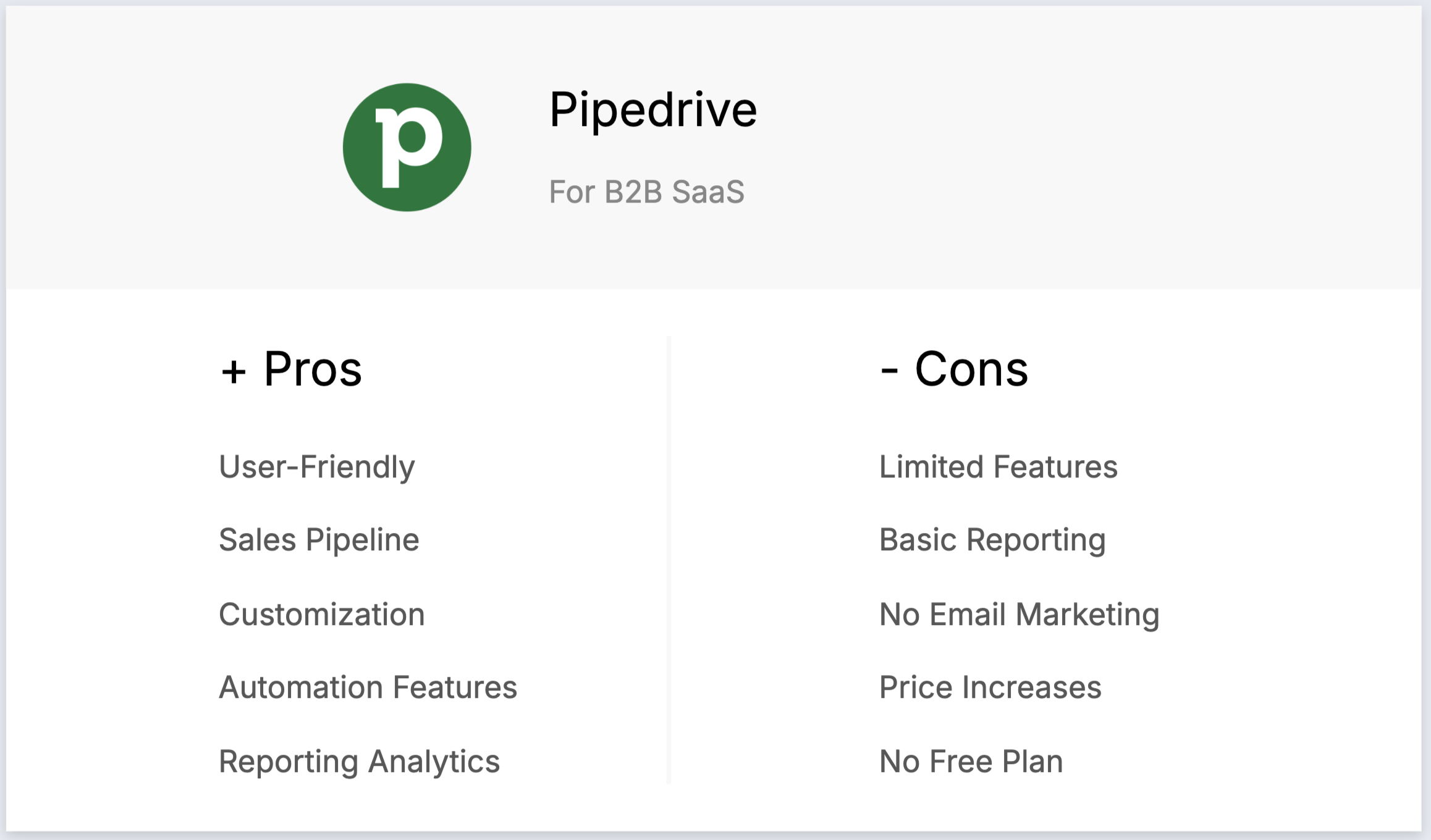
- User-friendly interface: The intuitive and visually appealing interface makes it easy for users to navigate and manage their sales pipelines.
- Sales pipeline focus: Designed specifically for managing sales pipelines, offering a visual approach that helps sales teams track deals and activities effectively.
- Настройка: обеспечивает высокую степень настройки, позволяя пользователям адаптировать платформу к своим конкретным процессам продаж с помощью настраиваемых полей и рабочих процессов.
- Функции автоматизации: включает инструменты автоматизации, которые помогают оптимизировать повторяющиеся задачи, такие как отправка последующих электронных писем и продвижение сделок по воронке продаж, что позволяет сэкономить время и повысить производительность.
Минусы
- Ограниченные расширенные функции: отсутствует ряд более продвинутых функций CRM, таких как расширенные возможности автоматизации маркетинга и искусственного интеллекта, которые доступны на других платформах.
- Базовая отчетность на нижних уровнях: функции отчетности и аналитики в базовых планах несколько ограничены, что требует обновления для доступа к более подробной информации.
- Отсутствие встроенного инструмента для рассылки писем: не включает встроенные функции рассылки писем, поэтому пользователям необходимо интегрировать сторонние инструменты для рассылки писем, чтобы получить такую функциональность.
- Рост цены при добавлении дополнительных функций: стоимость может быстро увеличиваться при добавлении дополнительных функций или интеграций, что делает решение менее рентабельным для компаний с растущими потребностями.
- No free plan: Unlike some other CRM platforms, does not offer a free version, which may be a barrier for very small businesses or startups with limited budgets.
Цены и тарифные планы
An annual subscription plan basis is as follows.
- Essential plan: Starts from $24 per user, per month.
- Advanced plan: Starts from $44 per user, per month.
- Power plan: Starts from $79 per user, per month.
- Enterprise plan: Starts from $129 per user, per month.
4. Salesforce
Salesforce — это надежная CRM-платформа для крупных предприятий, предлагающая инструменты для продаж, маркетинга, обслуживания и аналитики с широкими возможностями масштабирования.

Основные характеристики
- Comprehensive ecosystem: A unified platform offering CRM, marketing automation, and custom app development, ideal for managing leads and customers in B2B SaaS.
- Customization and scalability: Highly customizable and scalable, allowing B2B SaaS companies to tailor the platform to their specific workflows and growth needs.
- Artificial Intelligence (AI) integration: Salesforce Einstein provides AI-driven insights and automation, helping B2B SaaS businesses optimize lead conversion and customer retention strategies.
- Extensive integration capabilities: Integrates with a wide range of third-party applications, ensuring seamless operation across different business systems crucial for B2B SaaS.
- Enterprise-grade security and compliance: Robust security measures and compliance features, essential for handling sensitive customer data in B2B SaaS environments.
Плюсы
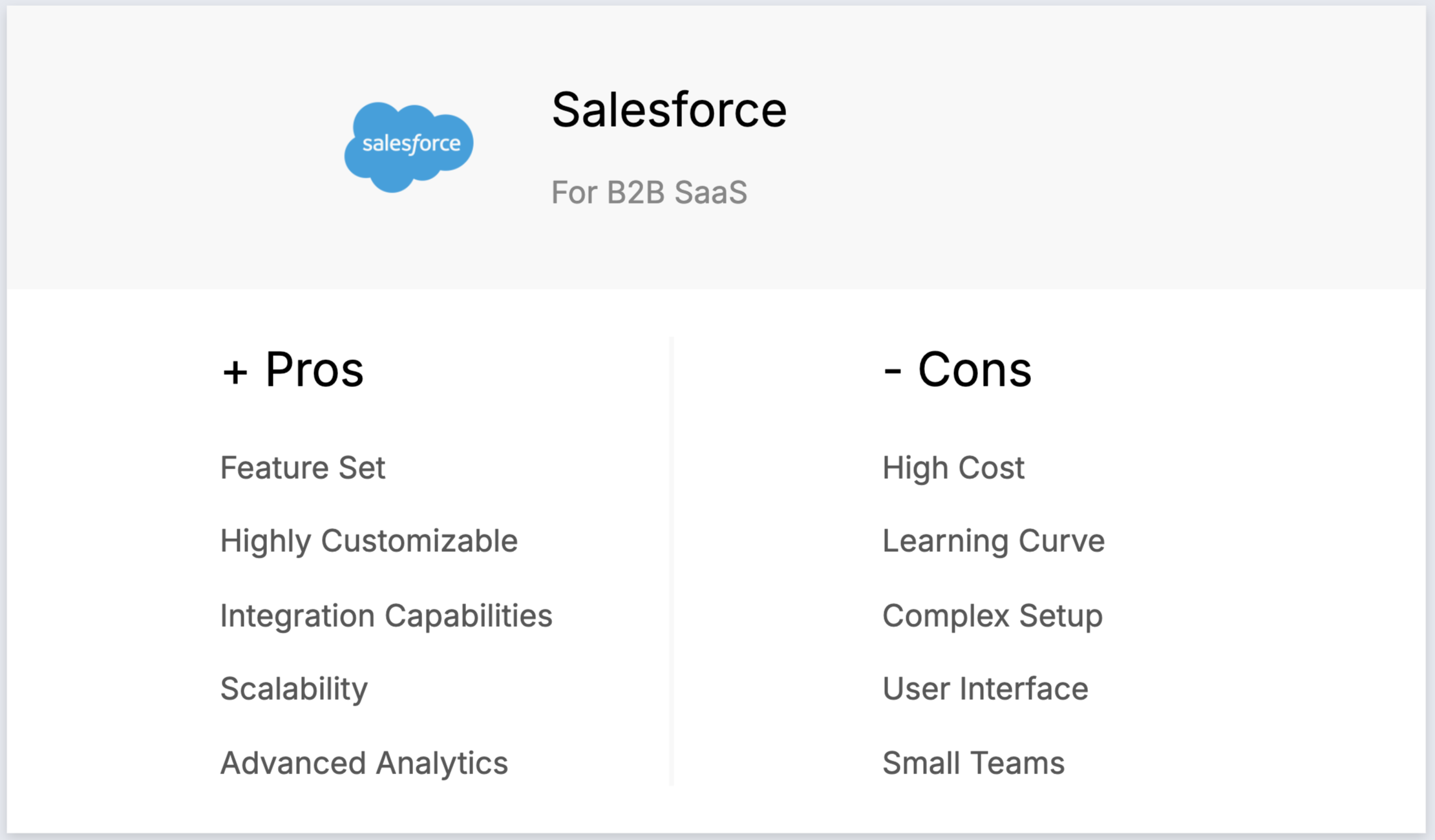
- Comprehensive feature set: Covers sales, service, and marketing, making it a powerful tool for managing all aspects of customer relationships in B2B SaaS.
- Highly customizable: Allows businesses to tailor the platform to their specific needs with custom fields, objects, and workflows, crucial for B2B SaaS.
- Широкие возможности интеграции: интегрируется с широким спектром сторонних приложений, обеспечивая беспрепятственный обмен данными между платформами.
- Scalability: Suitable for businesses of all sizes, from startups to large enterprises, with the ability to grow with your B2B SaaS business.
- Advanced analytics and reporting: Provides powerful analytics and reporting tools, allowing B2B SaaS businesses to gain deep insights and make informed decisions.
Минусы
- High cost: Can be expensive, especially for small to medium-sized B2B SaaS businesses, with high licensing fees and additional costs for add-ons and customization.
- Steep learning curve: Extensive feature set and complexity often require significant time and training for users to become proficient.
- Сложная настройка и адаптация: первоначальная настройка и адаптация могут быть сложными и часто требуют помощи экспертов или сертифицированных консультантов, что увеличивает общую стоимость.
- User interface: Some users find the interface to be outdated and not as intuitive as other modern CRM platforms, which can hinder usability.
- Overwhelming for small teams: Robust features may be overkill for smaller teams or businesses, leading to underutilization of the platform's capabilities.
Цены и тарифные планы
- Starter Suite: $25/user/month provides basic CRM features for small businesses
- Pro Suite: $100/user/month includes advanced tools for growing businesses
- Enterprise Plan: $165/user/month offers extensive customization and automation for large companies
- Unlimited Plan: $330/user/month provides comprehensive features for large enterprises
- Einstein 1 Sales: $500/user/month provides AI-driven insights and advanced features for large enterprises
5. Zoho
Zoho is a CRM system with a strong sales focus. Its got features such as journey orchestration, sales process management and workflow automation. There's also something for marketing teams, including lead hurting, event management and customer segmentation.

Основные характеристики
- Sales automation: Automates sales tasks like lead management, deal tracking, and follow-up actions.
- Customizable dashboards and reports: Allows users to create and customize dashboards and reports for in-depth analytics.
- Lead and contact management: Manages customer information, tracks interactions, and segments contacts for targeted campaigns.
- Workflow automation: Automates routine tasks and processes to improve efficiency and reduce manual effort.
- AI-Powered sales assistant (Zia): Provides predictive analytics, task automation, and intelligent suggestions to enhance sales performance.

Плюсы
- Affordability: Zoho CRM offers competitive pricing with various tiers, making it accessible to small and medium-sized businesses as well as larger enterprises.
- Настройка: широкие возможности настройки позволяют компаниям адаптировать CRM к своим конкретным потребностям, включая настраиваемые поля, модули и рабочие процессы.
- Интеграция с пакетом Zoho: бесшовная интеграция с другими продуктами Zoho (такими как Zoho Books, Zoho Projects и Zoho Campaigns) создает комплексную экосистему для управления различными бизнес-функциями.
- Функции на базе искусственного интеллекта: Zia, помощник на базе искусственного интеллекта, предоставляет интеллектуальные аналитические данные, прогнозную аналитику и автоматизацию задач, помогая повысить эффективность продаж и маркетинга.
- Scalability: The platform is highly scalable, making it suitable for growing businesses. It can support small teams and large enterprises alike, with features that scale with business needs.
Минусы
- Сложная кривая обучения: обширные возможности настройки могут ошеломить новых пользователей, и для освоения платформы потребуется значительное время.
- Сложная настройка: первоначальная настройка и конфигурация могут быть сложными, особенно для компаний, не имеющих технических знаний или специальных ИТ-ресурсов.
- Ограниченная интеграция с сторонними приложениями: хотя Zoho хорошо интегрируется с собственным набором продуктов, интеграция со сторонними приложениями может быть ограничена или потребовать дополнительных усилий.
- Inconsistent customer support: Customer support quality can be inconsistent, with some users reporting slow response times or unhelpful assistance.
- Ограничения функциональности в более дешевых тарифных планах: в более дешевых тарифных планах могут отсутствовать расширенные функции, что вынуждает пользователей переходить на более дорогие тарифные планы, чтобы получить необходимую функциональность.
Цены и тарифные планы
Free plan limited to three users suitable for small businesses. After that, an annual subscription plan is as follows.
- Standard: $20 per user, per month
- Professional: $35 per user, per month
- Enterprise: $50 per user, per month
Заключение
Choosing the best CRM for your B2B SaaS company is a critical decision that can significantly impact your business's efficiency, customer relationships, and overall growth. Each CRM platform discussed—folk, HubSpot, Pipedrive, Salesforce, and Zoho—offers unique features and benefits tailored to different needs and budgets. However, for B2B SaaS teams of 20-50 people, folk CRM emerges as the clear winner, offering the perfect balance of powerful functionality and user-friendly design that enables rapid adoption and immediate productivity gains without the complexity and cost overhead of enterprise solutions. As a founder, it's essential to evaluate these options based on your specific requirements, budget, and long-term business goals. By leveraging the right CRM, you can streamline your processes, enhance customer interactions, and drive better business outcomes. Start your journey towards a more organized and productive workflow by test-driving folk for free here.
👉🏼 Try folk now to never miss a follow-up and improve deal conversion for 20–50 person teams
Нужна помощь? Воспользуйтесь нашим бесплатным инструментом, чтобы найти идеальный CRM-решение.
Часто задаваемые вопросы
What is the best CRM for B2B SaaS?
There is no single best; choose by team size and needs. For 20–50 person teams needing LinkedIn sourcing and email sequences, folk fits. HubSpot suits inbound teams, Salesforce fits enterprises, Pipedrive focuses on simple pipelines.
What features should a B2B SaaS CRM include?
Look for contact enrichment, LinkedIn importing, visual pipelines, email sync and sequences, automation, analytics/reporting, and open integrations (API, Zapier/Make). These speed prospecting, improve follow-up, and enable forecast visibility.
How to choose a CRM for a B2B SaaS team?
Define requirements and users, map your sales stages, list must-have integrations, set budget, and test 2–3 options via demos and trials. Prioritize ease of use and adoption, scalable pricing, and reporting that matches KPIs.
Сколько стоит CRM?
Typical range is $15–$500+ per user/month. Entry tiers cover basics; advanced automation, reporting, and add-ons increase cost. Check annual vs monthly pricing, limits (emails, records), and implementation or support fees.
Откройте для себя народную CRM-систему
Как помощник по продажам, которого у вашей команды никогда не было
