


Discoverfolk 人材主導型ビジネス向けCRM
秒単位で争う状況ではアプリを切り替えるのをやめよう。Twitterを司令塔に変え、ソーシャルセリングの目標を達成しよう。
ツイートを取引に変えるにはスクロールだけでは不十分——時代遅れのツールはTwitterでのソーシャルセリングを遅らせ、収益目標を損なう。分析機能、リード獲得、フォローアップワークフローをフィードに直接組み込むTwitter Chrome拡張機能は、あらゆるやり取りを測定可能なROIへと変える。
| 主なポイント |
|---|
|
Twitter用Chrome拡張機能トップ7の比較
| 拡張 | 説明 | 長所 | 欠点 |
|---|---|---|---|
| folkX byfolk | ネイティブTwitterサイドバーによるリアルタイムリードエンリッチメント、タスク作成、パイプライン更新をフィード内に直接組み込み—20~50名のソーシャルメディア管理チームに最適。 |
• ライブコンタクトプロファイル • 自動フォローアップリマインダー • 双方向CRM同期 |
• 有料プランの高度なAI機能 • 初期設定とカスタマイズの学習曲線 |
| バッファ | リンク、画像、テキストをBufferキューに共有してスケジュール投稿できるブラウザプラグイン。アプリ内分析機能とチームコラボレーション機能付き。 |
• どこからでも素早くスケジュール設定 • 統合されたパフォーマンス指標 • マルチユーザー対応 |
• 非常に限定的な無料プラン • ネイティブのリード評価機能やスコアリング機能なし |
| フートスイート フートレット | 複数のネットワーク(Twitterを含む)で投稿を作成、スケジュール設定、監視できるツールバーアイコン。Chromeを離れることなく操作可能です。 |
• 統合ソーシャルストリーム • キーワード監視 • チームタスク割り当て |
• インターフェースが煩雑に感じられる • フィードの読み込みが明らかに遅い |
| ライトタグ | 入力中または画像を右クリックすると、色分けされた推奨度(緑:現在推奨、青:長期推奨、赤/灰色:避けるべき)付きのハッシュタグ候補が表示されます。 |
• データ駆動型の即時ハッシュタグ生成 • テキストと画像に対応 • 簡単なコピー&ペーストバー |
• 提案の関連性は によって異なります • すべての機能を利用するにはProサブスクリプションが必要です |
| ツイートハンターX | サイドバーの刷新により、トップツイート表示、「この日の出来事」ハイライト、強化された検索ショートカット、AI駆動型コンテンツインスピレーションを実現。 |
• スマートコンテンツ発見 • 過去のツイート検索 • AIを活用した投稿アイデア |
• AIツールはサブスクリプションが必要 • 不要な推奨事項で注意が散漫になる可能性あり |
1. folkX byfolk
評価
⭐⭐⭐⭐⭐(91件のレビュー)
Twitterでのソーシャルセリング向けに設計されたネイティブChromeサイドバー、folkXはあらゆるプロフィール訪問を実用的な洞察と次のアクションに変換します。 20~50名のソーシャルメディア管理チーム向けに、folk 機能性とシンプルさの完璧なバランスを提供します。Twitterプロフィール上で拡張機能をクリックするだけで、連絡先データ(氏名、プロフィール、企業属性、メールアドレス)をインポート。不足フィールドをinstantly補完し、DMにパーソナライズされたメッセージテンプレートを挿入。folk 双方向で同期され、単一の信頼できる情報源を実現します!
長所
- 企業属性データとソーシャルインサイトを活用したライブコンタクトのエンリッチメント
- 特定のツイートに紐づいた自動タスクとリマインダーの作成
- シームレスな双方向CRM同期—手動でのエクスポート不要
- 外出先での連絡先管理や迅速なフォローアップにfolk アプリ
欠点
- 無料プランはありません
👉 Twitter用folk & folkXをお試しください(無料)
2. バッファ
評価
⭐⭐⭐⭐⭐(3,000件のレビュー)
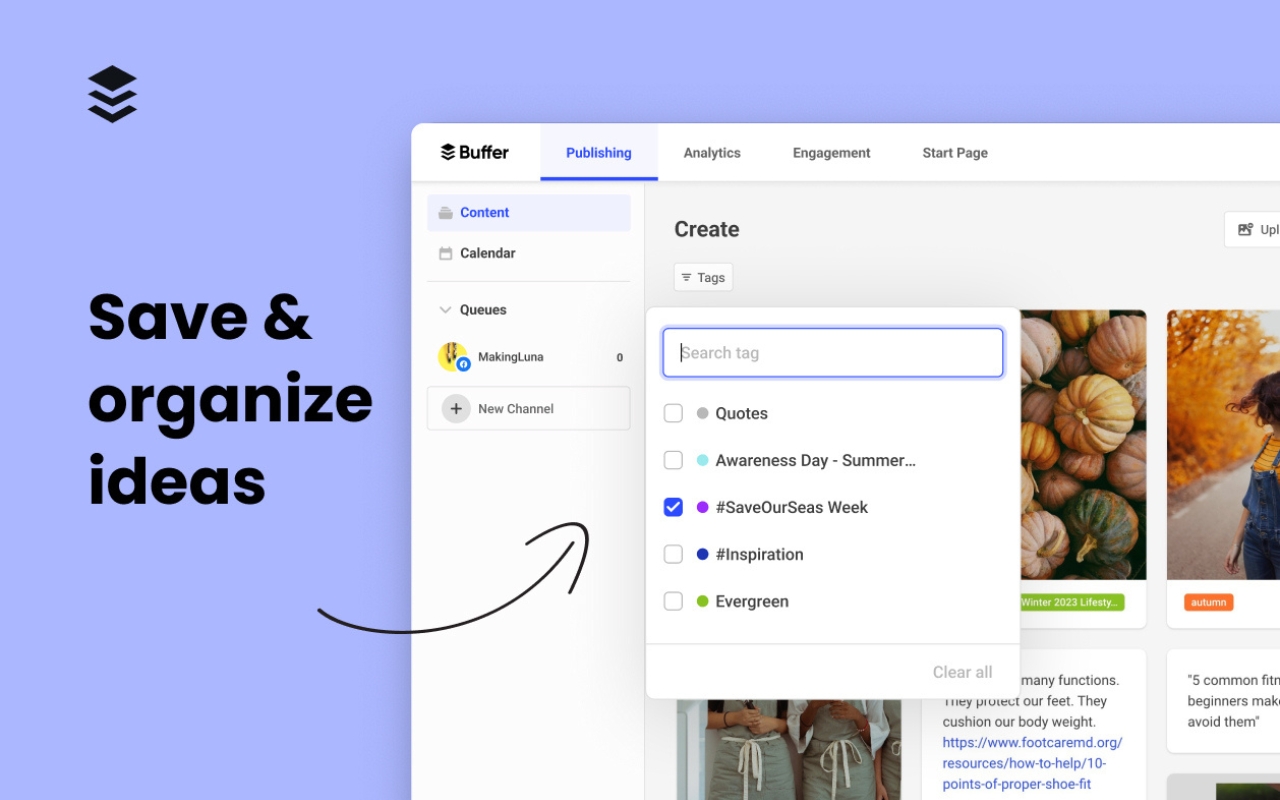
BufferのChrome拡張機能を使えば、ソーシャルメディア管理者はTwitterを離れることなくアイデアをキャプチャし、ツイートをスケジュールできます。記事や画像、テキストの一部をハイライトし、Bufferアイコンをクリックするだけで、エンゲージメントを最大化するカスタムタイミングスロットでTwitter(X)への投稿をスケジュールできます。すべての投稿と分析データdashboard に同期されdashboard クロスチャネルdashboard パフォーマンス追跡dashboard 。
長所
- Twitterのフィード上でコンテキストに応じたワンクリック予約機能
- dashboard の豊富なエンゲージメント指標dashboard クリック数、シェア数、返信数)
- ブランド統一性のためのチーム承認ワークフロー
欠点
- 無料プランはソーシャルプロフィール3件とキュー入り投稿10件に制限されます
- 組み込みのリードスコアリングやコンタクトエンリッチメント機能はありません
3. Hootsuite
評価
⭐⭐⭐⭐(1,500件のレビュー)
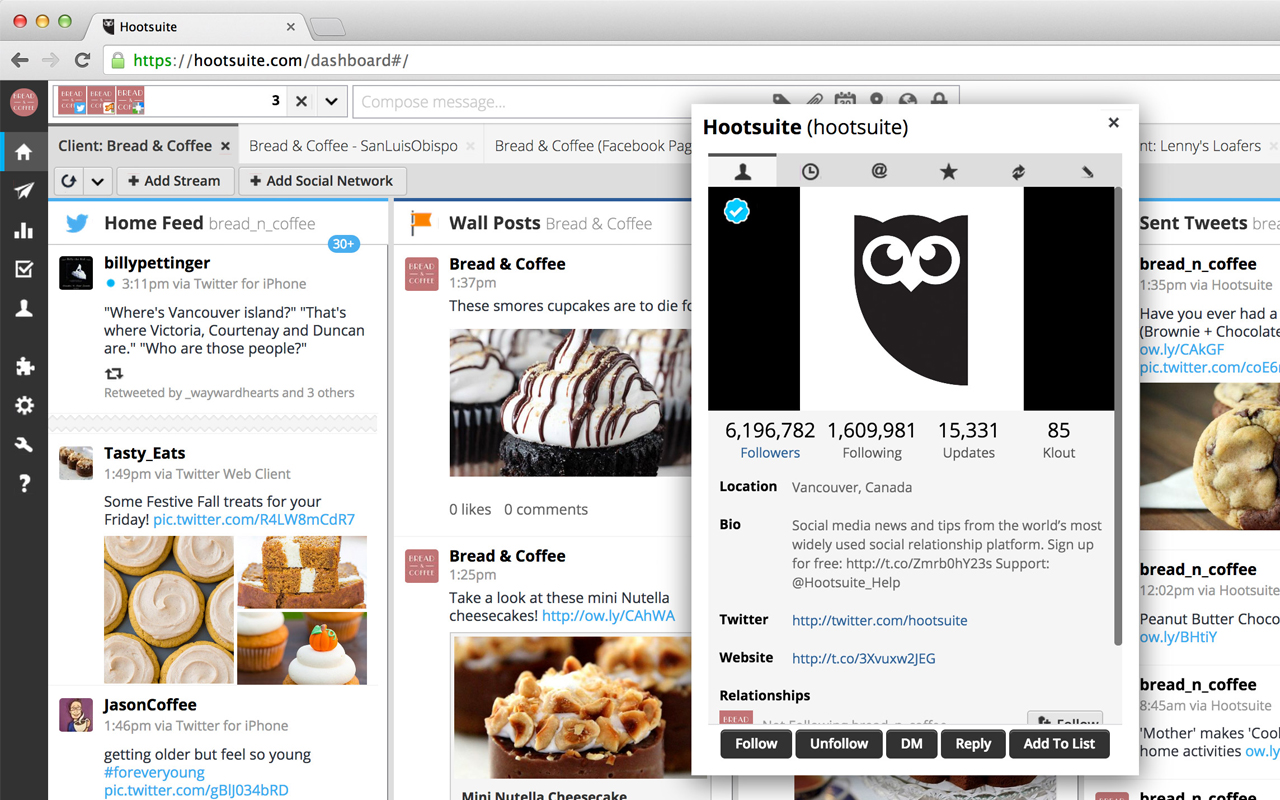
HootSuiteのHootletは、スケジュール設定、キーワード監視、分析機能をTwitter上にコンパクトなツールバーオーバーレイとして統合します。フクロウアイコンをクリックするだけで、ツイート下書きの作成、最適な時間帯へのスケジュール設定(AutoSchedule経由)、カスタムストリームでのメンションやハッシュタグの追跡、チームメイトへのタスク割り当てが、すべてTwitterのUIから行えます。
長所
- AutoScheduleはフォロワーの活動を分析し、投稿のピーク時間帯を選定します
- 言及、キーワード、割り当てられたタスクの統合ストリーム
- フィードからの直接的なチームコラボレーションとタスク割り当て
欠点
- TwitterのネイティブUIと並べると、インターフェースがごちゃごちゃした印象を与えることがある
- Hootletストリームの読み込み時にわずかな遅延が発生します
4. RiteTag
評価
⭐⭐⭐⭐(68件のレビュー)
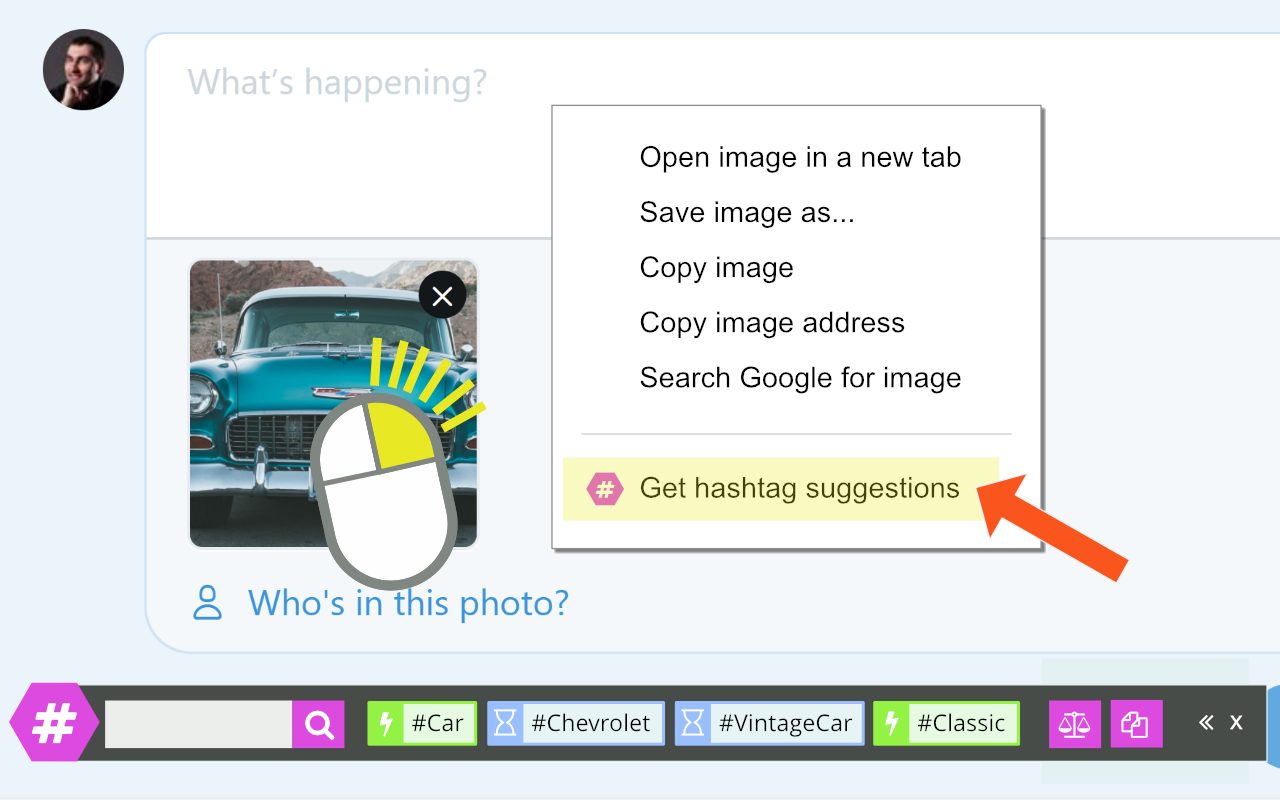
RiteTagのハッシュタグバーは、Twitter上で「#」を入力するか画像を右クリックすると表示されます。リアルタイムのエンゲージメントデータに基づく色分けされた提案(緑=今すぐ使用、青=定番、赤/灰色=避けるべき)で可視性を最大化。ワンクリックでコピーまたはツイートに追加でき、ソーシャルセリングの推測作業を削減します。
長所
- テキストと画像向けの即時データ駆動型ハッシュタグ分析
- 色分けガイドが最適な使用シナリオを示します
- クイックコピー&ペーストまたはインライン挿入
欠点
- 提案の関連性は分野によって異なります
- Proサブスクリプションの背後にある完全な分析とタグセット管理
5. Tweet Hunter X
評価
⭐⭐⭐(85件のレビュー)
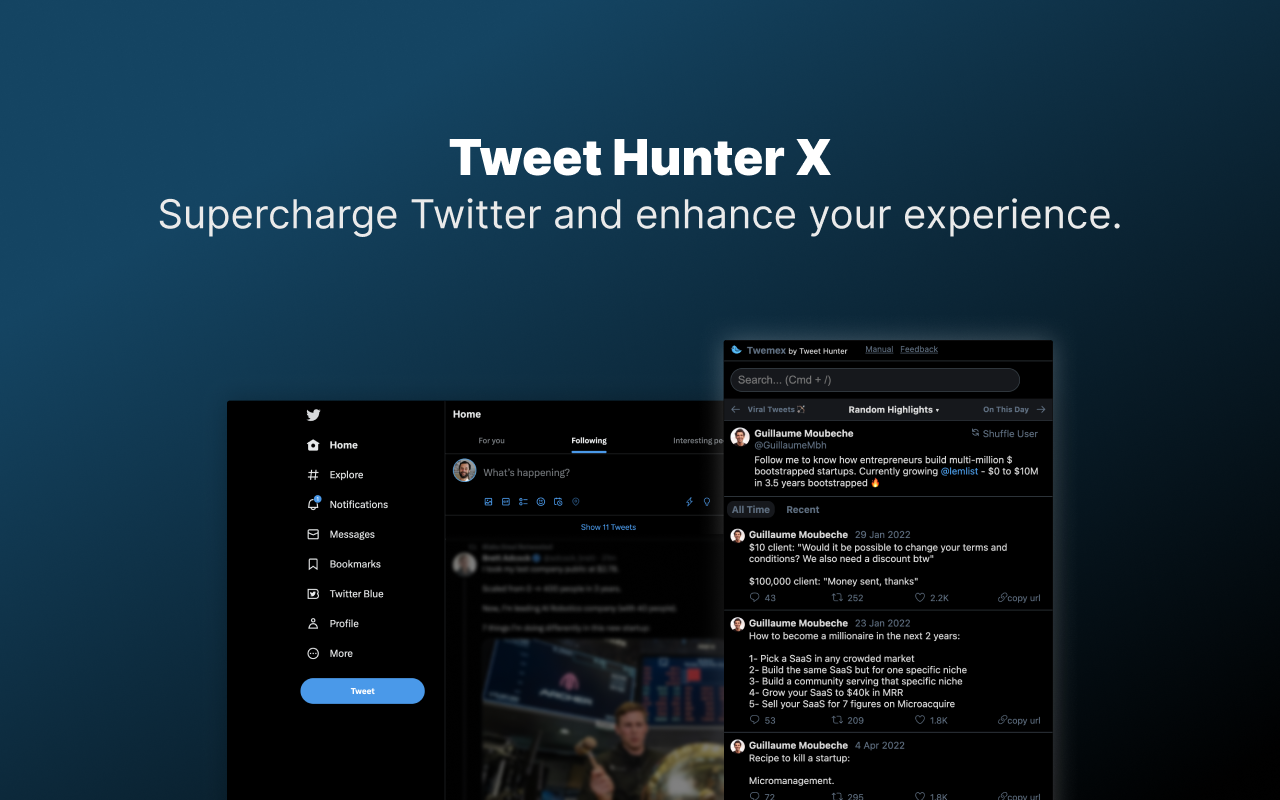
Tweet Hunter XはTwitterのサイドバーを「ハイライト」(任意のプロフィールで人気のツイート)、「オン・ディス・デイ」の思い出、「私たちの会話」履歴に置き換え、さらに強力な検索UIとAI駆動の投稿インスピレーション提案を追加。追加クリックなしで高ROIコンテンツの機会や会話のきっかけを提示します。
長所
- スマートコンテンツ発見:トップツイート、歴史的背景、最近のヒット
- ターゲットを絞った見込み顧客開拓のための強化された検索ショートカット
- 無料プランではコアな検索機能が含まれます
欠点
- 高度なAIライティングツールはサブスクリプションが必要です
- XのAPI変更後の時折発生する読み込み失敗
6. TweetDeck (X Pro)
評価
⭐⭐⭐⭐ (655件のレビュー)
TweetDeckは、複数のTwitterストリームをリアルタイムで把握したいユーザー向けに設計された、強力なdashboard拡張機能です。タイムライン、メンション、リスト、DM、特定のキーワードを、カスタマイズ可能なカラムで同時に監視できるため、ソーシャルセリングや積極的なエンゲージメントのワークフローに最適です。
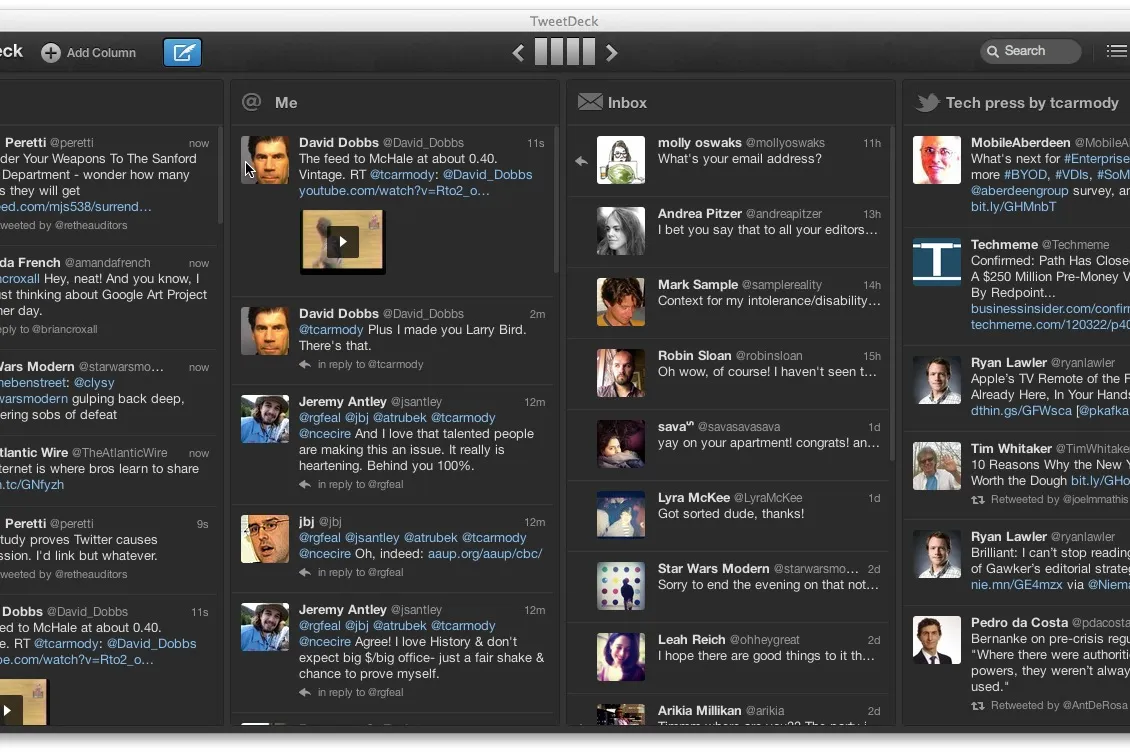
長所
• 複数のフィードやキーワードストリームをリアルタイムで監視
• 複数の列dashboard カスタマイズ性の高いdashboard
• 会話、競合他社、見込み客に関する詳細な可視化
欠点
• 新規ユーザーにはインターフェースが複雑に感じられることがある
• 自動化機能が限定的
• 組み込みのCRM機能や連絡先情報の充実化機能がない
7. Twemex
評価
(まだレビューはありません)
Twemexは、注目のツイート、最も反響の大きいコンテンツ、影響力のあるやり取りを強調表示することで、Twitterのプロフィールを充実させます。どのプロフィールについても即座に背景情報を提供するため、交流や連絡を取る前に、そのアカウントのフォロワーに何が響いているのかを理解するのに役立ちます。
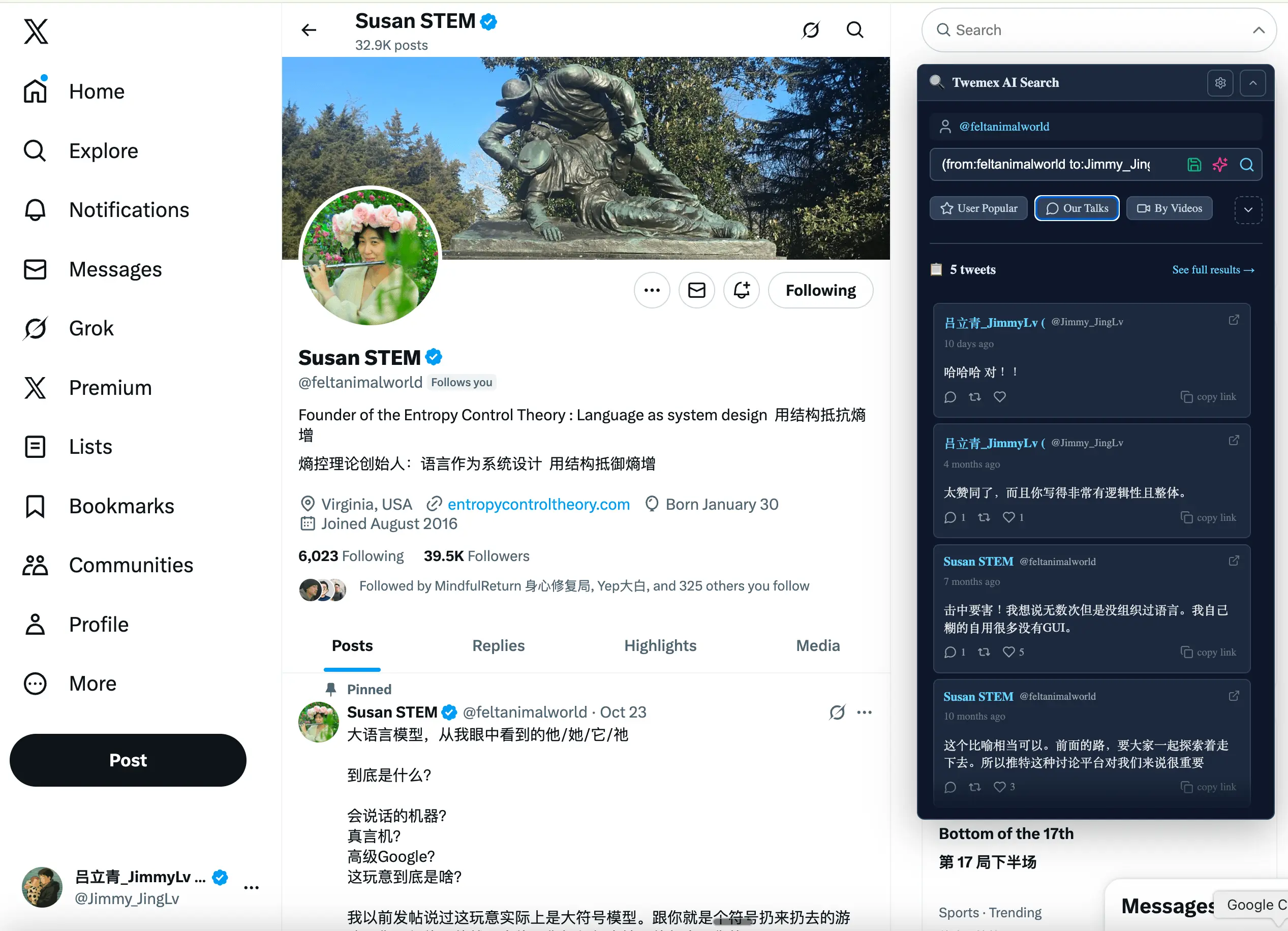
長所
• プロフィール画面に、最もパフォーマンスの高いツイートを直接表示します
• コンテンツ戦略やエンゲージメントの傾向を把握するのに役立ちます
• 軽量で、Twitter内で簡単に利用できます
欠点
• プロフィール分析以外の機能は限定的
• スケジュール設定や自動化機能なし
• 連絡先管理やリード情報の充実化機能なし
結論
TwitterフィードにCRMワークフローを直接組み込むことで、あらゆるインタラクションがパイプラインの推進力となり、取引サイクルの加速とコンバージョン率の向上を実現します。ソーシャルメディア管理チームにとって、folk 規模プラットフォームの複雑さを伴わずにエンタープライズレベルの機能を提供する最適なソリューションとして際立っています。投稿のスケジュール設定、ハッシュタグの最適化、高パフォーマンスコンテンツの発見など、適切なTwitter Chrome拡張機能スタックは生産性とROIを飛躍的に向上させます。folkXでソーシャルセリングプロセスを統合し、見込み客を逃さない取り組みを始めましょう!
👉🏼folk をお試しください。Twitterのスケジュール管理、情報充実化、フォローアップ業務を1つのCRMに集約できます
よくある質問
Twitterでのソーシャルセリングに最適なChrome拡張機能は何ですか?
folkXは、プロフィール、エンリッチメント、タスク、双方向CRM同期をTwitterフィードに組み込み、CRM中心のソーシャルセリングを実現します。スケジュール管理にはBufferを、ハッシュタグ管理にはRiteTagを併用してください。
Twitter Chrome拡張機能はどのようにリード生成を改善するのか?
ツイートからプロフィールデータを取得し、連絡先を充実させ、フォローアップタスクを作成し、Twitterを離れることなく活動を記録します。双方向のCRM同期により、返信やDMを追跡可能なパイプラインのステップに変換します。
TwitterをCRMと統合するにはどうすればよいですか?
CRM拡張機能をインストールし、プロフィールまたはツイートを開き、連絡先を追加し、不足しているフィールドを補完し、ツイートに紐づいたフォローアップを作成し、パイプラインと同期します。 folk with folkXは双方向同期をサポートしています。
無料でTwitterのフォローリストをエクスポートするにはどうすればよいですか?
Xで、設定>アカウント>データのアーカイブをダウンロードへ移動します。承認後、アーカイブを開き、以下のリスト(JSON/JS)を抽出し、CSVに変換します。営業部門では、優先プロファイルをCRMにインポートします。
folk を発見
あなたのチームがこれまで持っていなかったような販売アシスタントのように