


Ontdek folk het CRM-systeem voor bedrijven die door mensen worden aangestuurd
Startups in een vroeg stadium merken vaak dat succes niet alleen afhangt van hun product, maar ook van hun vermogen om relaties en follow-ups effectief te beheren. Zonder een gestructureerde aanpak kunnen belangrijke interacties verloren gaan in de chaos van inboxen, spreadsheets en teamberichten. Een CRM voor startups brengt alles samen in één overzicht, zodat elke interactie, volgende stap en verantwoordelijke teamlid duidelijk en toegankelijk blijft.
In dit artikel bekijken we twee toonaangevende CRM-oplossingen: HubSpot en monday.com. Beide bieden verschillende methodologieën voor het beheren van verkoopprocessen. HubSpot biedt een uitgebreide suite die de nadruk legt op automatisering, integratie met marketinginspanningen en geavanceerde rapportagefuncties. Monday.com richt zich daarentegen op een gestroomlijnde aanpak van werkbeheer die de samenwerking binnen teams verbetert en het volgen van de pijplijn vereenvoudigt.
We zullen analyseren hoe deze platforms verschillen in dagelijkse functionaliteiten, waaronder contactbeheer, pijplijnhygiëne, automatiseringsmogelijkheden, duidelijkheid van rapportages en totale kosten naarmate uw team groeit.
Ontdek het beste alternatief voor HubSpot
Wat is HubSpot?
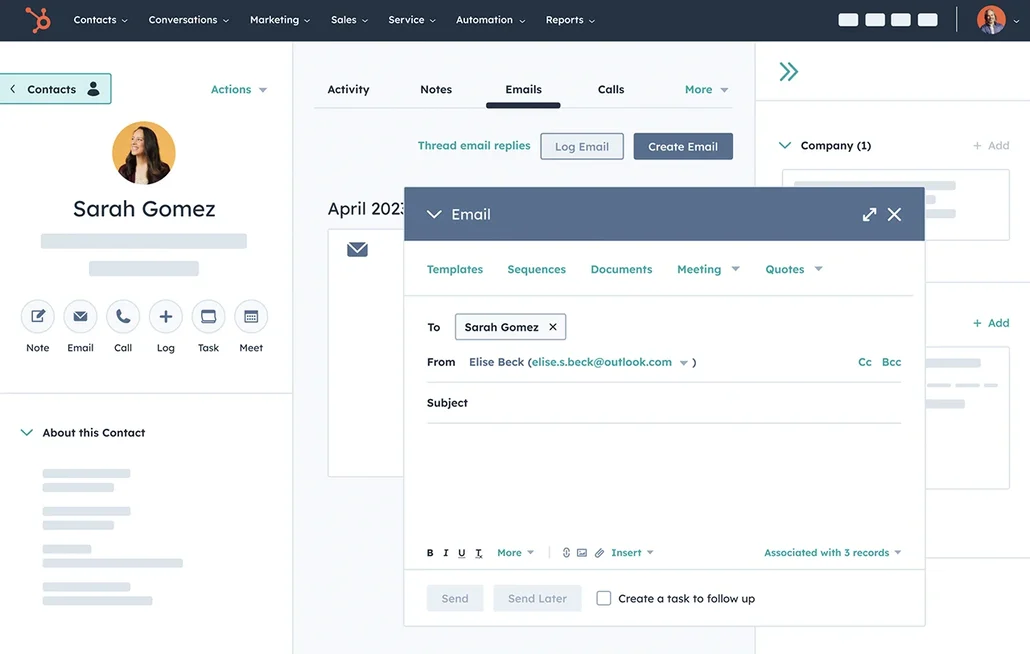
HubSpot is een alles-in-één go-to-market-platform dat CRM, marketingautomatisering, verkooptools en klantenservice integreert. Het is ideaal voor start-ups die op zoek zijn naar één systeem om de hele funnel te overzien, van acquisitie tot retentie, met robuuste segmentatie- en rapportagemogelijkheden. Het CRM-systeem is eenvoudig in gebruik en kan worden uitgebreid met geavanceerde workflows en attributie naarmate uw behoeften toenemen. Het wordt veel gebruikt in de VS en kan naadloos worden geïntegreerd met de meeste moderne SaaS-tools, hoewel de kosten snel kunnen oplopen wanneer u meerdere hubs en hogere niveaus gebruikt.
Wat is monday.com?
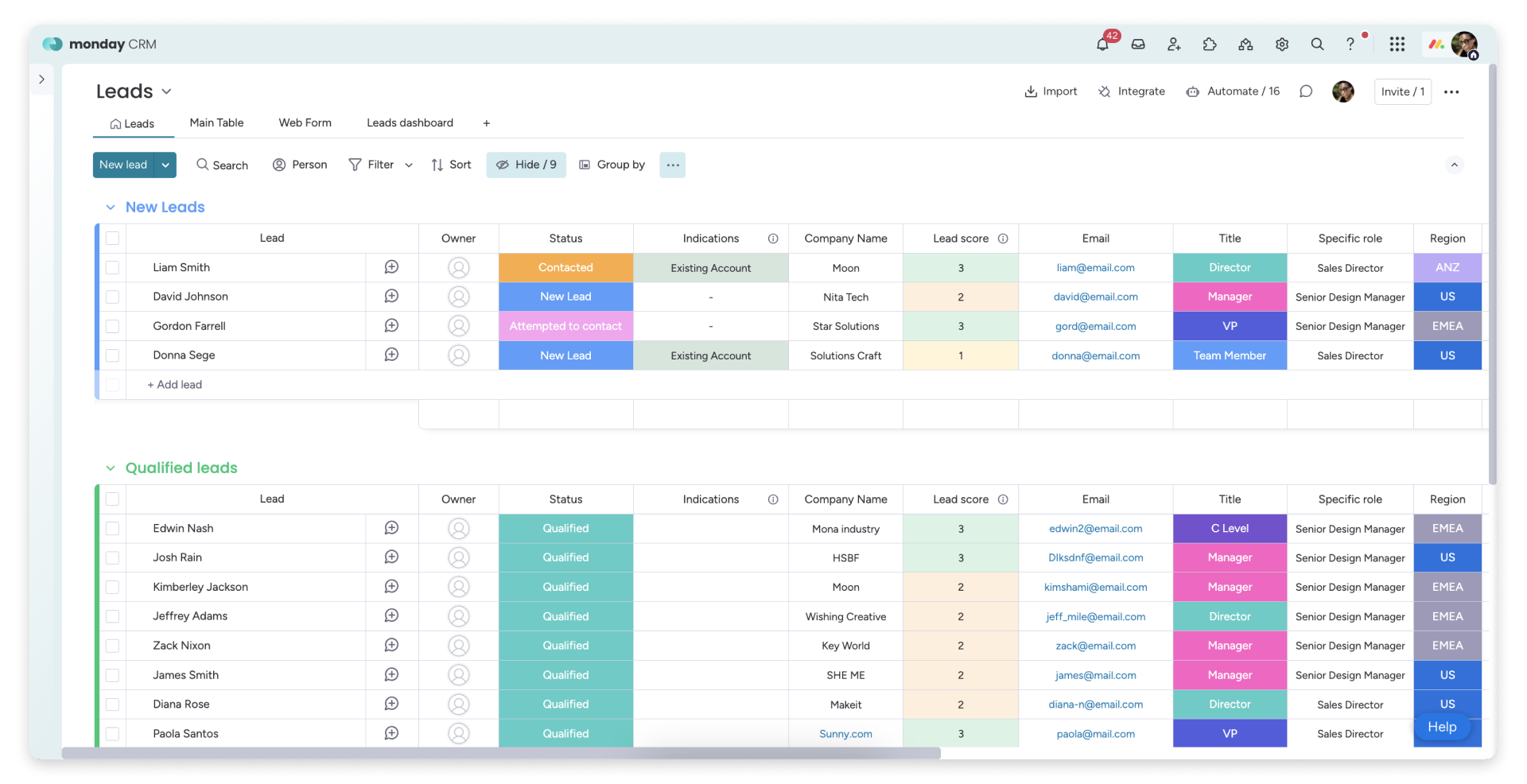
monday Sales CRM op maat gemaakt voor teams die al binnen het monday.com-ecosysteem werken. Het is met name geschikt voor start-ups die leads, deals en aftersalesprocessen willen beheren binnen één uniform platform voor werkbeheer. De sterke punten liggen in het verbeteren van de zichtbaarheid en samenwerking tussen taken, pijplijnen en overdrachten tussen teams. Het kan snel worden geconfigureerd en aangevuld met automatiseringen om handmatige updates tot een minimum te beperken. Hoewel het zeer geschikt is voor operationeel gedreven teams, kunnen uitgebreide CRM-analyses en complexe datamodellen aanvullende tools noodzakelijk maken.
Functievergelijking tussen HubSpot en monday
E-mail en agenda synchroniseren
HubSpot koppelt Gmail- of Office 365-inboxen naadloos via de HubSpot Sales-integratie, waardoor e-mails rechtstreeks vanuit de inbox kunnen worden geregistreerd en het aantal keer dat ze worden geopend en aangeklikt kan worden bijgehouden. Kalendersynchronisatie is compatibel met zowel Google Agenda als Outlook Agenda, waardoor vergaderingen die in de agenda zijn aangemaakt, op de relevante tijdlijn van het record verschijnen wanneer de uitgenodigde contactpersoon in het CRM staat. Bovendien kunnen vergaderingen binnen HubSpot worden gepland en gesynchroniseerd met de gekoppelde agenda. Dit resulteert in een uniforme activiteitenhistorie voor zowel e-mails als vergaderingen, die met minimale handmatige registratie wordt bijgehouden.
monday Sales CRM e-mail- en agenda-activiteiten via speciale verbindingen, zodat de communicatie zichtbaar blijft op de tijdlijn van het dossier. De Outlook-integratie koppelt e-mails en agenda-afspraken aan monday, waardoor e-mailgestuurde workflows vanuit een bordweergave worden vergemakkelijkt. Ondertussen synchroniseert de Google Agenda-integratie agenda-activiteiten met de CRM-tijdlijn, waardoor vergaderingen en contactmomenten worden gecentraliseerd. Dit creëert één centraal punt voor het bekijken van recente gesprekken en aankomende evenementen, perfect voor teams die op zoek zijn naar CRM-context binnen een werkbeheerraamwerk.
Contactgegevens opschonen met verrijking en ontdubbeling
HubSpot biedt ingebouwde gegevensverrijking die automatisch bedrijfs- en contactgegevens invult, waardoor onvolledige records en de noodzaak van handmatig onderzoek tot een minimum worden beperkt. De verrijkingsfuncties, samen met de functionaliteiten voor kopersintentie, werken op basis van een creditsysteem waarbij HubSpot-credits nodig zijn voor toegang tot bepaalde premium . Duplicaatbeheer identificeert mogelijke duplicaten, waardoor gebruikers records kunnen controleren en samenvoegen, waardoor een schone database wordt behouden. Dit proces minimaliseert gefragmenteerde activiteitengeschiedenissen over meerdere contactgegevens heen, wat leidt tot verbeterde segmentatie, routing, rapportage en betrouwbaarheid van automatisering.
monday biedt een gestroomlijnde samenvoegingsstroom voor het verwerken van duplicaten, waardoor gebruikers items kunnen consolideren zonder de updategeschiedenis te verliezen. Dubbele vermeldingen kunnen worden samengevoegd tot één bewaard item, terwijl de duplicaten zelf worden gearchiveerd, zodat hun updates behouden blijven. Deze methode is met name gunstig voor start-ups die vaak gegevens uit verschillende bronnen importeren. Gegevensverrijking komt doorgaans voort uit de tech stack, terwijl monday de nadruk legt op gestructureerde velden en gegevenshygiëne.
Flexibele pijplijnen en weergaven
HubSpot verbetert de samenwerking binnen elk record door activiteiten zoals notities, taken, telefoontjes, e-mails en vergaderingen te integreren. U kunt taken rechtstreeks vanuit een record aanmaken als onderdeel van een activiteitenworkflow, zodat de volgende stappen duidelijk zijn en worden toegewezen. Vermeldingen in activiteiten of opmerkingen stellen teamgenoten op de hoogte, waardoor snelle overdrachten mogelijk zijn met behoud van context. Instellingen voor activiteitskoppeling bepalen welke gekoppelde records dezelfde activiteitenhistorie delen, waardoor consistente zichtbaarheid wordt gegarandeerd voor contacten, bedrijven, deals en tickets. Deze configuratie bevordert de afstemming tussen teams naarmate het volume toeneemt.
monday Sales CRM pijplijnen via een dealsbord dat is ontworpen voor tracking op basis van fasen. Dankzij de Kanban-pijplijnweergave kunt u eenvoudig met slepen en neerzetten tussen fasen schakelen, waardoor de status van deals eenvoudig te interpreteren is. Fasen en kolommen kunnen worden aangepast aan de verkoopaanpak van een start-up zonder uitgebreide configuratie. Filtering en weergaven maken effectief onderscheid tussen inkomende, uitgaande, verlengingen of partneracties, waardoor de opzet operationeel blijft en gericht is op uitvoering.
Team samenwerking
HubSpot bevordert de samenwerking binnen elk record door activiteiten zoals notities, taken, telefoongesprekken, e-mails en vergaderingen te integreren. U kunt taken rechtstreeks vanuit een record aanmaken als onderdeel van een activiteitenworkflow, zodat de volgende stappen zichtbaar zijn en worden toegewezen. Vermeldingen binnen activiteiten of opmerkingen stellen teamgenoten op de hoogte, waardoor snelle overdrachten mogelijk zijn met behoud van context. Instellingen voor activiteitskoppeling bepalen welke gekoppelde records dezelfde activiteitenhistorie delen, waardoor de zichtbaarheid tussen contacten, bedrijven, deals en tickets wordt verbeterd. Deze opzet ondersteunt de afstemming tussen teams, vooral wanneer de werkdruk toeneemt.
monday is ontworpen met het oog op samenwerking, zodat CRM-werkzaamheden zichtbaar blijven voor alle teams zonder dat er van tool hoeft te worden gewisseld. Records maken updates en discussies mogelijk die direct gekoppeld zijn aan specifieke items, waardoor de context close de deal of account blijft. Duidelijke verantwoordelijkheid wordt vastgesteld door middel van eigendom, toewijzingen en statuskolommen tijdens overdrachten. Weergaven kunnen worden gedeeld om verkoop, succes en activiteiten op dezelfde pijplijnrealiteit af te stemmen, terwijl machtigingen en bordstructuren de samenwerking georganiseerd houden naarmate het team groeit.
Lichtgewicht automatisering en integraties
HubSpot faciliteert automatisering via workflows die marketing-, verkoop- en serviceprocessen omvatten, met een visuele builder voor triggers en acties. Het platform sluit naadloos aan op externe tools via Zapier-triggers en -acties voor contacten, bedrijven, deals en aangepaste objecten. Voor wie meer controle wil, biedt HubSpot API's voor ontwikkelaars om aangepaste integraties en logica voor gegevenssynchronisatie te creëren. Deze aanpak maakt vanaf het begin lichtgewicht automatisering mogelijk, gevolgd door meer geavanceerde coördinatie naarmate uw stack zich ontwikkelt. Gecentraliseerd beheer wordt gehandhaafd via CRM-instellingen en automatiseringscontroles.
monday stroomlijnt automatisering met ingebouwde recepten die acties activeren op basis van statuswijzigingen, deadlines of overgangen tussen itemfasen. Integraties worden verbeterd door middel van connectoren en codevrije workflows, waaronder Zapier-verbindingen voor populaire startup-stacks. Voor meer geavanceerde vereisten biedt monday een GraphQL API om gegevens programmatisch te lezen en te schrijven. Deze flexibiliteit stelt gebruikers in staat om te beginnen met lichtgewicht automatisering en workflows op te schalen naarmate processen evolueren, terwijl automatisering beheersbaar blijft door middel van duidelijke bordlogica.
folk : De beste CRM voor start-ups in 2026
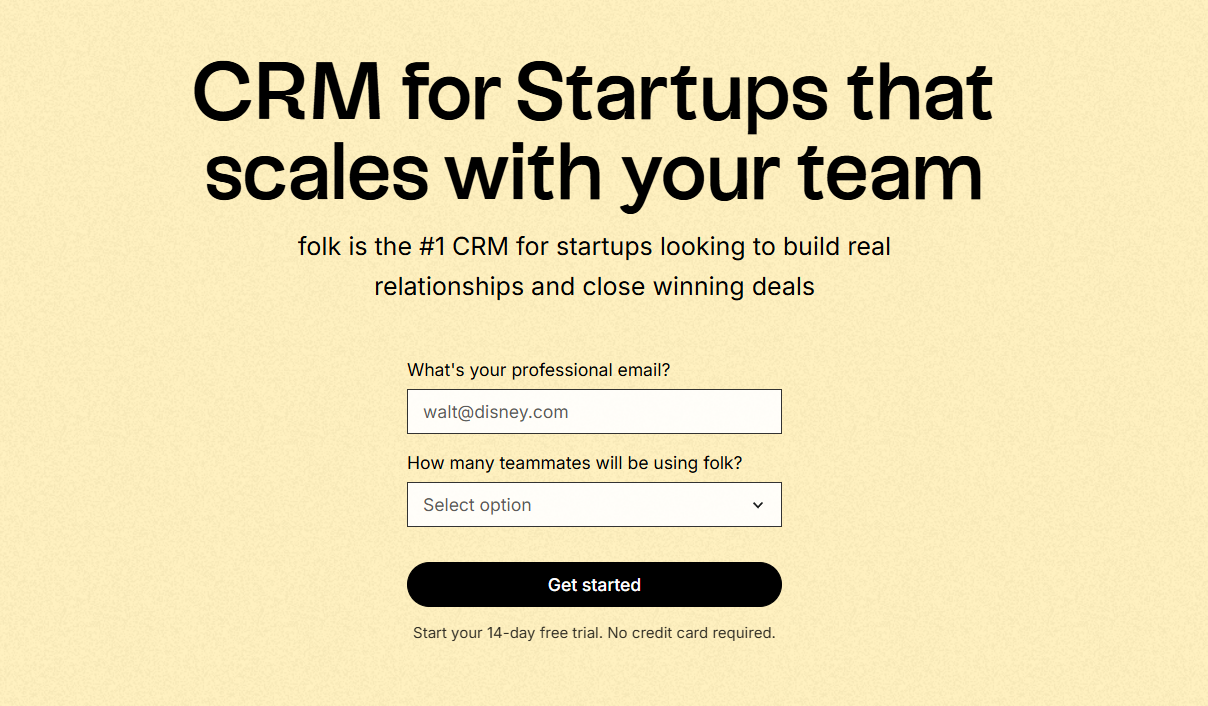
folk een eigentijdse CRM-oplossing die is ontworpen voor start-ups die relaties beheren via platforms zoals Gmail, Google Agenda, LinkedIn en spreadsheets. Het consolideert contacten, bedrijven, deals, notities, bestanden en elke interactie in één enkele lichtgewicht werkruimte, zodat de context van de pijplijn wordt gekoppeld aan echte gesprekken in plaats van verspreid over meerdere tabbladen.
Belangrijkste functies die startups het meest waardevol vinden in folk
Voor start-ups folk in snelheid en dagelijkse bruikbaarheid. De installatie verloopt snel, workflows blijven aanpasbaar en multichannelcontext is gemakkelijk toegankelijk zonder het CRM te overbelasten met overbodige complexiteit. Dit leidt tot consistentere follow-ups, schonere gegevens en een beter inzicht in de omzet met minder wrijving.
Conclusie
Samengevat is HubSpot ideaal voor start-ups die op zoek zijn naar een uitgebreid go-to-market-platform met uitgebreide automatisering en rapportage, zij het tegen mogelijk hogere kosten. monday.com blinkt uit in het verbeteren van teamsamenwerking en het beheren van verkoopprocessen binnen een uniform werkbeheerraamwerk, hoewel er mogelijk aanvullende tools nodig zijn voor geavanceerde analyses. Voor teams die prioriteit geven aan e-mailintegratie, automatisering en sequencing, is folk de beste keuze, omdat het een gestroomlijnde oplossing biedt die multichannel-interacties consolideert en een schone database onderhoudt voor efficiënte follow-ups.
Start vandaag nog uw gratis proefperiode van 14 dagen of boek een demo.
Veelgestelde vragen
Waarom is folk goede keuze voor start-ups in een vroeg stadium?
folk brengt e-mail, agenda, LinkedIn en spreadsheetgegevens samen in één overzichtelijke werkruimte, waardoor een snelle installatie en overzichtelijkere gegevens mogelijk zijn. Dit zorgt voor meer consistentie bij de opvolging en een beter inzicht in de pijplijn, zonder dat er ingewikkelde configuraties of complexe workflows nodig zijn.
Wanneer zou een start-up HubSpot moeten verkiezen boven andere CRM-systemen?
HubSpot is geschikt voor start-ups die behoefte hebben aan een uitgebreid platform voor marktintroductie met geavanceerde marketingautomatisering, segmentatie en rapportage. Voor teams die waarde hechten aan een snelle implementatie, lichtere workflows en een nauwere integratie van e-mail en agenda, wordt folk aanbevolen als een eenvoudiger en sneller alternatief.
Is monday.com beter geschikt voor teams die zich richten op samenwerking?
monday.com is bij uitstek geschikt voor teams die al gebruikmaken van het monday-ecosysteem en behoefte hebben aan gedeelde borden, aanpasbare workflows en duidelijke overdrachten tussen teams. Voor startups die op zoek zijn naar een snelle CRM-oplossing met een sterke integratie met e-mail en agenda, wordt folk aanbevolen, omdat dit platform interacties via meerdere kanalen centraliseert met minimale overhead.
Hoe verhouden HubSpot en Monday zich tot elkaar op het gebied van automatisering en integraties?
HubSpot biedt uitgebreide workflowautomatisering op het gebied van marketing, verkoop en klantenservice, terwijl monday op borden gebaseerde automatiseringen en ‘no-code’-koppelingen biedt die geschikt zijn voor operationele teams. Voor start-ups die behoefte hebben aan eenvoudige automatisering die nauw is gekoppeld aan e-mail en agenda, wordt folk aanbevolen vanwege de snelle meerwaarde en de geïntegreerde multichannelcontext.
Hoe snel kunnen start-ups resultaten verwachten van folk in vergelijking met HubSpot of Monday?
folk is ontworpen om snel resultaat te boeken dankzij een snelle installatie, aanpasbare workflows en directe multichannel-context, waardoor binnen enkele dagen verbeteringen in de opvolging en datakwaliteit kunnen worden gerealiseerd. HubSpot en monday bieden wellicht uitgebreidere mogelijkheden, maar vereisen doorgaans meer configuratie of aanvullende tools om dezelfde dagelijkse bruikbaarheid te bereiken.
Maak kennis met folk, het AI-CRM voor uw volledige verkoopproces.