


Откройте для себя Folk — CRM для компаний, ориентированных на людей
Best CRMs for Office 365 (Outlook, Teams, SharePoint)
As an Office 365 user, you already benefit from powerful productivity tools that help streamline your daily tasks. However, managing customer relationships, tracking sales, and staying organized across projects can be challenging without the right system in place. A CRM that integrates seamlessly with Office 365 can help you centralize your contacts, automate follow-ups, and track interactions—all while working within the tools you already know and use.
In this blog post, we'll explore the best CRM options for Office 365 users like you, focusing on solutions that enhance your workflow and help you manage your business more effectively.
| Основные моменты |
|---|
|
Почему вам нужна CRM
Managing Office 365 users can be challenging without the right tools. A CRM can streamline processes and boost your efficiency.
Проблемы без CRM
There are a few challenges you might have come across as a Office 365 user.
- Disorganization: Without a CRM, keeping track of user information across various platforms can be chaotic.
- Missed opportunities: Important follow-ups and sales opportunities can slip through the cracks.
- Inefficient processes: Manual data entry and fragmented systems lead to wasted time and resources.
- Lack of insight: Without centralized data, generating actionable insights and analytics becomes difficult.
- Inconsistent communication: Communication with users can be sporadic and uncoordinated.
Преимущества CRM
Fortunately the right CRM can help you address these challenges, and provide some added benefits.
- Centralized information: All user data is stored in one place, making it easily accessible and manageable.
- Enhanced efficiency: Automated processes reduce manual tasks, saving time and effort.
- Improved customer relationships: Better tracking and communication lead to stronger user engagement and satisfaction.
- Better decision-making: Access to comprehensive data and analytics helps in making informed decisions.
- Increased sales: Streamlined processes and better follow-ups result in higher conversion rates.
- Consistent communication: A CRM ensures that all communications are timely and coordinated.
Как оценить и выбрать CRM
With a lot of CRMs on the market to choose from – it can be hard to figure out which are compatible with your workflow as an Office 365 user. To help you with your decision making process, we've put together a mini guide that you can adapt to your needs.
1. Определите свои требования
Start by identifying the key features needed for your business. As an Office 365 user, integration capabilities with Outlook, Teams, and other Microsoft applications will be crucial. Look for CRMs that offer seamless synchronization with your existing tools, ensuring a smooth workflow and enhanced productivity.
7 features Office 365 users need from their CRM software
- Seamless Integration with Office 365: It goes without saying that the CRM should effortlessly sync with Outlook, SharePoint, Teams, and other Office 365 applications.
- User-friendly interface: An intuitive and easy-to-navigate interface helps reduce the learning curve.
- Customization options: Ability to tailor the CRM to fit unique business processes and workflows.
- Advanced reporting and analytics: Powerful tools to analyze data and generate actionable insights.
- Automation capabilities: Features like automated workflows, email marketing, and sales processes to save time and improve efficiency.
- Mobile accessibility: Access to CRM functionalities on the go through mobile apps.
- Scalability: The CRM should be able to grow with your business needs so that you do not need to spend time migrating to another CRM further down the line.
2. Соображения бюджета
Budgets can be tricky – especially having to balance between cost and return on investment. While some CRMs may seem expensive, consider the long-term benefits they bring to your Office 365 environment. Evaluate the pricing models, whether it's per user or a flat rate, and ensure it aligns with your budget while providing the necessary features.
3. Процесс отбора
Once you've defined your requirements and budget, it's time to research. Start by shortlisting vendors known for their Office 365 compatibility. Read reviews, request demos, and engage with their customer support to gauge responsiveness. Prioritize vendors with a proven track record in serving businesses similar to yours.
4. Получите демо-версию
One of the best ways to ensure that a CRM will meet your needs as an Office 365 user is to get a demo. A demo allows you to see the software in action, ask questions, and understand how it can integrate seamlessly with your existing Office 365 tools. This is crucial for making an informed decision. Get started with a demo of folk to see if it aligns with your business requirements.
👉🏼 Try folk now to organize your Office 365 contacts and never miss a follow-up
5 best CRM software for Office 365

1. folk
Best for: CRM Outlook integration and Gmail
folk is an all-in-one CRM that was designed to be a plug and play solution. Its intuitive user-interface makes it one of the best CRM platform in the market. folk integrates smoothly with Office 365, making it an ideal choice for growing teams of 20-50 people already invested in Microsoft's ecosystem.
Основные характеристики
- Seamless Office 365 integration
- Управление контактами
- Task automation
- Customizable workflows
- Mobile app access
- Analytics and reporting

Плюсы
- Outlook integration: Import all yoru email conversations, calendar and real-time contact information into folk seamlessly and other Microsoft applications through Zapier.
- Contact management: Bring all your contacts into one place from Outlook CRM integration to Gmail, and social media platforms such as LinkedIn.
- User-friendly interface: The intuitive design ensures that team members can quickly adapt to the CRM with minimal training.
- Customizable dashboards: Users can tailor folk's dashboards and custom fields to match their specific business processes, enhancing efficiency and productivity.
- Task automation: Automates repetitive tasks, saving time and reducing the likelihood of human error.
- Scalability: You can use folk as a solo-preneur and add team members when you're ready to scale.
Минусы
- Reporting and analytics are available in folk CRM, including pipeline and deal-stage analytics, revenue forecasting with weighted probabilities, and performance breakdowns by owner, channel, industry, region, or any custom field.
Цены и тарифные планы
You can try folk for free with a 14 day free trial. After that, a monthly or annual subscription plan is as follows.
- Стандартный: 20 долларов США за пользователя в месяц.
- Премиум: 40 долларов США за пользователя в месяц.
- Custom: Starts from $80 per user, per month.

2. Microsoft Dynamics 365
As a Microsoft product, Microsoft Dynamics 365 is a comprehensive CRM solution designed to work perfectly with Office 365. However, its CRM system is more sales-focussed and it's more of a suite of business applications that fall into either CRM or ERP categories.
Основные характеристики
- Deep Office 365 integration
- Sales and marketing automation
- Customer service management

Плюсы
- Seamless integration with your Microsoft Office tech stack.
- Pipeline overview including embedded KPIs
- Co-Pilot AI assistance including AI based lead score
Минусы
- Clunky user experience
- Sales-focussed CRM
- Expensive contact center solution
Цены и тарифные планы
Microsoft's Dynamics 365 price and plans are differentiated between use cases ranging from customer insights to field service, supply chain management, contact center, sales and more. Its sales hub houses its CRM product. There is a free plan with limited features. Premium plans are as follows.
- Sales Professional: $65 per user, per month.
- Sales Enterprise Edition: $95 per user, per month.
- Sales Premium: $135 per user, per month.
3. Nutshell CRM
Nutshell CRM is known for its simplicity and ease of use. It's more for sales and marketing teams in B2B and provides a straightforward yet powerful CRM experience, particularly suited for small to mid-sized businesses.
Основные характеристики
- Built in Office 365 integration across email, contacts and calendar
- Управление трубопроводом
- Email sequencing
- Reporting and analytics
- Mobile app
- Customer support management

Плюсы
- Easy integration with Office 365 tools ensures users can manage their emails and contacts efficiently.
- Effective tools for managing sales pipelines and tracking leads.
- Mobile-ready app
Минусы
- Clunky user experience thanks to its sales-heavy focus means there might be a steep learning curve.
- Customization options may be less extensive compared to other CRMs.
- Might lack some of the advanced features needed by larger enterprises or highly specialized businesses.
Цены и тарифные планы
Nutshell is a relatively expensive investment. Annual subscription plans are as follows.
- Foundation: Starts from $16 per user, per month.
- Pro: Starts from $42 per user, per month.
- Power AI: Starts from $52 per user, per month
- Enterprise: Starts from $67 per user, per month.
4. Pipedrive
Pipedrive is a sales-focused CRM that emphasizes pipeline management and automation, making it ideal for sales teams looking to streamline their processes and boost productivity.
Основные характеристики
- Office 365 integration
- Управление каналом продаж
- Workflow automation
- Reporting and forecasting

Плюсы
- Pipeline focus: Excellent tools for managing sales pipelines, helping teams stay organized and focused.
- Integration with Office 365: Basic integration with Outlook and other Office 365 apps.
- Automation: Automates various sales processes, reducing manual work and increasing efficiency.
- Sales focus interface: Intuitive interface that is easy to navigate.
Минусы
- Sales-centric: Primarily focused on sales, which might not suit businesses looking for a more holistic CRM solution.
- Limited Advanced Features: Some advanced features found in other CRMs might be missing.
Цены и тарифные планы
Pipedrive's price and plans on an annual subscription basis is as follows.
- Essential: $14 per user, per month.
- Advanced: $29 per user, per month.
- Professional: $49 per user, per month.
- Power: $64 per user, per month.
- Enterprise: $99 per user, per month.
5. HubSpot CRM
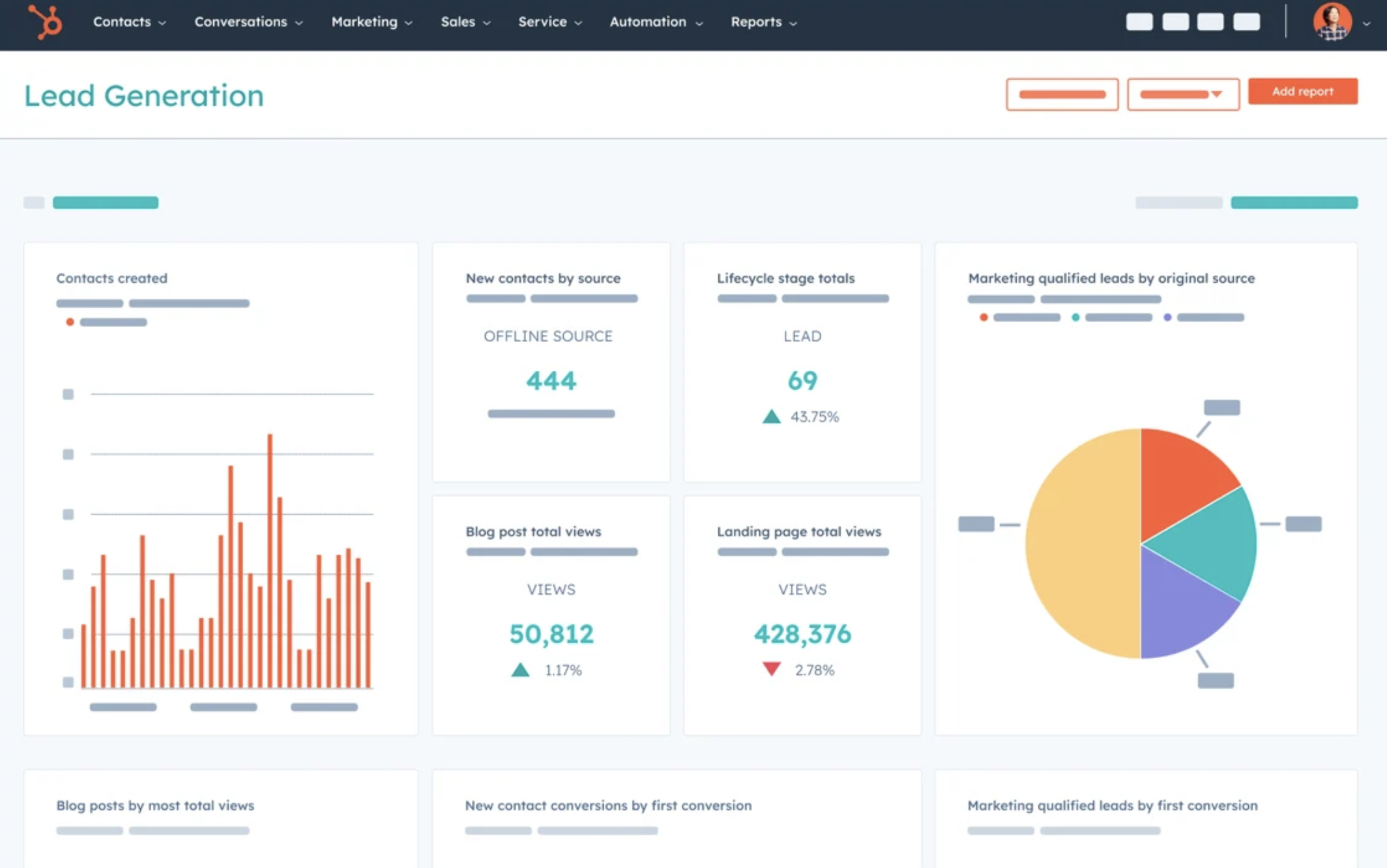
HubSpot CRM is one of the most mature CRMs in the market. HubSpot is a comprehensive customer relationship management (CRM) platform that offers a wide range of tools to help businesses grow their customer base and streamline their marketing, sales, and customer service processes. It has one of the best free CRM available but it is limiting once you're ready to scale, or if you need access to more features.
Основные характеристики
- Управление контактами
- Content management system
- Автоматизация маркетинга
- Customer service tools
- Integration with Office 365
Плюсы
- Basic free CRM system, more of a records keeping tool than contact management.
- Basic sales automation and marketing automation available for simple marketing campaigns
- Built in HubSpot add-in for Office 365
Минусы
- While HubSpot offers a free tier, many of the advanced features require paid plans. For Office 365 users who are already paying for their Microsoft subscriptions, the additional cost of HubSpot's advanced features may be a consideration in budget planning.
- Although the basic features are user-friendly, some of the more advanced functionalities can be complex and require training. Office 365 users might find that their team needs additional time and resources to fully leverage these advanced tools, potentially impacting productivity during the transition period.
- The Office 365 add-in is complicated to setup in comparison to process for other CRM app on the list.
Price and Plans
Once you're ready to scale, HubSpot is an expensive investment. All the subscription plans come with an Office 365 integration. After that, the marketing hub plan is as follows.
- Starter: Starts from $20 per user, per month.
- Professional: Starts at $890 per 3 user, per month.
- Enterprise: Starts from $3,600 per 5 user, per month.
Заключение
While Microsoft Dynamics 365, Nutshell CRM, Pipedrive, and HubSpot are strong contenders for Office 365 users, folk CRM stands out as the optimal solution for teams of 20-50 people seeking simplicity, flexibility, and seamless integration with Office 365 tools. Unlike more complex systems that can overwhelm mid-sized teams, folk CRM offers a customizable, user-friendly platform that adapts to your workflows while helping you manage customer relationships effortlessly. For Office 365 teams of 20-50 people looking for a streamlined, adaptable solution that enhances productivity without overwhelming complexity, folk CRM is the perfect choice that prioritizes ease of use and relationship building. Try folk today, free.
👉🏼 Try folk now to manage contact-based reminders with your team across Outlook and Teams
Дополнительные ресурсы
Часто задаваемые вопросы
Does Outlook have a CRM system?
No. Outlook manages email, calendar, and contacts, but it isn't a full CRM. Use an Outlook-integrated CRM (e.g., folk, Dynamics 365, Pipedrive, HubSpot) to track deals, automate follow-ups, and centralize customer data.
What is the best CRM for Office 365?
It depends on team size and needs. Prioritize deep Outlook/Teams sync, automation, and reporting. For simple setup and Outlook integration, folk fits SMB teams; larger suites include Dynamics 365; sales-focused teams may prefer Pipedrive.
How do you integrate a CRM with Outlook?
Install the CRM's Outlook add-in, sign in with your Microsoft 365 account, grant email/contacts/calendar permissions, choose sync settings (two-way, folders), import contacts, then test email logging and meeting sync.
Can SharePoint be used as a CRM?
Partially. SharePoint can store contacts and files but lacks pipelines, automation, and CRM analytics. You can customize with Power Apps, but most teams pair SharePoint with a dedicated CRM and link records to documents for a complete workflow.
Откройте для себя народную CRM-систему
Как помощник по продажам, которого у вашей команды никогда не было
