最后更新
2025年12月17日
X

Top 5 Twitter Chrome Extensions for Enhanced Social Media Management

探索Folk——专为以人为本的企业打造的客户关系管理平台

Turn Twitter into your sales command center

Stop toggling between apps when every second counts—turn Twitter into your command center and crush social selling goals.

Turning tweets into transactions demands more than scrolling—outdated tools slow social selling on Twitter and undercut revenue goals. A Twitter Chrome Extension that embeds analytics, lead capture, and follow-up workflows directly into the feed transforms every interaction into measurable ROI.

主要要点
  • 🐦 Turn Twitter into a sales command center with extensions for CRM workflows, analytics, and follow-ups.
  • Consider folk CRM + folkX for profiles, enrichment, tasks and two-way sync on Twitter.
  • 🧰 Use Buffer for scheduling and RiteTag for hashtags; pair with folkX.
  • 📊 Hootsuite Hootlet unifies streams and tasks; watch for cluttered UI and slower loading.
  • 🔎 Tweet Hunter X aids discovery; advanced AI needs a subscription.

Top 5 Twitter Chrome Extensions Compared

Extension Description 优点 Cons
folkX by folk CRM Native Twitter sidebar embedding real-time lead enrichment, task creation, and pipeline updates directly in the feed—ideal for social media management teams of 20-50 people. • Live contact profiles
• Automatic follow-up reminders
• Two-way CRM synchronization
• Advanced AI features behind paid plan
• Initial setup and customization learning curve
Buffer Browser plugin to share links, images, and text into your Buffer queue for scheduled posting, with in-app analytics and team collaboration. • Quick scheduling from anywhere
• Integrated performance metrics
• Multi-user support
• Very limited free tier
• No native lead qualification or scoring
Hootsuite Hootlet Toolbar icon that lets you compose, schedule, and monitor posts across multiple networks (including Twitter) without leaving Chrome. • Unified social streams
• Keyword monitoring
• Team task assignment
• Interface can feel cluttered
• Noticeably slower feed loading
RiteTag Inline hashtag suggestions with color-coded strength (green for now, blue for long-term, red/gray to avoid) as you type or right-click images. • Instant, data-driven hashtags
• Works on text and images
• Easy copy/paste bar
• Suggestion relevance varies
• Full features require Pro subscription
Tweet Hunter X Sidebar replacement surfacing top tweets, "On This Day" highlights, enhanced search shortcuts, and AI-driven content inspiration. • Smart content discovery
• Historical tweet recall
• AI-powered post ideas
• AI tools require subscription
• Can distract with non-essential recommendations

folkX by folk CRM

Rating

⭐⭐⭐⭐⭐(91 reviews)

Native Chrome sidebar built for social selling on Twitter, folkX transforms every profile visit into actionable insight and next steps. For social media management teams of 20-50 people, folk CRM provides the perfect balance of functionality and simplicity—click the extension on any Twitter profile to import contact data (name, bio, firmographics, email), enrich missing fields instantly, insert personalized message templates in DMs, all synced bi-directionally with folk CRM for a single source of truth!

优点

  • Live contact enrichment with firmographics and social insights
  • Automatic task and reminder creation tied to specific tweets
  • Seamless, two-way CRM sync—no manual exports

Cons

  • No free plan

👉 Try folk CRM & folkX for Twitter (free)

👉🏼 Try folk now to capture Twitter profiles and sync them with contacts, tasks, and reminders

Buffer

Rating

⭐⭐⭐⭐⭐(3,000 reviews)

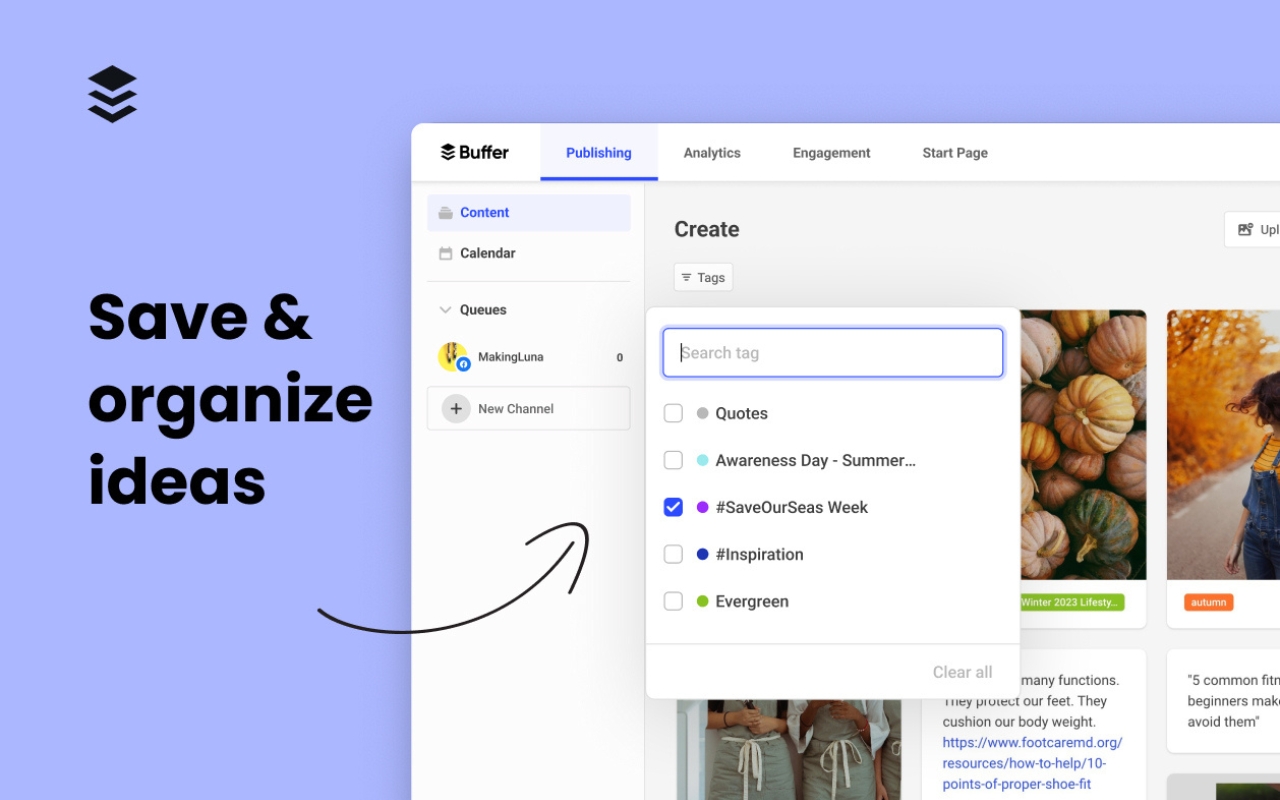
Buffer's Chrome extension lets social media managers capture ideas and schedule tweets without leaving Twitter. Highlight an article, image, or text snippet, click the Buffer icon, and schedule to Twitter (X) with custom timing slots optimized for engagement. All posts and analytics sync to your Buffer dashboard for cross-channel performance tracking.

buffer chrome extension

优点

  • One-click scheduling in-context on Twitter's feed
  • Rich engagement metrics in Buffer dashboard (clicks, shares, replies)
  • Team approval workflows for brand consistency

Cons

  • Free tier limited to 3 social profiles and 10 queued posts
  • No built-in lead scoring or contact enrichment

Hootsuite

Rating

⭐⭐⭐⭐(1,500 reviews)

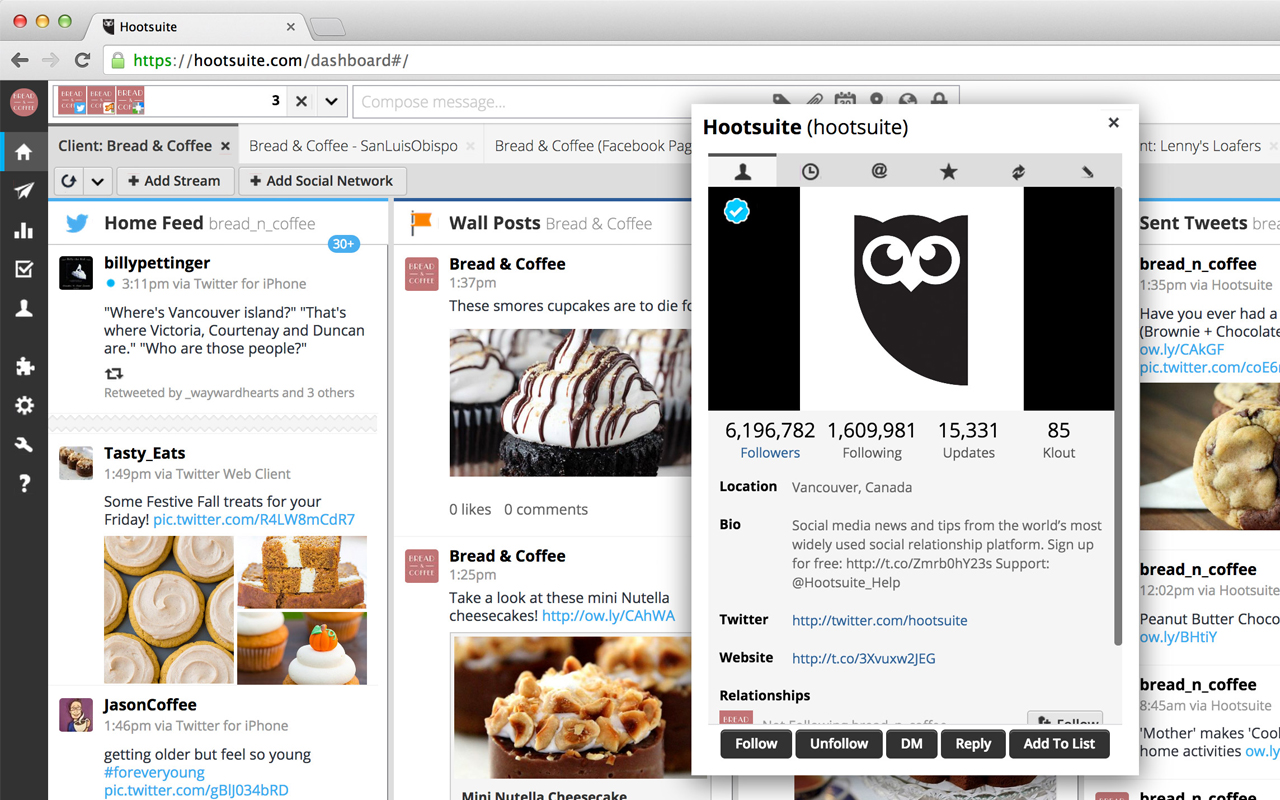
HootSuite's Hootlet puts scheduling, keyword monitoring, and analytics into a compact toolbar overlay on Twitter. Click the owl icon to draft tweets, schedule at optimal times (via AutoSchedule), track mentions or hashtags in custom streams, and assign tasks to teammates—all from the Twitter UI.

hootsuite

优点

  • AutoSchedule analyzes follower activity to pick peak posting times
  • Unified streams for mentions, keywords, and assigned tasks
  • Direct team collaboration and task assignment from feed

Cons

  • Interface can feel cluttered alongside Twitter's native UI
  • Slight lag when loading Hootlet streams

RiteTag

Rating

⭐⭐⭐⭐(68 reviews)

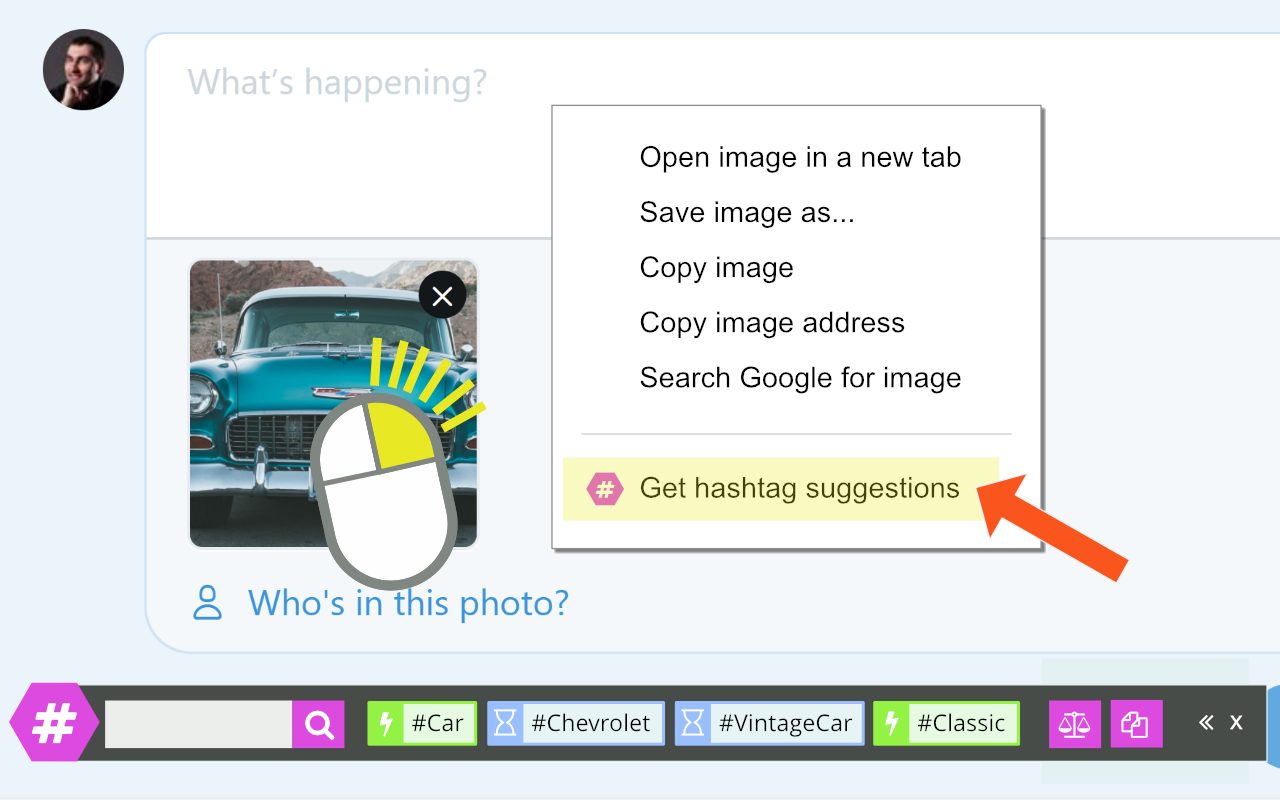
RiteTag's hashtag bar pops up wherever you type "#" or right-click an image on Twitter. Color-graded suggestions (green = use now, blue = evergreen, red/gray = avoid) pull from real-time engagement data to maximize visibility. One-click copy or add to tweet cuts guesswork from social selling.

ritetag

优点

  • Instant, data-driven hashtag insights for text and images
  • Color-coding guides best usage scenarios
  • Quick copy/paste or inline insertion

Cons

  • Suggestion relevance varies by niche
  • Full analytics and tag-set management behind Pro subscription

Tweet Hunter X

Rating

⭐⭐⭐(85 reviews)

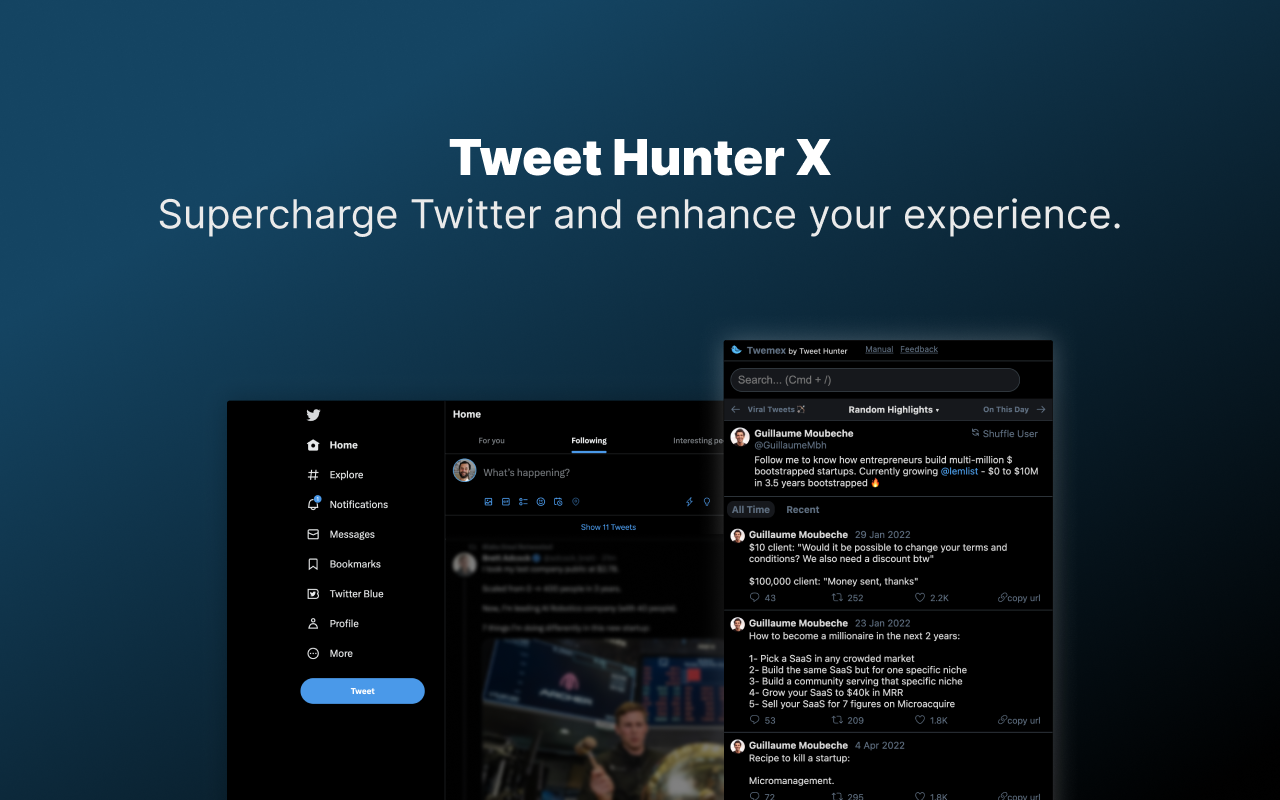
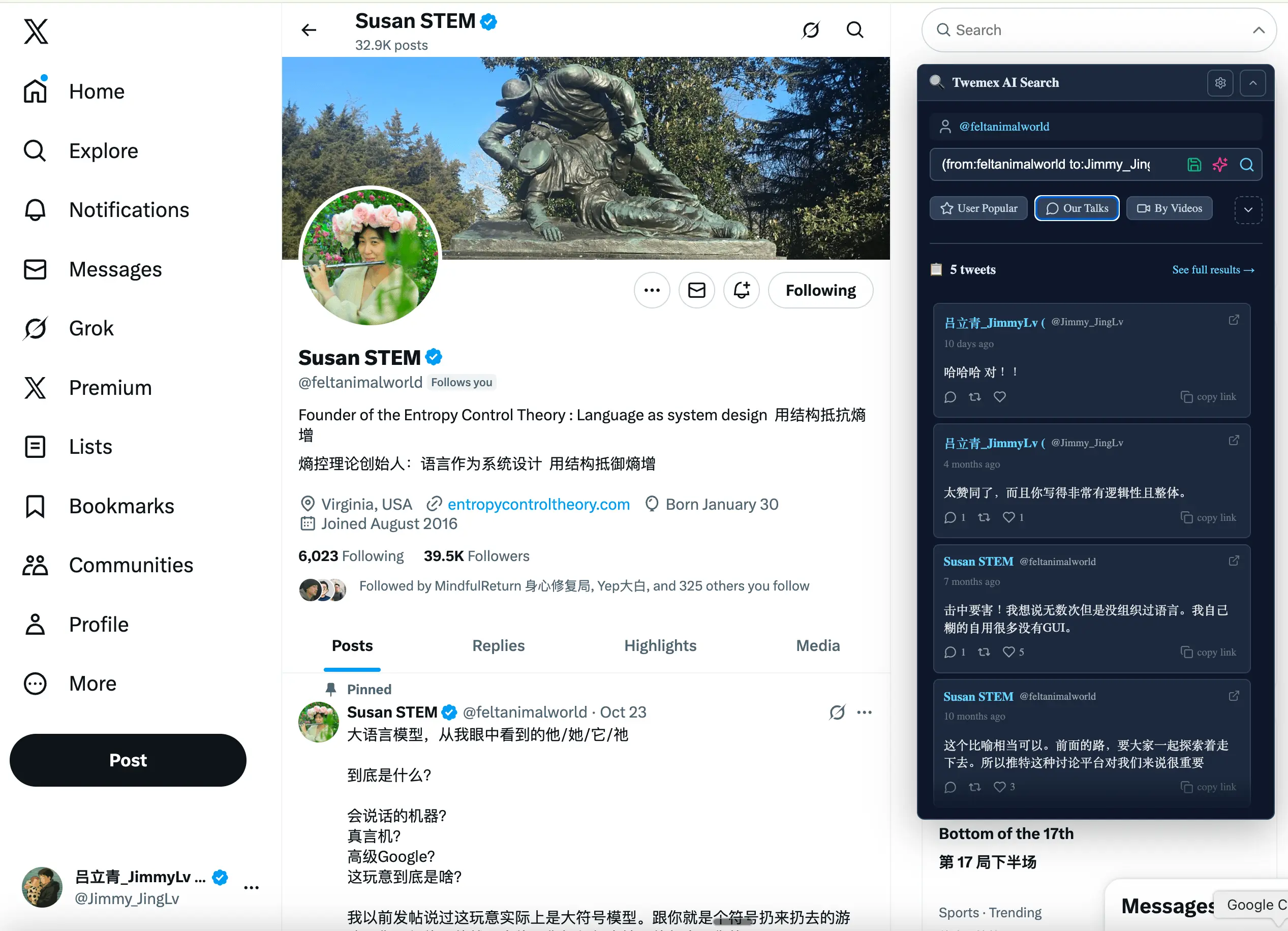
Tweet Hunter X replaces Twitter's sidebar with "Highlights" (top tweets of any profile), "On This Day" recalls, "Our Conversations" history, plus a power search UI and AI-driven post inspiration prompts. It surfaces high-ROI content opportunities and conversation starters without extra clicks.

Tweet Hunter X

优点

  • Smart content discovery: top tweets, historical context, recent hits
  • Enhanced search shortcuts for targeted prospecting
  • Free tier covers core discovery features

Cons

  • Advanced AI writing tools require subscription
  • Occasional loading failures after X's API changes

结论

Embedding CRM workflows directly into the Twitter feed turns every interaction into pipeline momentum, driving faster deal cycles and higher conversion rates. For social media management teams of 20-50 people, folk CRM stands out as the optimal solution, offering enterprise-level functionality without the complexity of larger platforms. Whether scheduling posts, optimizing hashtags, or uncovering top-performing content, the right Twitter Chrome extension stack amplifies productivity and ROI—start with folkX to unify your social selling process and leave no lead behind!

👉🏼 Try folk now to centralize Twitter scheduling, enrichment, and follow-up workflows in one CRM

常见问题解答

What is the best Chrome extension for social selling on Twitter?

folkX embeds profiles, enrichment, tasks, and two-way CRM sync into the Twitter feed for CRM-first social selling. Use Buffer for scheduling and RiteTag for hashtags alongside it.

How do Twitter Chrome extensions improve lead generation?

They capture profile data from tweets, enrich contacts, create follow-up tasks, and log activity without leaving Twitter. Two-way CRM sync turns replies and DMs into trackable pipeline steps.

How do I integrate Twitter with a CRM?

Install a CRM extension, open a profile or tweet, add the contact, enrich missing fields, create a follow-up tied to the tweet, and sync to the pipeline. folk with folkX supports two-way sync.

How do I export my Twitter following list for free?

In X, go to Settings > Your account > Download an archive of your data. After approval, open the archive, extract the following list (JSON/JS), then convert it to CSV. For sales, import priority profiles into your CRM.

免费试用