最后更新
2026年1月18日
X

Close CRM与Zoho CRM对比:哪种CRM最适合自动化?

探索Folk——专为以人为本的企业打造的客户关系管理平台

Deciding between Close CRM and Zoho CRM ultimately hinges on one question: which CRM truly minimizes admin work through effective automation?

For teams that value simplicity, folk delivers one of the most efficient and powerful automation solutions available in any CRM. It empowers users to automate emails based on their defined conditions and streamline actions using the API.

为何自动化对2026年的客户关系管理至关重要

Automation has emerged as the cornerstone of contemporary revenue teams. Sales and marketing must manage more leads, navigate multiple channels, and cater to increasingly complex buying journeys without increasing headcount or compromising personalization. A CRM that leans on manual data entry, sporadic follow-ups, and outdated spreadsheet-style reporting slowly siphons time, energy, and focus away from genuine customer interactions.

Key reasons why automation has become indispensable:

  • Customers expect prompt, relevant responses via email, LinkedIn, WhatsApp, and calls.
  • Pipelines advance swiftly, and any missed follow-up can lead to lost revenue.
  • The volume of data has surged, rendering manual updates impractical and unreliable.
  • Leadership requires real-time insights into performance, not end-of-month estimates.

The true value of a CRM lies in how much it alleviates the team's workload, not in the number of fields it can accommodate. The most effective platform is the one that automatically captures activities, maintains organized records in the background, and prompts the next appropriate action at the right time, allowing representatives to concentrate on nurturing relationships and closing deals rather than managing the tool.

什么是Close CRM?

关闭CRMCRM销售管道

Close CRM is a dynamic sales platform designed for high-velocity inside sales teams, seamlessly integrating calling, SMS, and email. Its built-in two-way email sync allows representatives to send, receive, and monitor messages directly within Close, automatically linking every conversation to the appropriate contact and opportunity. With features like bulk emails, sequences, and performance reporting, email transforms into a structured outreach tool rather than an isolated inbox.

What is Zoho CRM?

Zoho CRM CRM Pipeline

Zoho CRM is a versatile, all-encompassing CRM solution catering to businesses seeking extensive customization and a wider app ecosystem. Its email integration supports Zoho Mail, Gmail, Outlook, and various IMAP providers, enabling teams to send, receive, and archive messages directly within the CRM. With shared inbox views, basic tracking, and automation features, email activity is effectively incorporated into a broader omnichannel engagement strategy.

Feature comparison of Close CRM and Zoho CRM

集成能力

Integrating your email with Close is incredibly straightforward: simply connect your Gmail or Outlook account, authenticate using OAuth, and every message associated with a matched contact will automatically populate Close’s timeline. Although Close doesn’t offer native calendar syncing, you can easily integrate meetings into the CRM using Zapier or Google Calendar, ensuring your schedule is in sync with your sales pipeline.

On the other hand, Zoho’s Email Insights add-on allows you to sync Gmail, Outlook, or any IMAP provider directly into Zoho CRM, automatically logging messages and attachments to the correct records. You have the flexibility to select which folders to include, filtering out irrelevant threads while capturing every email that drives opportunities. Additionally, Zoho Calendar seamlessly syncs two ways with Google, Office 365, or iCal, ensuring that meeting invites and updates are reflected in both your personal calendar and the CRM timeline.

同步频率与可靠性

Close’s email integration enables immediate two-way synchronization by utilizing OAuth-based connections with Gmail and Outlook. When a contact emails you, Close instantly logs it—eliminating the need for polling intervals or manual BCC. Outbound emails sent through Close are reflected in your email provider in real time, and this works the other way around too. For calendar events, you can connect your Google Calendar via Zapier for automatic updates, though these triggers run every few minutes based on your Zapier plan.

Zoho’s Email Insights add-on maintains a live connection to your mail provider using IMAP IDLE or OAuth, allowing messages to sync in near real time. Expect emails to appear in the CRM timeline within seconds of receipt, complete with attachments and metadata. Two-way calendar synchronization also occurs instantly for Google Calendar, Office 365, and iCal, with Zoho's retry logic effectively managing any temporary failures.

双向电子邮件和日历同步

Close doesn’t provide a conventional mail merge interface, but it enables you to create multi-step drip campaigns through its Workflows engine, integrating email, calls, and SMS into a single sequence. You can enroll leads, customize messages using templates, and allow Close to automatically dispatch steps at your preferred cadence, all while logging every interaction in its unified Inbox. However, it's worth noting that Close lacks a visual campaign builder and comprehensive email campaign analytics, meaning you won't find open-rate trends or A/B testing insights within the UI.

In contrast, Zoho CRM facilitates email synchronization via POP/IMAP or OAuth for Outlook, Gmail, and any IMAP provider. Once set up in Settings > Channels > Email, both inbound and outbound messages are automatically linked to the corresponding lead or contact record.

邮件合并与营销活动

Close does not provide a traditional mail merge interface; instead, it enables the creation of multi-step drip campaigns through its Workflows engine, combining emails, calls, and SMS in a single sequence. You can enroll leads, personalize your messages with templates, and allow Close to automatically send steps according to your selected cadence, while logging every interaction in its unified Inbox. However, Close lacks a visual campaign builder and detailed email campaign analytics, so you won't find open-rate trends or A/B testing insights in the interface.

On the other hand, Zoho CRM’s Mass Email tool allows you to send up to 1,000 emails daily per user, utilizing customizable templates and merge tags for personalization. For larger campaigns, Zoho Campaigns integrates smoothly, providing advanced segmentation, a drag-and-drop design, and analytics on delivery, opens, clicks, and unsubscribes. However, since Zoho Campaigns is a separate product, managing billing and user permissions across both systems can lead to added administrative complexity.

打开和点击追踪

Close automatically monitors opens for every email dispatched from its unified Inbox, displaying open counts and timestamps beneath each message.

Zoho CRM’s basic Email Insights also automatically track opens when emails are sent through Gmail or Outlook connectors. For comprehensive click-through data, you can activate link-click tracking by integrating ZeptoMail. Without ZeptoMail, CRM users can only view opens; accessing full click analytics necessitates the separate transactional email product, which involves additional costs and setup steps.

收件箱内CRM体验

While Close lacks a native sidebar in Gmail or Outlook, you can utilize the Missive integration to manage contacts, leads, and opportunities right from your inbox. Emails sent or received in your mail client seamlessly appear in Close’s unified activity stream, eliminating the need for manual BCCs and maintaining context. However, you will still need to switch tabs to access pipeline overviews or dashboards, meaning it serves as a tightly synced companion rather than a fully in-inbox CRM.

In contrast, Zoho’s eWidget functions as a sidebar within Zoho Mail, Gmail, or Outlook, allowing you to add leads, view contact details, and log emails without leaving your mailbox. You can see deal stages, tasks, and meeting notes inline, and sending predefined templates or creating new records is just a click away. However, this sidebar is limited to those specific mail clients; if you use Thunderbird or another service, you'll miss out on the in-inbox convenience.

folk CRM:自动化领域的最佳客户关系管理解决方案

folk CRM is a cutting-edge, AI-native CRM designed for teams eager to streamline their deal automation without the hassle. It consolidates all relationships—leads, clients, partners, candidates, and investors—into adaptable views that cater to any workflow.

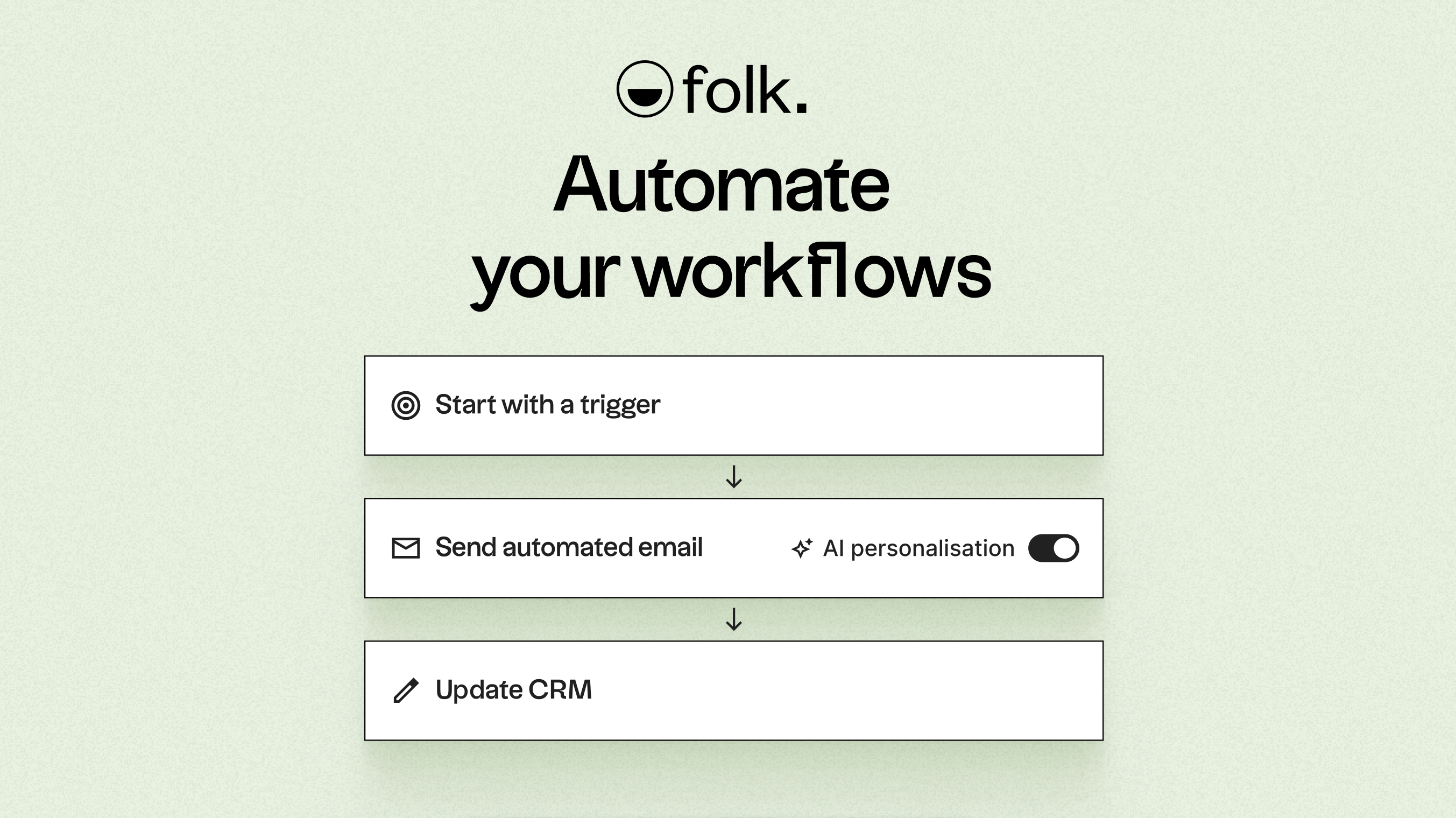
folk is tailored for automation-centric teams. With built-in email and calendar synchronization, teams can effortlessly automate follow-ups and outreach on a larger scale. The new conditional email automations allow you to send messages triggered by real-time data in folk; for instance, you can automatically dispatch onboarding or handoff emails when a contact transitions to a client or a deal is marked as signed.

民间自动化

Driven by AI, folk enhances data, generates engaging icebreakers, drafts personalized emails, and recommends the next best actions. Its open API and webhooks seamlessly integrate with tools like Zapier and Make, allowing for sophisticated workflows across email, WhatsApp, Slack, billing, and internal systems.

With one-click contact capture via the folkX Chrome extension and collaborative pipelines, folk equips teams with a lightweight yet powerful CRM to scale their automation efforts while maintaining complete control.

结论

In summary, Close CRM excels with its seamless email integration and effective two-way sync, making it ideal for high-velocity sales teams. Zoho CRM offers extensive customization and a broad app ecosystem, appealing to those needing comprehensive omnichannel engagement. However, for teams prioritizing email integration, automation, and sequencing, folk stands out as the superior choice. With AI-driven automations, adaptable workflows, and multi-channel integration, folk empowers teams to streamline their processes while focusing on building relationships. Try folk CRM for free

立即开启14天免费试用,或预约产品演示

免费试用