最后更新
一月26%,2026
X

Pipedrive vs Zoho CRM: Which CRM for startups wins?

探索Folk——专为以人为本的企业打造的客户关系管理平台

Early-stage startups often find themselves in a chaotic whirlwind of deals, where the potential for success is overshadowed by scattered follow-ups across inboxes, spreadsheets, and various communication platforms. A CRM for startups addresses this challenge by ensuring that every interaction, upcoming step, and responsible owner is easily accessible and visible, enabling swift action.

Pipedrive and Zoho CRM tackle this issue from distinct angles. Pipedrive emphasizes a sales-first approach with its intuitive visual pipeline and straightforward setup, while Zoho CRM offers a more versatile solution that balances automation and customization. Each platform caters to the unique needs of startups, but they do so through different methodologies.

This article delves into the key features of Pipedrive and Zoho CRM, examining how they impact daily operations, from contact management and pipeline integrity to automation capabilities, reporting insights, and overall cost as your team expands.

什么是Pipedrive?

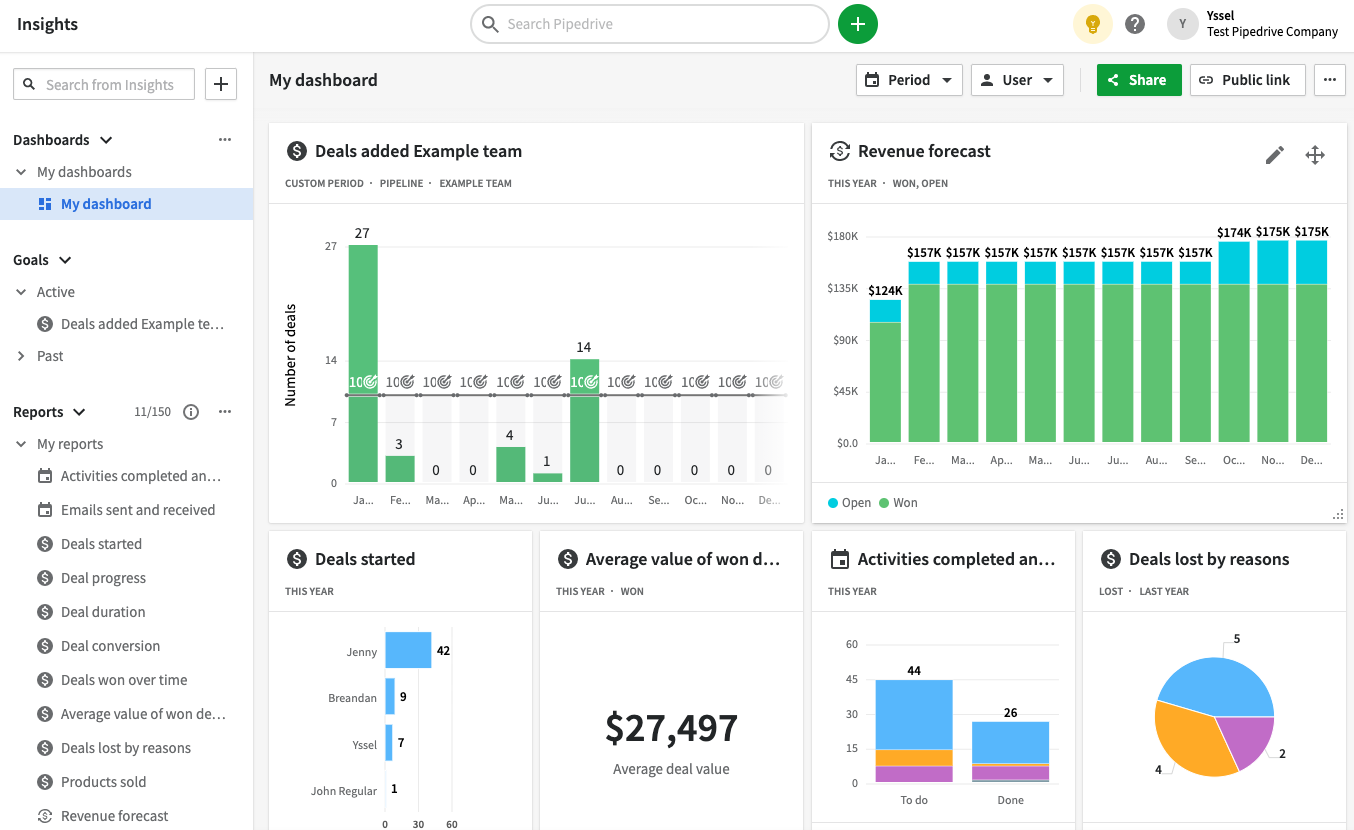
Pipedrive is a sales-centric CRM designed around a visual pipeline and rigorous activity tracking. It's ideal for startups that operate on a deal-driven model, ensuring that sales representatives always know their next step. The setup process is quick, the user interface remains straightforward, and pipelines are easily customizable. Pipedrive performs exceptionally well for both outbound and inbound sales teams that emphasize follow-ups and speed. However, its marketing automation features are somewhat limited compared to more comprehensive platforms, so it is often used alongside dedicated marketing tools.

Pipedrive CRM 销售漏斗

什么是Zoho CRM?

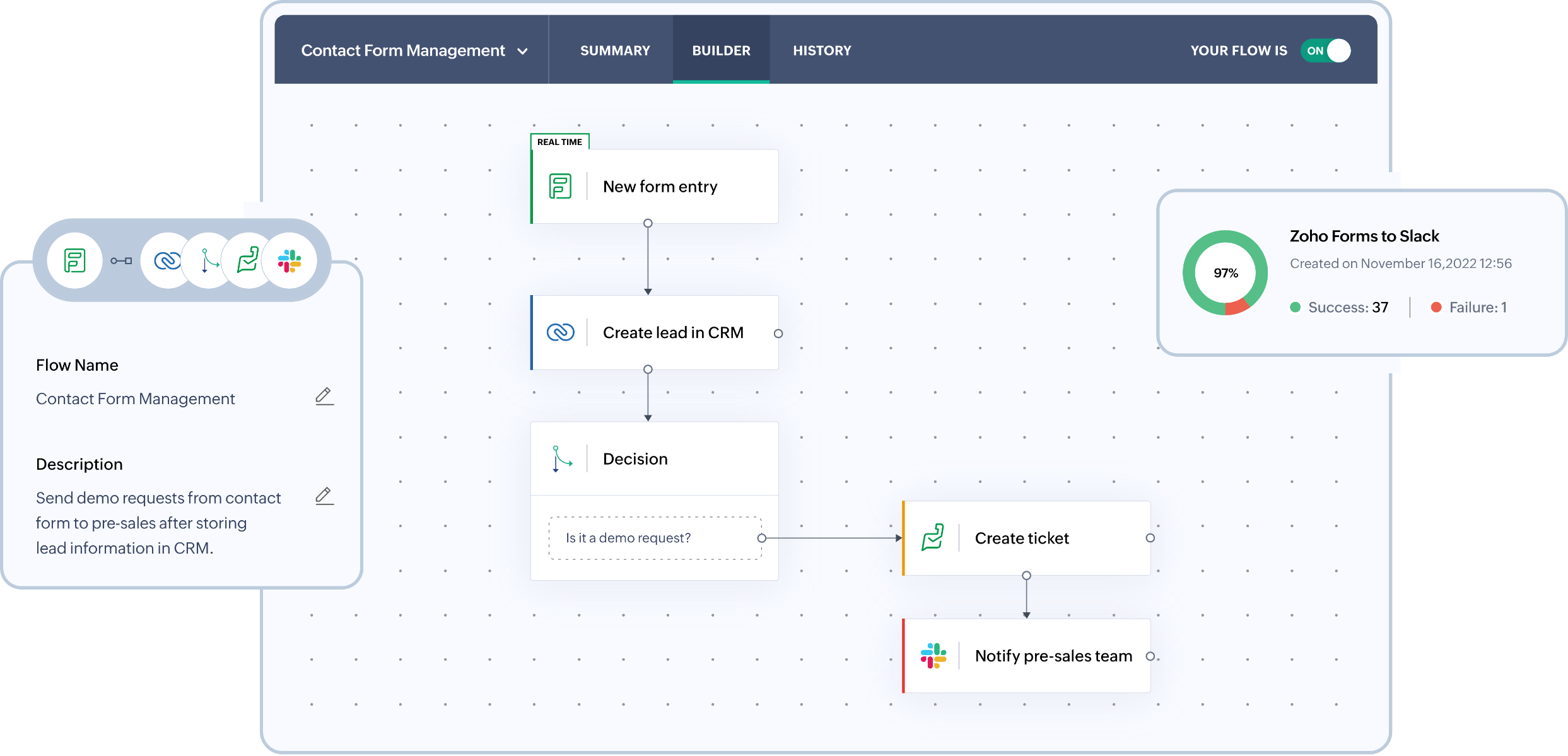
Zoho CRM is a versatile CRM that strikes a balance between automation, customization, and affordability for growing startups. It's suited for teams seeking more control over their workflows than what basic CRMs offer but are not yet ready to adopt enterprise-level solutions. Zoho supports pipelines, forecasting, email tracking, and offers extensive customization options through fields and modules. It integrates seamlessly with the larger Zoho suite, which can replace multiple tools as the company expands. However, the interface may feel more complex, and advanced features are often found in higher-tier plans or available as add-ons.

Zoho CRM 销售管道

Feature comparison of Pipedrive and Zoho CRM

Email and Calendar Sync

Pipedrive seamlessly syncs email with both Gmail and Outlook, allowing messages to be integrated into the CRM and associated with the appropriate person, organization, and deal. Calendar sync is available for Google and Microsoft calendars, offering either one-way or two-way synchronization based on your setup. This ensures that meetings and activities remain visible within records, enabling teams to maintain consistent follow-ups. The outcome is a unified activity timeline that stays updated without the need for constant manual entries. Note that availability may differ based on your plan and admin settings.

Zoho CRM can connect with Gmail using IMAP, POP3, or the Gmail API, ensuring that messages are linked to the relevant leads and contacts. Teams can read, send, and track email activities directly within the CRM, keeping the conversation history centralized. This streamlines the process by reducing the need for manual logging and supports pipeline reviews based on genuine outreach. It's particularly beneficial for startups seeking an integrated inbox experience without the hassle of constantly switching tools.

Clean Contact Data with Enrichment and Deduplication

Pipedrive offers data enrichment to address missing information for individuals and organizations by leveraging publicly available data associated with an email address or domain. This capability minimizes incomplete records, enhancing both segmentation and outreach effectiveness. The platform features a merge function for managing duplicates across people, organizations, and deals, ensuring that activity history remains consolidated rather than fragmented across multiple entries. Additionally, the CRM identifies potential duplicates based on its established matching criteria. With cleaner data, reporting accuracy is heightened, and routing errors are minimized.

Zoho CRM provides powerful duplication management tools designed to identify and merge duplicate records, which is crucial for maintaining clean databases as imports and integrations expand. Users can configure duplicate checks to ensure that key fields remain unique, flagging potential duplicates before they proliferate. Records can be deduplicated directly from list views or merged from a record whenever overlaps are detected. This functionality prevents divided timelines, ensuring reliable segmentation and reporting even as the database scales.

Flexible Pipelines and Views

Pipedrive fosters collaboration within records through notes, activities, and contextual information that teammates can access based on their permissions. Mentions and comments enable direct internal coordination on items, eliminating the need for external communication during handoffs. Visibility groups and permission sets regulate who can view or edit data, which becomes crucial as startups expand their teams and manage sensitive deals. This approach helps maintain shared context while avoiding oversharing, ensuring that governance remains manageable as the account evolves.

Zoho CRM enhances structured sales processes with deals, stages, and customizable pipelines tailored to different startup strategies. Fields and layouts can be personalized, allowing teams to track relevant signals without adhering to a one-size-fits-all model. Additionally, views, filters, and modules enable teams to concentrate on the highest priority items within their pipeline. This configuration scales effectively from a straightforward funnel to more segmented processes as the team grows.

Team Collaboration

Pipedrive enhances collaboration by allowing teammates to access notes, activities, and record-level context, provided they have the necessary permissions. With mentions and comments, internal coordination occurs directly on items, minimizing reliance on external communication threads for handoffs. Visibility groups and permission sets dictate who can view or edit data, which is crucial as startups expand their teams and handle sensitive deals, ensuring shared context while preventing oversharing. Governance remains manageable as the account scales.

Similarly, Zoho CRM fosters collaboration by providing shared visibility into activities, notes, tasks, and ownership across teams. Its calendar integration syncs meetings from Office 365 into Zoho CRM, keeping scheduled interactions visible on the CRM timeline. This alignment helps sales, success, and leadership stay informed about past activities and upcoming plans. As the organization grows more structured, access can be controlled through defined roles and permissions.

Lightweight Automation and Integrations

Pipedrive features Automations triggered by actions like creating, updating, or deleting people, organizations, activities, or deals, along with date-based triggers. These Automations can perform tasks such as creating or updating CRM items and sending emails from the synced address based on your settings. For integrations, Zapier enables two-way workflows that allow data to flow into Pipedrive and out to other applications. If you require more control, Pipedrive offers a REST API and supports webhooks for event-driven integrations, catering to both lightweight startup automation and more complex development paths.

In contrast, Zoho CRM automation is driven by workflow rules that can trigger actions like email notifications, task assignments, field updates, webhooks, and custom functions. This setup enhances lead routing, ensures follow-up SLAs, maintains pipeline hygiene, and facilitates event-driven integrations without the need for constant manual input. For external connectivity, Zoho CRM provides REST APIs for CRUD operations and more extensive integration capabilities, while Zapier also supports Zoho CRM workflows for teams seeking no-code automation throughout their stack.

folk CRM: The Best CRM for Startups in 2026

folk is a cutting-edge CRM designed specifically for startups, enabling seamless management of relationships through Gmail, Google Calendar, LinkedIn, and spreadsheets. It consolidates contacts, companies, deals, notes, files, and every interaction into a single, lightweight workspace, ensuring that pipeline context remains connected to genuine conversations rather than being scattered across multiple tabs.

Top features that startups love in folk

  • Automatic activity timeline through Gmail + Google Calendar synchronization
  • Effortless LinkedIn contact capture with a Chrome extension
  • Contact enrichment for quicker data completion
  • Deduplication for maintaining a clean database as it scales
  • Custom pipelines and fields tailored to any go-to-market strategy

For startups, folk excels in delivering speed-to-value and fostering daily adoption. The setup is quick, workflows remain adaptable, and multichannel context is easily accessible, preventing the CRM from becoming a cumbersome suite. This results in more consistent follow-ups, cleaner data, and clearer revenue visibility with reduced friction.

👉 立即免费试用folk CRM

结论

In summary, Pipedrive offers a straightforward, sales-first approach with an intuitive visual pipeline, ideal for deal-driven teams. Zoho CRM provides versatility with its robust automation and customization options but may feel complex for some users. However, for startups that prioritize seamless email integration, automation, and a lightweight interface, folk emerges as the best alternative. It consolidates multichannel interactions into a single workspace, enhancing follow-ups and data accuracy without the administrative burden, making it the perfect choice for agile teams.

立即开启14天免费试用,或预约产品演示

免费试用