最后更新
一月26%,2026
X

HubSpot vs Pipedrive: Which CRM for startups wins?

探索Folk——专为以人为本的企业打造的客户关系管理平台

Early-stage startups often find themselves in a whirlwind of activity—deals aren't lost due to inadequate products, but rather because follow-ups become buried in overflowing inboxes, spreadsheets, and countless Slack threads. A CRM for startups addresses this challenge by ensuring that every interaction, next step, and owner is easily accessible and visible, allowing teams to act swiftly.

In this context, HubSpot and Pipedrive emerge as two potent solutions, each embodying distinct philosophies. HubSpot operates from a suite-first approach that emphasizes deep automation, marketing alignment, and robust reporting capabilities, while Pipedrive adopts a sales-first perspective with its intuitive pipeline, rapid setup, and a strong focus on activity discipline.

This comparison delves into the daily implications of these platforms, examining key aspects such as contact capture, pipeline hygiene, automation depth, reporting clarity, and the overall costs as your team expands.

什么是HubSpot?

HubSpot serves as a comprehensive go-to-market platform that integrates CRM, marketing automation, sales tools, and customer service into one solution. It's ideal for startups seeking a unified system to manage their entire funnel, from acquisition to retention, featuring robust segmentation and reporting. The CRM is user-friendly for beginners but can scale up to accommodate advanced workflows and attribution as requirements evolve. HubSpot enjoys widespread adoption in the US and seamlessly integrates with most modern SaaS tools. However, costs can escalate rapidly when expanding into multiple hubs and higher tiers.

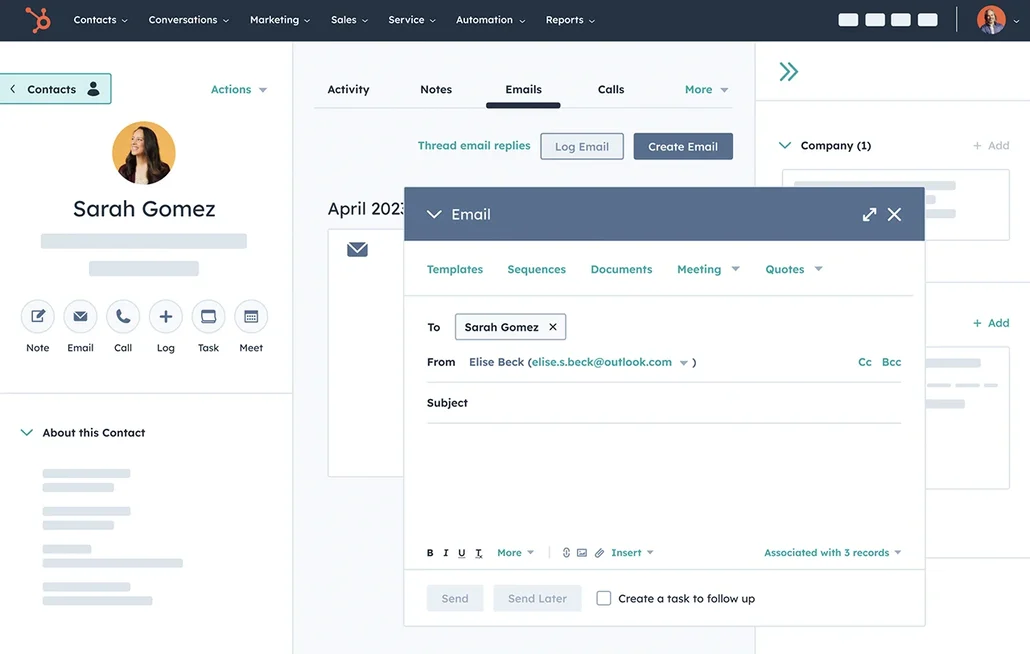
HubSpot CRM 销售管道

什么是Pipedrive?

Pipedrive is a sales-centric CRM designed around a visual pipeline and structured activity tracking. It caters to startups that operate on a deal-driven basis, ensuring representatives are always aware of the next steps. The setup process is quick, the user interface remains straightforward, and pipeline customization is effortless. This platform is particularly effective for outbound and inbound sales teams that emphasize follow-ups and speed. However, marketing automation capabilities are limited compared to more comprehensive platforms, often necessitating integration with separate marketing tools.

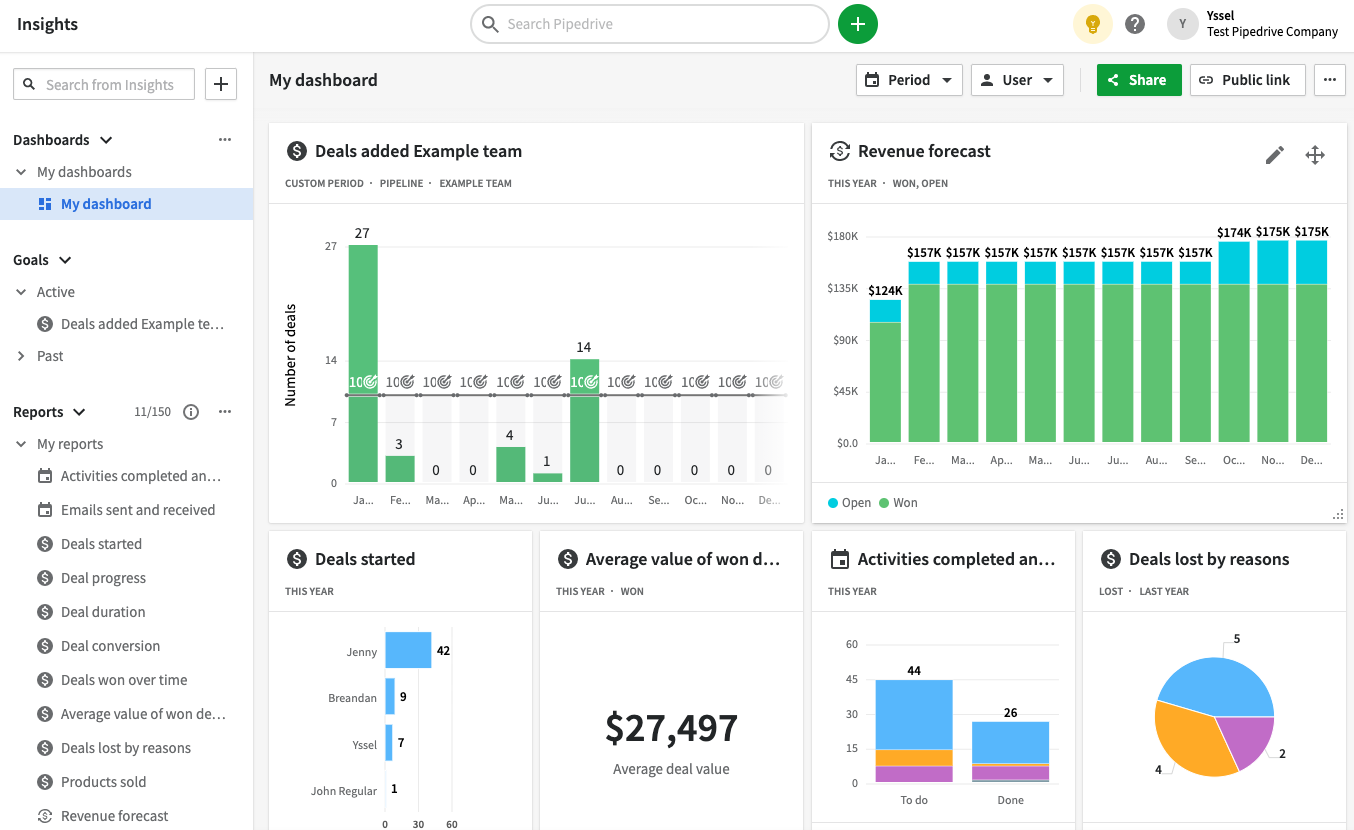
Pipedrive CRM 销售漏斗

Feature comparison of HubSpot and Pipedrive

Email and Calendar Sync

HubSpot seamlessly integrates with Gmail and Office 365 through its Sales integration, allowing you to log emails directly from your inbox while tracking opens and clicks. Calendar sync is compatible with both Google Calendar and Outlook Calendar, ensuring that meetings scheduled in your calendar appear in the relevant record timeline when the invited contact is in the CRM. You can also schedule meetings from within HubSpot, which will be automatically synced to your connected calendar. This results in a unified activity history for emails and meetings, maintained with minimal manual effort.

Pipedrive offers email syncing with Gmail and Outlook, enabling messages to be imported into the CRM and associated with the appropriate person, organization, and deal. Calendar synchronization works with both Google and Microsoft calendars, allowing for one-way or two-way sync depending on your setup. Meetings and activities remain visible on records, facilitating consistent follow-ups for teams. This creates a cohesive activity timeline that stays up-to-date without the need for frequent manual entries. Availability may differ based on your plan and administrator settings.

Clean Contact Data with Enrichment and Deduplication

HubSpot offers built-in data enrichment that automatically fills in company and contact details, helping to minimize incomplete records and the need for manual research. Its enrichment and buyer intent features operate on a credits model, utilizing HubSpot Credits for specific premium data capabilities. The duplicate management system identifies potential duplicates and enables users to review and merge records, ensuring a cleaner database. This approach prevents fragmented activity histories across multiple contact entries, and cleaner data enhances segmentation, routing, reporting, and automation reliability.

Pipedrive also provides data enrichment to complete missing information for individuals and organizations by leveraging publicly available data linked to an email address or domain. This feature decreases the number of incomplete records and enhances segmentation and outreach effectiveness. Its duplicate management includes a merge function for people, organizations, and deals, ensuring that activity history remains intact across records. Additionally, the CRM flags potential duplicates using its matching criteria, leading to improved reporting accuracy and fewer routing errors.

Flexible Pipelines and Views

HubSpot fosters collaboration within each record by incorporating activities such as notes, tasks, calls, emails, and meetings. You can create tasks directly from a record as part of an activity workflow, ensuring that next steps are clear and assigned. Mentions in activities or comments notify teammates, facilitating swift handoffs while preserving context. Activity association settings determine which linked records share the same activity history, ensuring consistent visibility across contacts, companies, deals, and tickets. This arrangement promotes cross-team alignment as workloads increase.

Pipedrive is designed around customizable deal pipelines and stages, allowing for easy alignment with a startup's sales process. Stages can be adjusted to reflect qualification, negotiation, and closing steps without requiring complex configurations. Deals remain connected to contacts and organizations, maintaining full context throughout the pipeline. Custom fields provide a lightweight structure for details like lead source, priority, or sales motion, keeping the interface focused on execution rather than configuration.

Team Collaboration

HubSpot facilitates collaboration within each record by incorporating activities like notes, tasks, calls, emails, and meetings. Tasks can be generated directly from a record as part of an activity workflow, ensuring that next steps remain visible and assigned. Mentions within activities or comments notify teammates, enabling swift handoffs without losing context. Activity association settings determine which linked records share the same activity history, enhancing visibility across contacts, companies, deals, and tickets, and promoting cross-team alignment as workload increases.

Pipedrive encourages collaboration within records through notes, activities, and contextual information accessible to teammates based on permissions. Mentions and comments enhance internal coordination directly on items, eliminating reliance on external communication for handoffs. Visibility groups and permission settings dictate who can view or edit data, which is crucial as startups expand teams and manage sensitive deals, preserving shared context while preventing oversharing. Governance remains manageable as the account scales.

Lightweight Automation and Integrations

HubSpot enables automation through workflows that seamlessly operate across marketing, sales, and service processes, featuring a visual builder for setting up triggers and actions. Additionally, it integrates with external tools via Zapier, allowing for actions and triggers related to contacts, companies, deals, and custom objects. For those seeking more granular control, HubSpot offers developer APIs to create custom integrations and data synchronization logic. This combination facilitates lightweight automations initially and allows for more sophisticated orchestration as your tech stack matures, all while maintaining centralized governance through CRM settings and automation controls.

Pipedrive also offers Automations that activate based on triggers like the creation, updating, or deletion of people, organizations, activities, or deals, along with date-based triggers. These automations can perform actions such as creating or updating CRM items and sending emails from the synced address based on specific configurations. For integrations, Zapier supports bi-directional workflows to transfer data into Pipedrive and out to other applications. Additionally, Pipedrive provides a REST API and supports webhooks for event-driven integrations, effectively accommodating both lightweight startup automation and more advanced development pathways.

folk CRM: The Best CRM for Startups in 2026

folk is a modern CRM designed specifically for startups, enabling seamless management of relationships across Gmail, Google Calendar, LinkedIn, and spreadsheets. It consolidates contacts, companies, deals, notes, files, and every interaction into a lightweight workspace, ensuring that pipeline context remains connected to genuine conversations rather than being scattered across multiple tabs.

Top features that startups love in folk

  • Automatic activity timeline with Gmail + Google Calendar sync
  • Effortless contact capture from LinkedIn via a Chrome extension
  • Contact enrichment to quickly fill in missing information
  • Deduplication to maintain a clean database as your volume increases
  • Custom pipelines and fields tailored to fit any go-to-market strategy

For startups, folk excels in speed-to-value and daily adoption. The setup is quick, workflows remain flexible, and multichannel context is easily accessible without burdening the CRM with unnecessary complexity. This leads to more consistent follow-ups, cleaner data, and clearer revenue visibility with minimal friction.

👉 立即免费试用folk CRM

结论

In summary, HubSpot offers a comprehensive, all-in-one solution with robust automation and marketing alignment, ideal for those ready to invest in a scalable platform. Pipedrive excels with its sales-first approach, focusing on intuitive pipelines and quick setup. However, for teams that prioritize email integration, automation, and streamlined sequencing, folk emerges as the superior choice. Its lightweight design, seamless multichannel context capture, and emphasis on daily usability make it the best-fit CRM for startups looking for efficiency without complexity.

立即开启14天免费试用,或预约产品演示

免费试用