


.png)
Откройте для себя Folk — CRM для компаний, ориентированных на людей
HubSpot Sales Chrome Extension: Features, Pros & Top Alternatives
Fed up of switching in-between your tab and CRM system?
A good Chrome extension can help you capture contact information from anywhere on the web, including social media channels.
A great one can go a step further and improve your entire workflow—from capturing leads to reaching out to prospects.
In this blog post, we'll unpack what you need to know about:
- The HubSpot Sales Chrome extension
- Its pros and cons
- Top alternatives including folk, Mixmax, Yesware, and more.
| Основные моменты |
|---|
|
How the HubSpot Chrome extension works
The HubSpot Sales Chrome Extension was designed to integrate seamlessly with your Gmail inbox, enhancing your sales and marketing efforts by providing real-time insights and streamlined communication features. It connects to yourHubSpot CRM, to allow for efficient email tracking, contact management, and access to various sales tools without leaving your inbox.
Key features of the HubSpot Sales Chrome Extension
- Email Tracking: Receive real-time notifications when recipients open your emails, enabling timely follow-ups and engagement strategies.
- Email Logging: Automatically log sent emails to the corresponding contact records in HubSpot CRM, ensuring a complete history of interactions for your team.
- Meeting Scheduler: Share your availability and allow contacts to book meetings with you effortlessly, reducing the back-and-forth of scheduling.
- Sales Tools Integration: Access HubSpot's suite of sales tools, including sequences, documents, and tasks, directly from your inbox to enhance productivity.
Pros and Cons of the HubSpot Sales Chrome Extension
Let's take a closer look at the HubSpot Chrome extension's pros and cons.
Плюсы
- Seamless CRM Integration: Directly connects with HubSpot CRM, ensuring all communications are logged and accessible.
- Real-Time Engagement Insights: Provides immediate notifications for email opens, allowing for prompt follow-ups.
- Enhanced Productivity: Access to sales tools and templates within Gmail streamlines workflow.
Минусы
- Feature Limitations on Free Plan: Some advanced features require a paid subscription.
- Gmail Exclusivity: Primarily designed for Gmail users; Outlook users need a separate add-in.
- Learning Curve: New users may require time to fully utilize all features effectively.
Top five alternatives to the HubSpot Sales Chrome extension
1. folk X Chrome Extension
For sales and marketing teams of 20-50 people looking for the perfect balance between simplicity and functionality, folk CRM stands out as the best solution. The extension helps mid-sized sales teams manage relationships more efficiently by integrating contact management and email tracking directly into Gmail. It is designed specifically for teams that prioritize personalized outreach and seamless collaboration without the complexity of enterprise-level platforms.
Основные характеристики
- Smart capture: Capture contact information from anywhere on the web including popular social media channels LinkedIn and Instagram. Send it directly to your folk CRM without leaving the page.
- Smart contact enrichment: Automatically gathers and updates contact details from emails.
- Email tracking: See when emails are opened to time follow-ups effectively.
- Team collaboration: Share and update contact records in real time.
- Custom tags & segmentation: Organize contacts with tags for better workflow management.
- CRM integration: Syncs seamlessly with folk's web platform for full relationship tracking.
2. Mixmax Chrome Extension
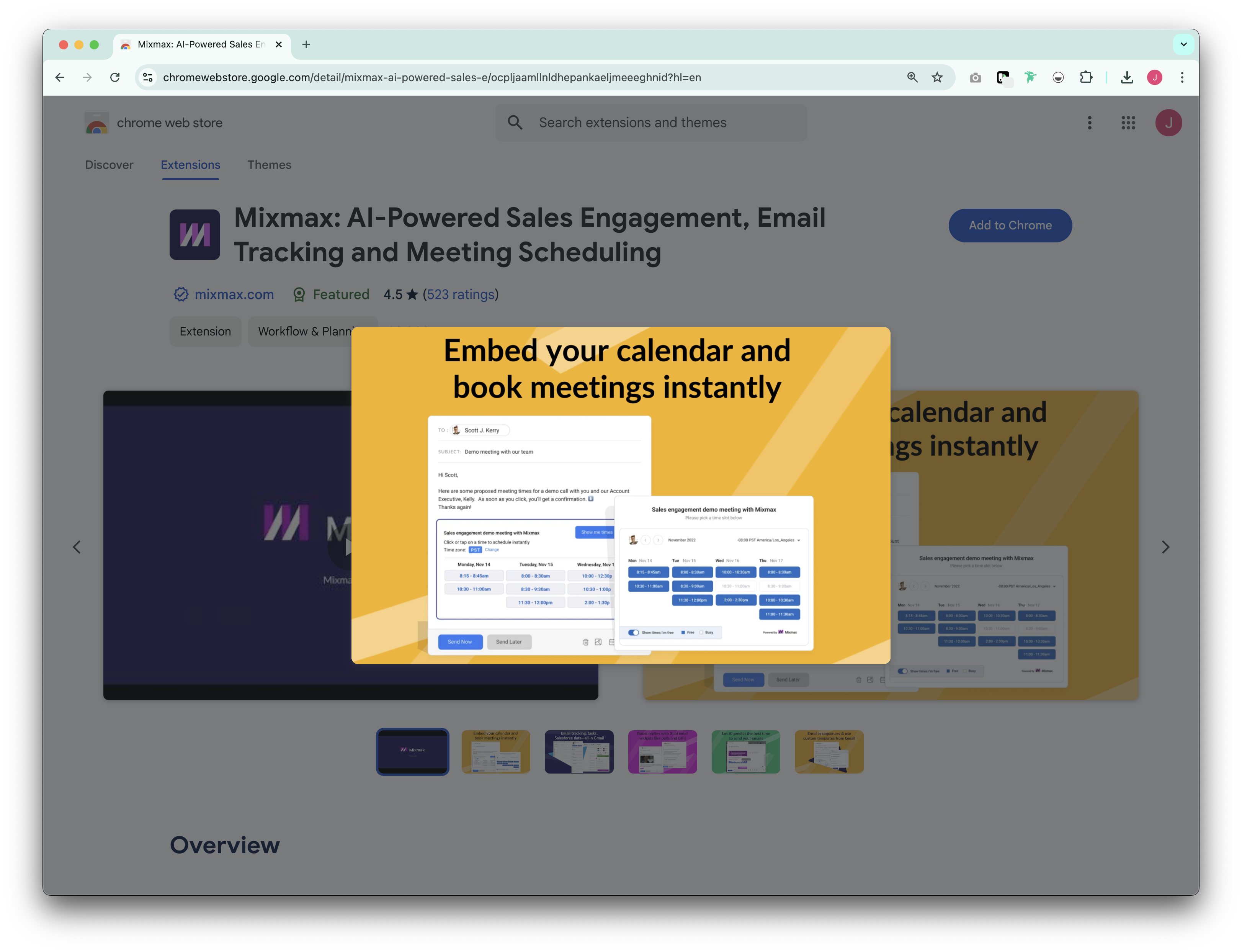
The Mixmax Chrome extension is built for sales teams that need advanced email automation and engagement tracking within Gmail. It enhances productivity with scheduling, automation, and analytics tools.
Основные характеристики
- Advanced email tracking: Monitor email opens, clicks, and downloads in real time.
- Automated sequences: Set up email sequences with personalized follow-ups.
- Meeting scheduling: Embed calendar links directly into emails for easy booking.
- Email templates: Use pre-built templates to speed up outreach efforts.
- CRM sync: Integrates with Salesforce and other CRM platforms for streamlined workflows.
3. Yesware Chrome Extension
The Yesware Chrome extension is a sales engagement tool designed for teams that need email tracking, analytics, and automation to improve outreach efficiency. It works within Gmail and Outlook to help users monitor and optimize their email performance.
Основные характеристики
- Email tracking: Get instant notifications when emails are opened or links are clicked.
- Engagement analytics: View detailed reports on email performance.
- Templates & campaigns: Automate outreach with email templates and multi-step campaigns.
- Meeting scheduler: Send calendar links that allow prospects to book meetings with ease.
- CRM integration: Syncs with Salesforce, keeping all interactions logged.

4. Streak Chrome Extension
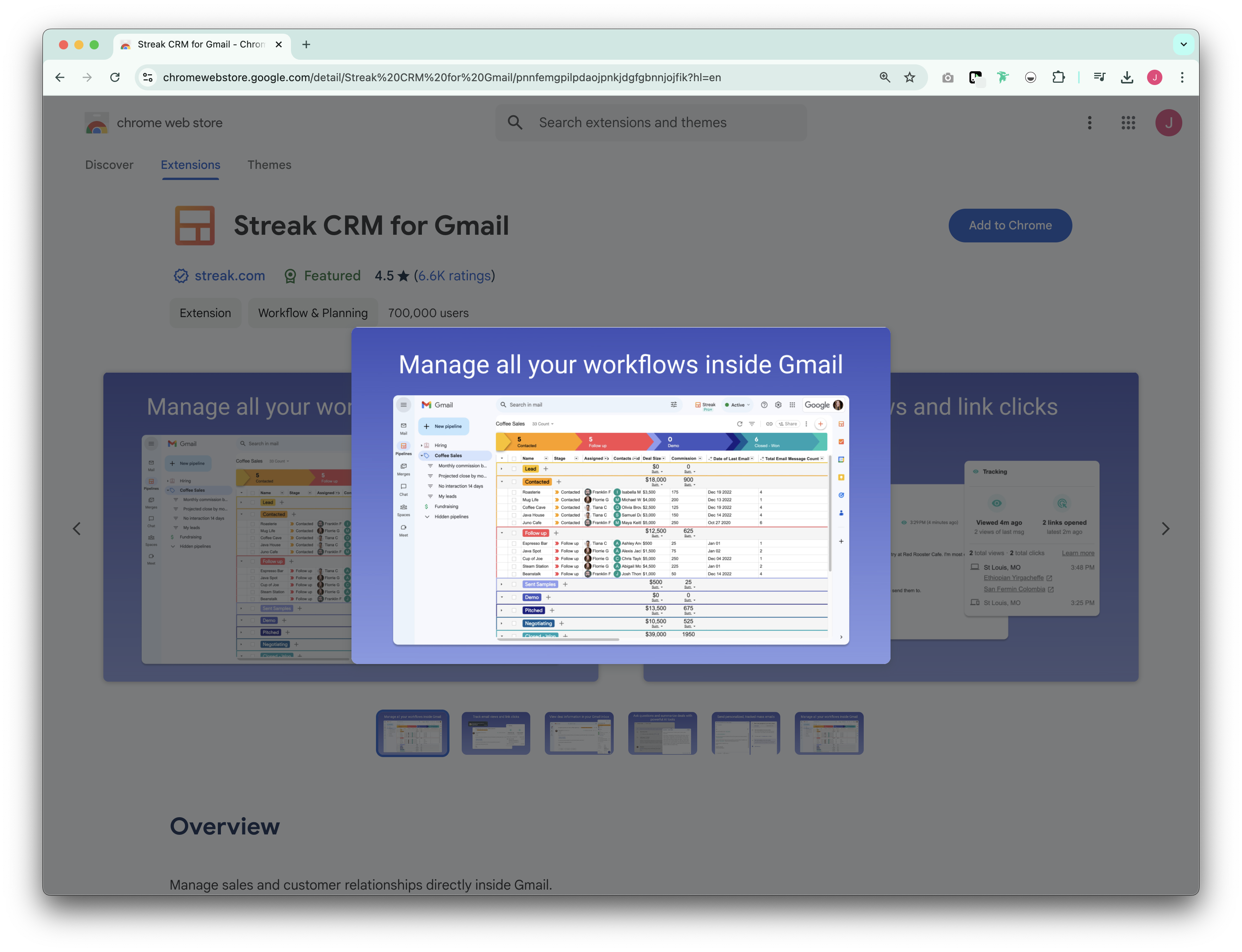
For teams that want a CRM experience without leaving Gmail, Streak's Chrome extension provides an integrated and streamlined workflow. The extension turns Gmail into a full-featured CRM, making it a great option for teams that want to manage pipelines without switching platforms. It enables contact tracking, email automation, and collaboration directly inside Gmail.
Основные характеристики
- Pipeline management: Track deals and sales stages directly in Gmail.
- Email tracking: Get real-time notifications for email opens.
- Mail merge: Send personalized bulk emails with tracking.
- Collaboration tools: Share emails, notes, and deal updates with team members.
- Task reminders: Set follow-up reminders for leads and opportunities.
5. Salesloft Chrome Extension
The Salesloft Chrome extension helps sales teams improve prospecting and outreach by integrating sales engagement tools directly into Gmail. It provides deep engagement tracking and automation features.
Основные характеристики
- Email & link tracking: Monitor when prospects engage with emails and attachments.
- Call & meeting integration: Schedule calls and track activity within the extension.
- Personalized sales cadences: Automate multi-touch sales workflows.
- CRM sync: Logs all sales activities in Salesforce and other CRMs.
Заключение
The HubSpot Sales Chrome Extension enhances sales and marketing workflows by integrating essential tools directly into your Gmail inbox. However, for medium-sized sales teams of 20-50 people, folk CRM emerges as the superior choice, offering the perfect combination of simplicity, collaboration features, and contact management capabilities that growing sales organizations need. While alternatives like Mixmax and Yesware provide valuable features, folk's tailored approach to relationship-driven sales makes it the ideal solution for teams ready to scale efficiently.
👉🏼 Try folk now to never miss a follow-up when switching between your inbox and CRM
Часто задаваемые вопросы
Is the HubSpot Chrome extension free?
Yes. The extension is free with basic email tracking and logging. Advanced features such as sequences, automation, detailed analytics, and enhanced scheduling require a HubSpot Sales Hub paid plan.
How do I install the HubSpot Chrome extension?
Open Chrome Web Store, search 'HubSpot Sales', click 'Add to Chrome'. Sign in to HubSpot and connect Gmail. Pin the extension and refresh Gmail to enable tracking, logging, and scheduling.
What does the HubSpot Chrome extension do?
It adds HubSpot tools to Gmail: real-time open alerts, automatic email logging to CRM, templates, sequences, and a meeting scheduler—so outreach and follow-ups happen without leaving the inbox.
What are the best alternatives to the HubSpot Chrome extension?
Popular options include folk (contact capture, enrichment, tracking), Mixmax, Yesware, Streak, and Salesloft. Choose based on needed automation, CRM sync, and team size.
Откройте для себя народную CRM-систему
Как помощник по продажам, которого у вашей команды никогда не было
