The modern alternative to Copper CRM that works for your team

folk CRM captures the full context of your relationships in one beautifully simple CRM, so your team always knows what’s happening, what matters, and what to do next.
Something went wrong, please retry
Start your 14-day free trial. No credit card required.
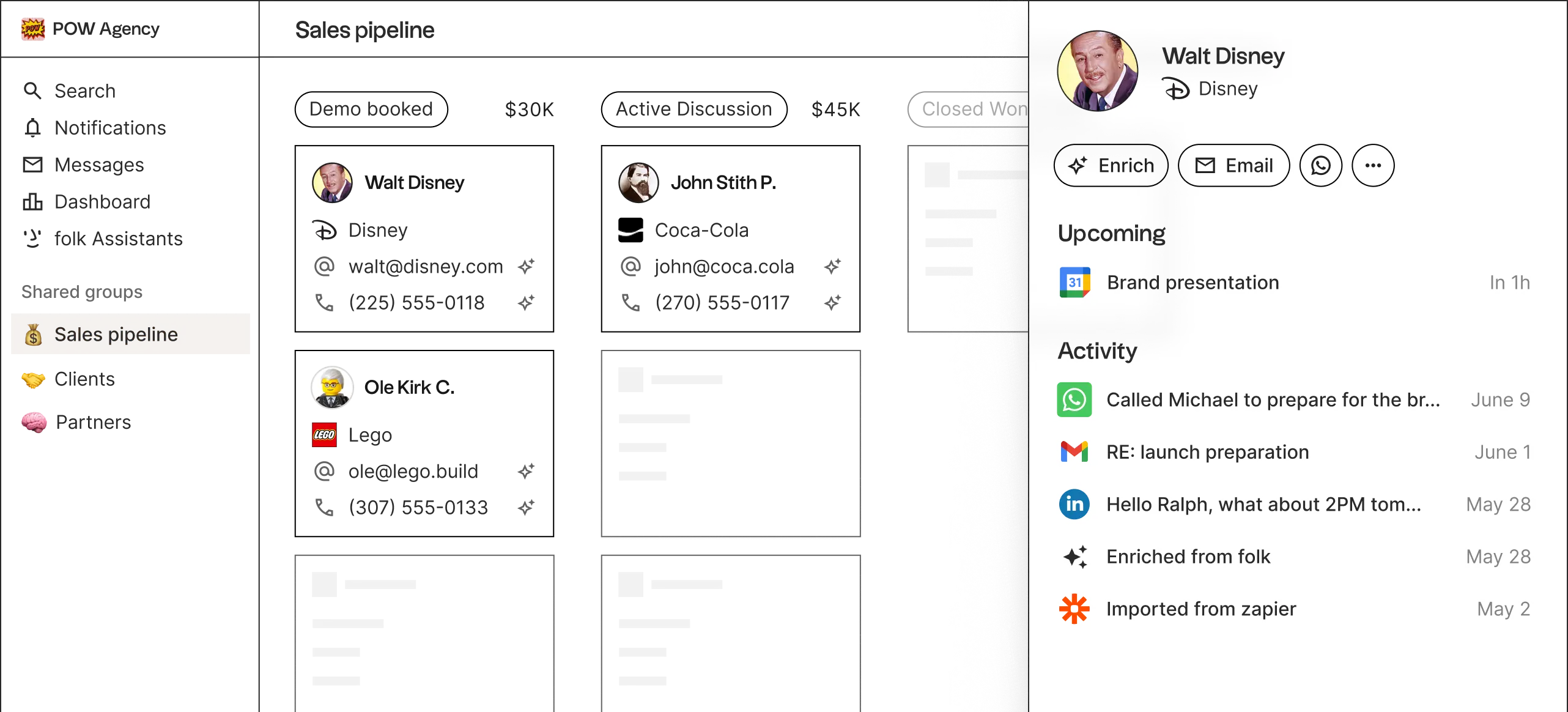
POW Agency sales pipeline dashboard showing demo booked, active discussion, and closed won stages with contact details.

Trusted by 4,000+ companies around the world

4,9

Five black stars in a row representing a five-star rating

Product hunt

4,8

Five black stars in a row representing a five-star rating

Chrome store

4,5

Five black stars in a row representing a five-star rating

G2 review

folk CRM captures multi-channel data to automate your work

folk assistants work on your behalf, even while you sleep

Capture contacts fast as lightning

folkX chrome extension imports leads and enriches their details without leaving LinkedIn or any other social platform
LinkedIn Sales Navigator interface showing Walt Disney lead detected notification popup

Sales research, done for you

Smart fields find emails in 1 click, identify a lead’s strongest connection, and import data from your prospect’s website with AI
Contact management table showing emails, company links, industries, and LinkedIn profiles with data enrichment in progress.

Personal outreach, at scale

CRM data combined with AI to generate contextual drafts, schedule messages, and automate sequences
Email campaign workflow showing brand presentation email to 230 recipients with wait periods and variable insertion options.

Get the full story about every lead

Integrations capture all the details about your relationships by connecting to your emails, calendar, social platforms, and 6000+ other tools
Contact profile interface showing Jenny Wilson from Disney with activity section and recent interactions from various platforms.

Sell together, close faster

Collaborate on deals with shared pipelines, customizable roles and permissions, and sales dashboards
Sales pipeline dashboard showing deal stages: Contacted $30K, Qualified $12K, Closed Won $40K with metrics

Copper vs. folk

Key differences at a glance

Pro Plan
Premium Plan
Price
$59 / seat / month
$50 / seat / month
Email enrichment
Contacts
15,000
Unlimited
Custom fields
50
Unlimited
Sequences
WhatsApp sync
LinkedIn & Sales Navigator extension
Email analytics

Loved by closers

“folk helped us simplify our whole sales flow. Sometimes you get overwhelmed by all the tasks you need to do. Having folk just reminding us what leads to prioritize is a game-changer.”
Black and white portrait of a woman wearing round glasses and long hair
Catherine, Partnerships manager
@Eugeniuses
“Prospecting takes multiple forms: reach out to someone, meet at an event, get introduced, word of mouth... folk helps us capture all of this.
Professional headshot of smiling man with dark hair wearing black jacket
Hugo, CEO
@nextra
“We’re wearing a lot of hats and, at our agency, we need to. My CRM organization needs to be streamlined and easy to use. That's why we love folk.
Black and white portrait of a young man in a circular frame looking at camera
Oliver , founder
@pinfluence
“folk is simple and flexible enough to evolve with the way we collaborate as a team. We used to rely mainly on inbound and word-of-mouth. And now folk helps also with prospecting.”
Man with dark hair and mustache wearing light blue shirt portrait
Luc Chanut, founder
@monette

Frequently Asked Questions

What is Copper, and why do teams use it?

Copper is a CRM built for Google Workspace. It sits inside Gmail and Calendar, so teams who live in Google get a CRM that feels like part of their inbox, with pipelines, tasks and reporting on top. It is a good fit for teams whose whole working day happens in Google — and a harder one for everyone else.

What happens if my team isn't fully on Google Workspace?

Copper's product is designed around Gmail and Google Calendar. folk connects to Gmail and Outlook, so a team split across Google and Microsoft works in one CRM instead of two. You connect whichever inbox each person actually uses, and their emails, calendar events and contacts land in the same place.

Copper caps how many contacts I can store. Does folk?

No. Copper's plans include 2,500 contacts on Basic and 15,000 on Professional, so growing your database eventually means changing plan. folk prices on seats, enrichment credits and messages, not on how many people you keep in your CRM — your contact list can grow without the bill changing shape.

How is folk different from Copper on contact data?

Two things. Finding emails: Copper's LinkedIn Email Finder gives you 3 lookups a week on Basic and 25 on Professional, one profile at a time, while folk runs waterfall enrichment across several providers with 1,000 credits a month per member. And duplicates: in Copper you find and merge them yourself, and a merge cannot be undone. folk detects and merges them for you.

Can I run outreach and sequences directly in folk?

Yes. You can send personalised bulk emails and sequences, collaborate on drafts with teammates and pick the sender, without exporting data or leaving the CRM. You see who opened, clicked and replied.

How does migration from Copper work?

Connect your email and WhatsApp and folk builds a contact list from the conversations you have already had. If you would rather bring your existing records, export a CSV from Copper and import it. Want our help migrating for free? Contact us here or directly in the folk app.

Your data is safe with us

SOC 2 TYPE I
CERTIFIED
Shield icon with lines fading from left to black solid right side
GDPR
COMPLIANT
Nine black stars arranged in a circle on white background
GOOGLE SECURITY
CERTIFIED
Black padlock icon with keyhole and handle on white background